




EYFS Progress & Achievement Tracker. Simple Data Entry, Powerful Reporting.
This Excel template tracks and reports pupil progress across all 7 EYFS Areas of Learning and their 17 Aspects, as outlined in the statutory framework. Designed by teachers for teachers, it provides simple, clear insights into pupil achievement without complex formulas or technical setup. Enter data once and reports update instantly, saving hours of admin time.
The tracker includes a preloaded demo spreadsheet, a blank template for quick class setup, prebuilt reports and charts, plus a quick start guide. Two key components make it powerful: an intuitive data entry dashboard and an automatic system storing data in a structured format for analysis and reporting.
Getting Started
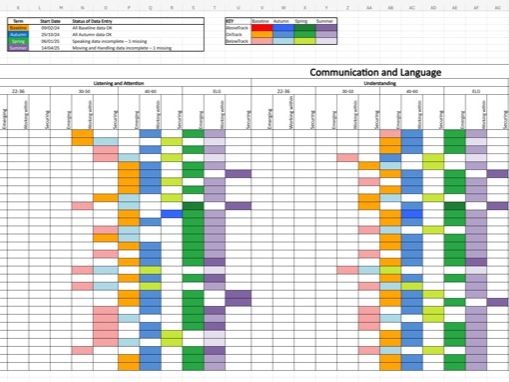
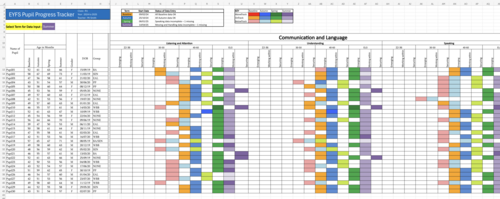
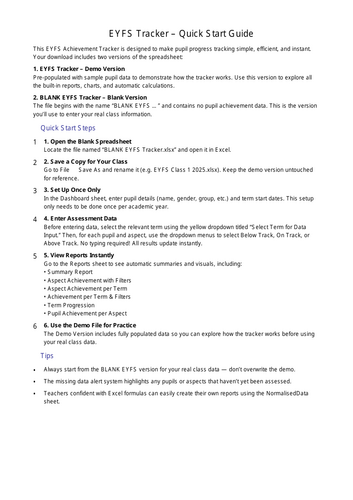
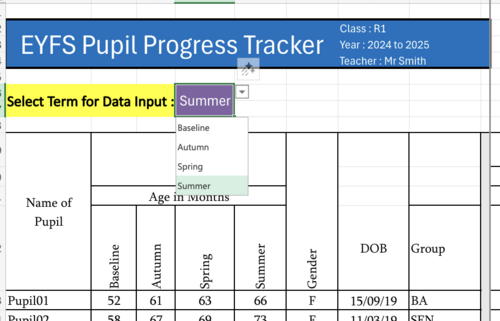
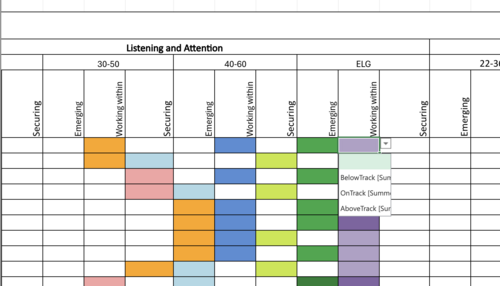
Open the blank spreadsheet (“BLANK EYFS …”), save a copy for your class, and enter pupil details and term start dates. After this one-time setup, you’re ready to enter achievement data via dropdowns (BelowTrack, OnTrack, AboveTrack) for each pupil, aspect, and term. The dashboard calculates ages automatically and provides a clear visual display of progress at a glance.
Automatic Data Structuring
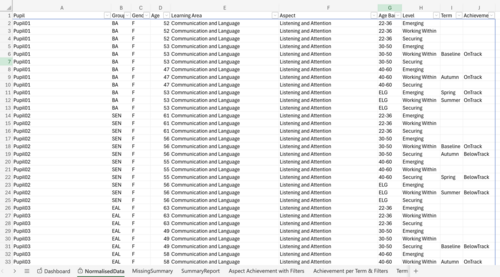
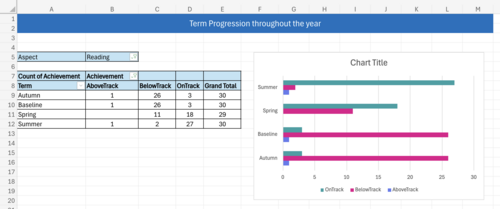
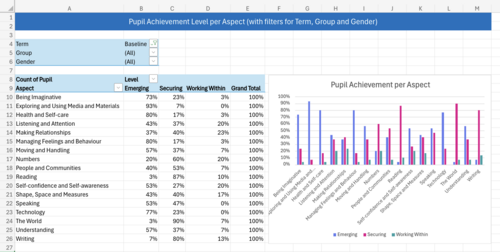
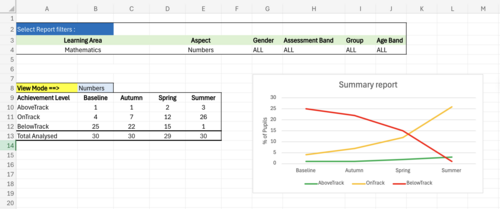
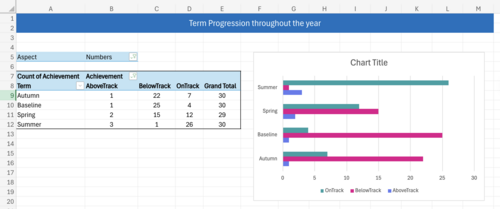
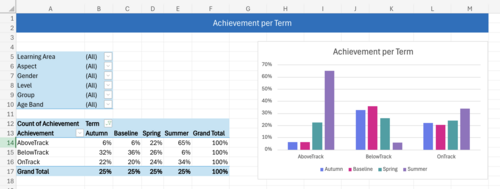
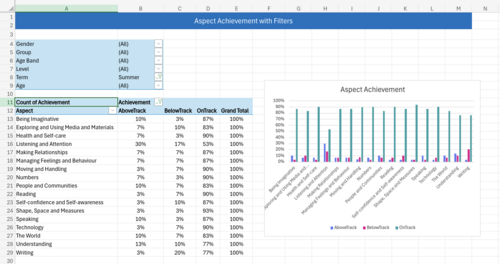
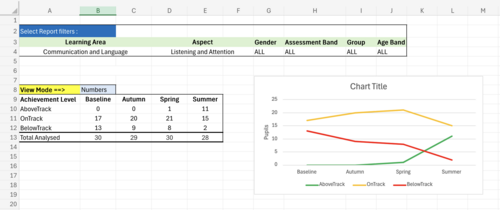
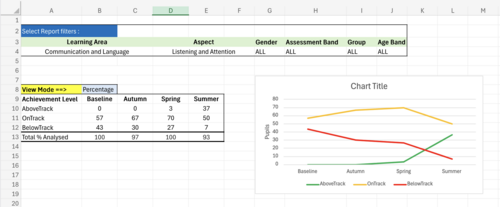
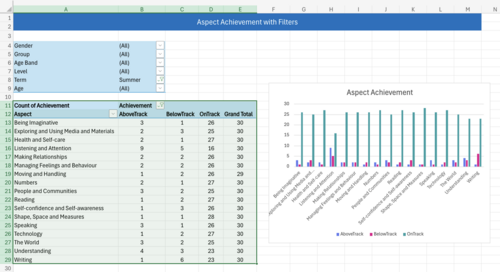
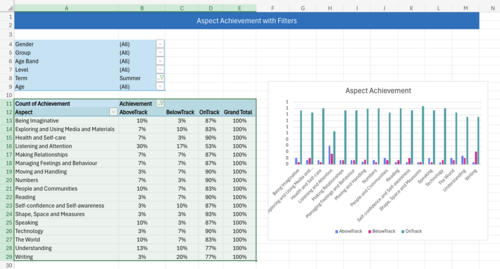
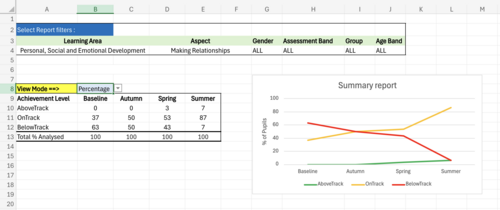
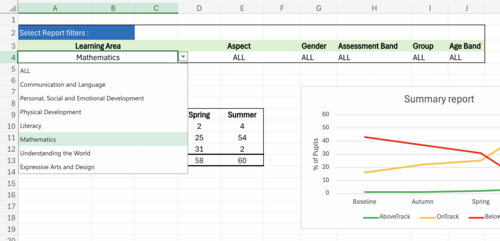
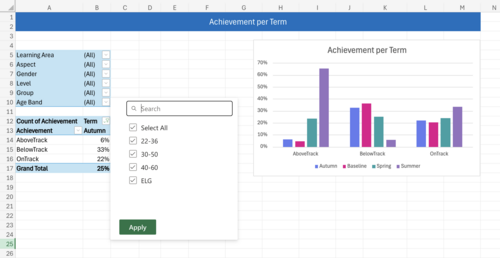
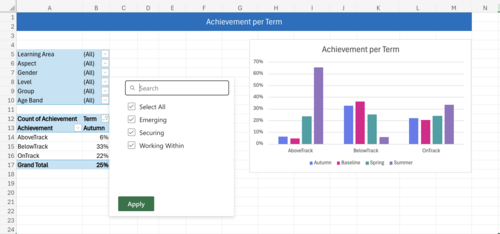
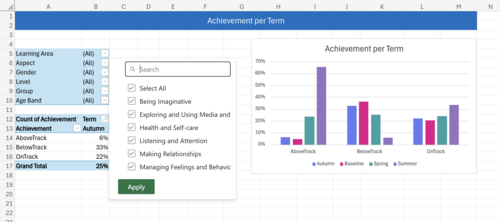
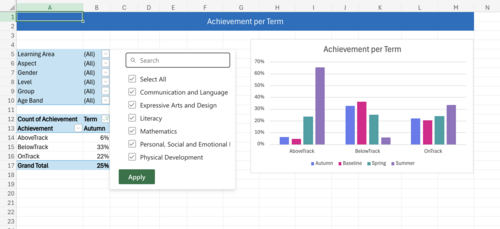
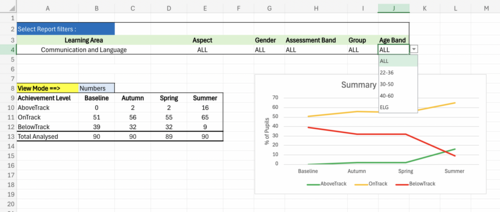
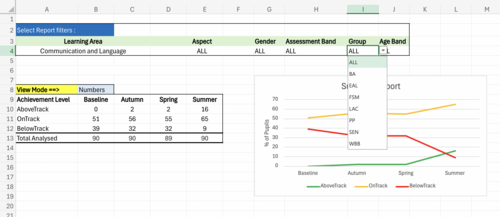
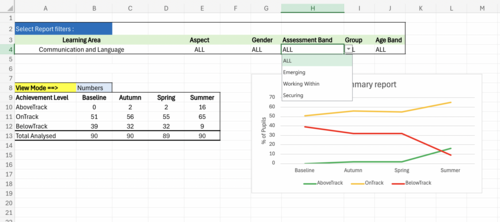
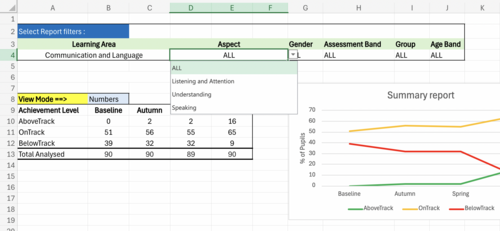
All data is stored in the NormalisedData sheet, ready for pivot tables and flexible reporting. Prebuilt reports include Summary Report, Aspect Achievement with Filters, Aspect Achievement per Term, Term Progression, and Pupil Achievement per Aspect. Teachers can filter by Term, Learning Area, Aspect, Gender, Group, Age Band, or Assessment Band. Users confident with Excel can build custom reports easily.
Features
Simple data entry: Enter once per term, with intuitive dropdowns.
Instant visual feedback: See pupil progress as you enter data. No manual calculations. No formulas needed.
Flexible reporting: Structured data enables pivot tables, charts, and custom reports.
Missing data alerts: Highlights incomplete records automatically.
One-time setup: Pupil info and term start dates entered once.
Auto calculate of pupil age per term.
EYFS aligned: Supports ages 3–5 years old, all aspects, using Emerging, Working Within, and Securing levels.
Proven in classrooms: Teachers praise its clarity, simplicity, and instant insights.
Why Teachers Love It
The tracker is visual, intuitive, and saves time. Enter data once and view clear tables and charts showing who is on, above, or below track. Ideal for progress reviews, parent meetings, interventions, moderation, and reporting to SLT or Ofsted.
Quick Start Tip
Use the blank spreadsheet for your class. Enter pupil details, select the term for data entry, and choose achievements from dropdowns. Protected formulas ensure the reporting tools remain intact.
Value for Money
At £5, this tracker saves time, reduces workload, and provides instant, flexible EYFS reporting — without the complexity or cost of expensive systems.
Something went wrong, please try again later.
This resource hasn't been reviewed yet
To ensure quality for our reviews, only customers who have purchased this resource can review it
Report this resourceto let us know if it violates our terms and conditions.
Our customer service team will review your report and will be in touch.
£5.00