






KS3 Excel Lesson 3 – Fun Into Functions!
Introduction to SUM, AVERAGE, MIN & MAX
Fully Dyslexia-Friendly | High Engagement | Updated for 2026
Bring Excel to life with this lively and accessible introduction to functions. Lesson 3 builds directly on students’ understanding of basic = calculations and introduces them to Excel’s most popular beginner functions in a clear, practical and confidence-building way.
All resources are fully dyslexia-friendly, using accessible fonts, soft pastel backgrounds, spacious layouts and colour-coded examples to support all learners, including SEND and lower-ability students.
What Students Will Learn
-
What a function is and how it differs from basic calculations
-
How to use core Excel functions:
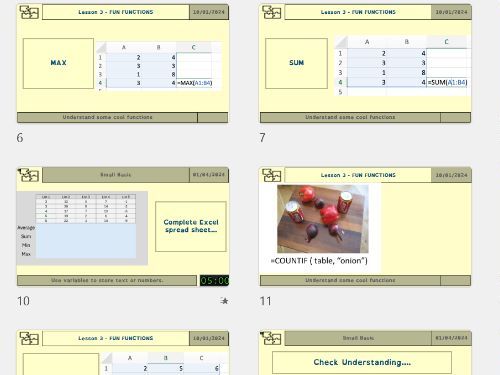
- =SUM()
- =AVERAGE()
- =MIN()
- =MAX()
-
How to use brackets and ranges (e.g. A1:A5)
-
How cell references work inside functions
-
How changing data automatically updates results
-
Why functions are used in real-world spreadsheets
Lesson Activities
- Clear modelling of each function with step-by-step examples
- Guided practice calculating totals, averages and highest/lowest values
- Real-world style data sets (scores, spending, points tables, etc.)
- Exploring ranges and selecting multiple cells efficiently
- “What happens if…?” modelling tasks where students change numbers to observe automatic updates
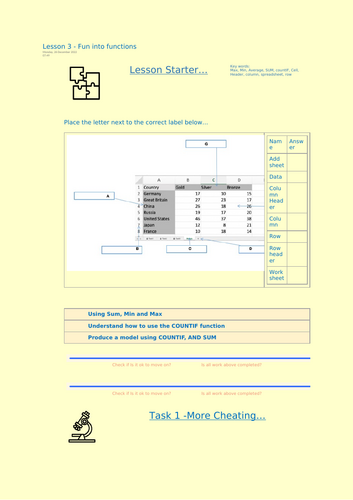
- Screenshot evidence tasks for assessment
- Extension challenge: combine multiple functions in one spreadsheet
Why Teachers Choose This Lesson
- Fully dyslexia-friendly formatting throughout
- High engagement through practical, relatable examples
- Clear scaffolding for mixed-ability groups
- Minimal writing, maximum hands-on practice
- Ready-to-teach with slides, worksheets and editable Excel files included
- Builds strong foundations for logic and modelling in later lessons
By the End of the Lesson, Students Will Be Able To
- Use SUM, AVERAGE, MIN and MAX confidently
- Apply functions using cell ranges and references
- Understand how functions automate calculations
- Recognise real-world uses of spreadsheet modelling
- Feel confident moving from simple formulas to structured functions
Lesson 3 moves students from basic calculations into the powerful world of functions, strengthening their spreadsheet confidence while keeping learning accessible, structured and engaging.
Something went wrong, please try again later.
This resource hasn't been reviewed yet
To ensure quality for our reviews, only customers who have purchased this resource can review it
Report this resourceto let us know if it violates our terms and conditions.
Our customer service team will review your report and will be in touch.
£2.50