






KS3 Excel Lesson 2 – “Cheating at Maths!”
Using Basic Calculations & Cell Referencing
Fully Dyslexia-Friendly | High Engagement | Updated for 2026
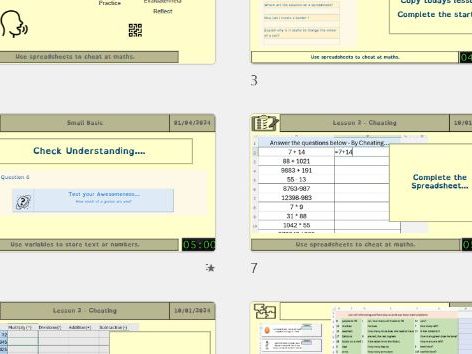
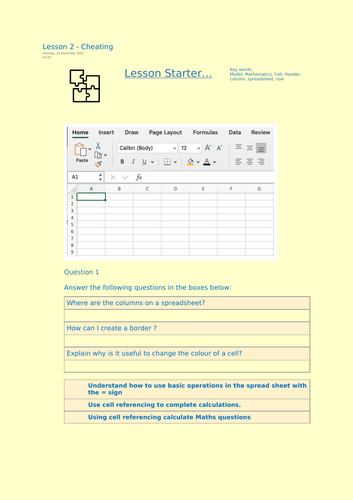
Keep the momentum going with this engaging second Excel lesson, where students discover how spreadsheets let you “cheat at maths” simply by typing = and using cell references. No functions yet — just clear, confidence-building calculations using Excel’s most essential skills.
All materials are fully dyslexia-friendly, using accessible fonts, soft pastel backgrounds, clean spacing and high-contrast headings to support every learner.
What Students Will Learn
-
How to write basic Excel calculations using:
- =A1 + B1
- =C3 - C2
- =D4 * 10
- =E5 / 2
-
How cell referencing works
-
Why formulas update automatically when numbers change
-
How spreadsheets model real situations
-
The difference between typing numbers directly and referencing cells
Lesson Activities
- Guided demonstration of typing = formulas correctly
- Structured practice solving maths-style questions using cell references
- Modelling tasks where students change values to see instant updates
- “Spot the mistake” debugging activity
- Screenshot evidence tasks for assessment
- Extension challenge: build a mini maths grid that updates dynamically
Why Teachers Choose This Lesson
- Fully dyslexia-friendly formatting throughout
- High engagement theme that wins instant student buy-in
- Clear scaffolding for mixed-ability KS3 classes
- Safe, error-proof modelling tasks
- Minimal prep required – slides, worksheet and editable spreadsheet included
- Strong foundation before moving to functions in Lesson 3
By the End of the Lesson, Students Will Be Able To
- Confidently write basic = formulas
- Use cell references instead of manual number entry
- Explain why spreadsheets are powerful modelling tools
- Apply addition, subtraction, multiplication and division in Excel
- Understand how changing one value updates the entire model
This lesson provides a smooth and supportive progression from Battleships and cell referencing into meaningful spreadsheet calculations — building real confidence before introducing functions in Lesson 3.
Something went wrong, please try again later.
This resource hasn't been reviewed yet
To ensure quality for our reviews, only customers who have purchased this resource can review it
Report this resourceto let us know if it violates our terms and conditions.
Our customer service team will review your report and will be in touch.
£2.50