



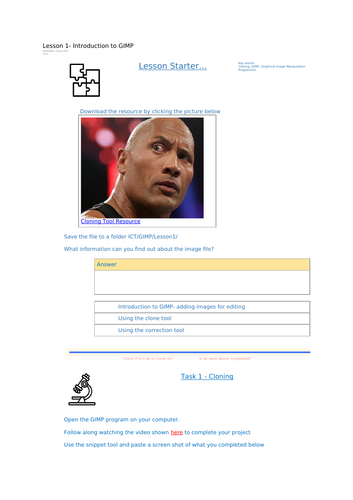





A complete, practical lesson introducing students to GIMP (GNU Image Manipulation Program) and guiding them step by step through two essential image-editing tools: the Clone Tool and the Healing Tool.
Students learn how to open, edit and manipulate images while developing real-world digital creativity skills using free, open-source software.
Perfect for KS3 ICT, Computer Science or Creative iMedia units focusing on digital graphics and photo editing.
What’s Included
• Editable PowerPoint lesson
• Step-by-step video tutorials (teacher-made walkthroughs)
• Guided practical tasks
• Student worksheet with structured activities
• “Is it ok to move on?” progress checkpoints
• Screenshot evidence and reflection questions
• Creative challenge extensions
• Teacher guidance and support materials
Lesson Structure
Starter Activity
Students explore and discuss image file types, properties and key information they can identify about digital images.
Key Vocabulary
Clear explanations of Cloning, Healing, Sampling and Editing to build technical understanding.
Video Demonstrations
Structured walkthroughs modelling exactly how to use the Clone Tool and Healing Tool in GIMP.
Guided Practical Tasks
Students:
• Open and import images into GIMP
• Download provided sample resources
• Practise cloning sections of an image
• Use the healing tool to remove or correct unwanted areas
• Reflect on how each tool works and when it should be used
Challenge Activities
Creative extension tasks encourage experimentation, including:
• Editing a celebrity image
• Cloning and extending landscapes
• Making humorous modifications (stubble edits, selfie enhancements)
• Creating subtle or dramatic image corrections
Learning Outcomes
By the end of the lesson, students will:
✔ Open and edit images confidently in GIMP
✔ Use the Clone Tool to copy and replicate areas of an image
✔ Use the Healing Tool to remove or correct imperfections
✔ Apply both tools creatively to solve editing challenges
✔ Capture screenshot evidence and explain tool purposes clearly
Why Teachers Love It
• Clear progression from technical skill to creative application
• Hands-on and highly engaging
• Suitable for mixed-ability learners
• Structured self-assessment checkpoints
• Fully editable and ready to teach
• Uses free, accessible software
Perfect For
• KS3 ICT / Computing
• KS4 Creative iMedia
• Practical introduction to photo editing
• Building digital creativity skills
• Cover lessons or project-based learning
Format
Editable PPTX
Student worksheet (DOCX / PDF)
Video walkthrough links included
Print-friendly and digital-ready
TES Keywords
GIMP Lesson, Clone Tool, Healing Tool, Photo Editing, Digital Graphics, Image Manipulation, KS3 Computing, Creative iMedia, ICT Lesson, Open Source Software
Something went wrong, please try again later.
This resource hasn't been reviewed yet
To ensure quality for our reviews, only customers who have purchased this resource can review it
Report this resourceto let us know if it violates our terms and conditions.
Our customer service team will review your report and will be in touch.
£2.50