



Teach the whole of Cambridge National Engineering Design R039 Communicating Designs (J822) from one editable PowerPoint. This 147-slide deck has 18 practical lessons that cover every teaching point in all three topic areas, with step-by-step demonstrations that students follow with pencils, drawing boards and CAD software.
WHAT’S INCLUDED
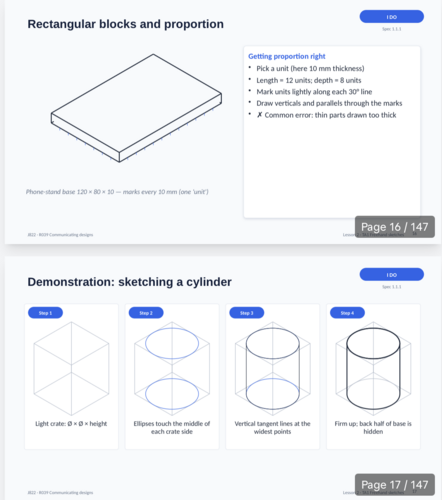
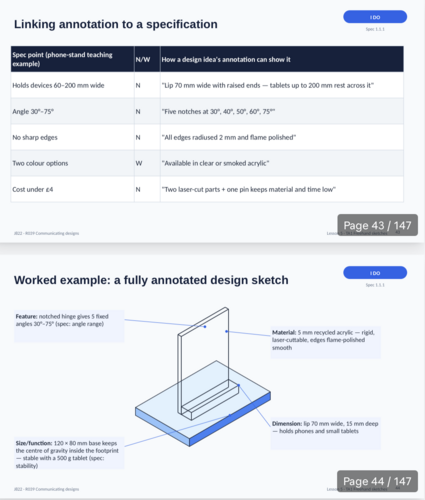
TA1 Freehand sketching: tools and line quality; 2D crating; 3D sketches of the cube, rectangular block, cylinder and hollow object; isometric sketching; compound shapes by addition and subtraction; thick/thin lines, tone, shading and texture; annotation of features, functions, dimensions and materials; generating a range of ideas, analysis, justification and design development
TA2 Engineering drawings: sheet set-up and layout calculation; third angle orthographic drawing built up in five steps; hidden detail, centre lines and dimensioning to BS 8888; sectional views and hatching; exploded isometric assembly drawings with centre lines, balloons and a parts list; assembly instructions
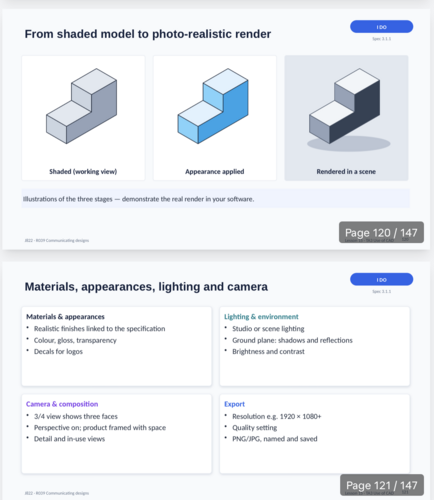
TA3 CAD: the workflow from 2D sketch to finished assembly; lines, arcs and polygons; dimensions and constraints; extrude, extrude cut and revolve; holes, shelling and work planes; compound components; rendering; assemblies with mate tools and constraints; animation; troubleshooting and recording evidence
EVERY LESSON INCLUDES
Learning objectives, success criteria and key terms
I DO / WE DO / YOU DO / CHECK structure, labelled and colour-coded
Demonstrations that show the result, the tools, then each stage
Common errors and how to fix them
Practice tasks with SUPPORT and STRETCH, plus an exit ticket
Detailed speaker notes on every slide: timings, equipment, teacher wording and answers
ACCURATE, EDITABLE DIAGRAMS
Every drawing is built from editable PowerPoint shapes, and the isometric views are generated with hidden lines removed. Includes third angle projections, sections, exploded views and parts lists. Four teaching objects keep the same dimensions all the way through.
NEA-SAFE BY DESIGN
Teaches skills, not the assignment. It contains no mock assignment, in line with the OCR specification, and it includes teacher guidance on feedback, authentication and AI rules. Software-independent CAD teaching, with a command-name guide for Fusion, Onshape and SolidWorks. Interface images are clearly labelled as schematics.
BONUS
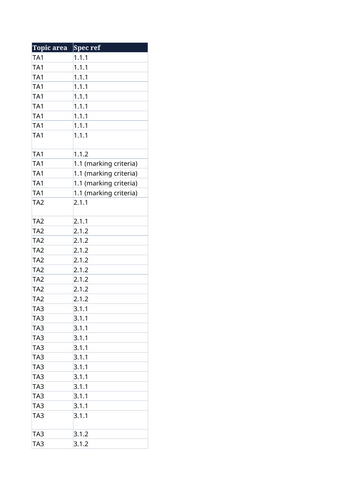
A specification coverage spreadsheet that maps every point to its slides
A skills self-assessment checklist
Fully editable 16:9 PowerPoint.
Something went wrong, please try again later.
This resource hasn't been reviewed yet
To ensure quality for our reviews, only customers who have purchased this resource can review it
Report this resourceto let us know if it violates our terms and conditions.
Our customer service team will review your report and will be in touch.
£11.99