


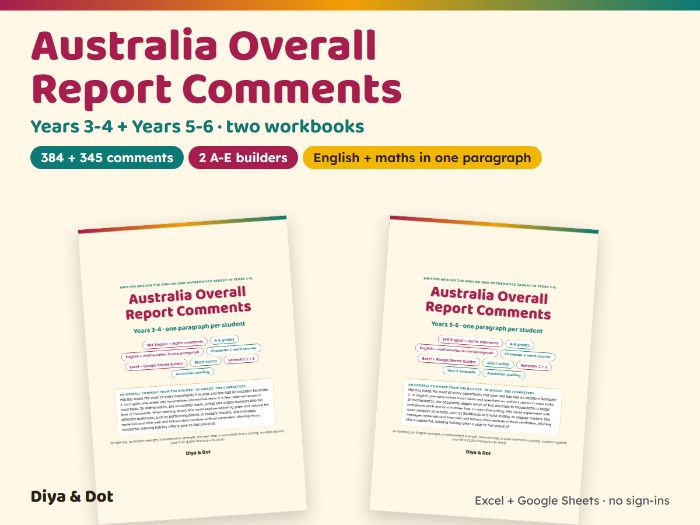




Write one overall report comment for every student in one sitting. Type first names, pick an English grade and a maths grade (A-E) and an optional effort level, and the builder writes one paragraph per student: an opening, strengths from the areas you taught, one next step with a strategy, a work-habit sentence and a closing. Then read, edit and paste.
Made for the one-comment report: WA public school reports allow one overall comment of up to 1,000 characters for Pre-primary to Year 6, and it must cover English and mathematics. Many Queensland and South Australian schools now write a single general comment as well. Set your own limit in characters or words; a comment over it turns red, and the Short switch trims it to about 450-650 characters.
What’s included (861 different comments across 2 builders):
- Years 3-4: 171 English comments across 9 areas and 213 mathematics comments across 10 areas
- Years 5-6: 133 English and 212 mathematics comments, plus 12 Year 6 farewell closings
- English: Reading and comprehension, Reading fluency (Years 3-4), Writing, Spelling, Grammar and punctuation, Vocabulary, Speaking and listening, Handwriting (Years 3-4), Responding to literature
- Mathematics: Place value, Addition and subtraction, Multiplication and division, Fractions and decimals, Patterns and algebra, Measurement and time, Geometry and location, Statistics and data, Chance, Problem solving and reasoning
- Strengths for A-E and next steps for A/B, C and D/E in every area; Semester 2 and Semester 1 openings and closings in three tones
- Two builders (Years 3-4 and Years 5-6) for up to 40 students each (Excel .xlsx; opens in Google Sheets)
- Two printable PDFs (38 and 36 pages) of every comment with character counts
How the builder works:
- Choose your state, the semester and up to three English and three mathematics areas you taught
- The next step goes to the subject with the lower grade
- Live character and word counters; Try another reshuffles the wording; Print View lists every comment ready to copy into your reporting software
- Victorian schools: use it for the general comment and enter the 5-point scale in the grade box (Well above = A … Well below = E)
- Australian spelling, plain English for parents and carers, third person, strengths first
- Works in Excel (offline) and Google Sheets: no add-ons, and names stay in your own copy
Try it first: the free sampler has two areas for both year bands and a builder for 10 students: https://www.tes.com/teaching-resource/free-overall-report-comments-au-yr-3-6-13624940
Please read and edit every comment so it is true for your student. Not affiliated with or endorsed by any state education department or curriculum authority. Licence: one teacher, your own classes.
Something went wrong, please try again later.
This resource hasn't been reviewed yet
To ensure quality for our reviews, only customers who have purchased this resource can review it
Report this resourceto let us know if it violates our terms and conditions.
Our customer service team will review your report and will be in touch.
£5.50