



Help improve your school’s Progress 8 score. Use this software to better target your interventions by identifying individual key subjects that will have the greatest impact on progress 8 for each student.
Add your own sub-groups to further focus interventions, hold subject leaders to account and much more.
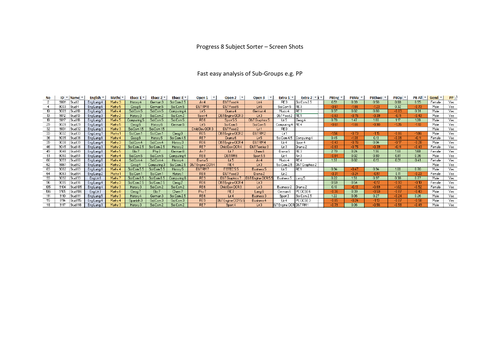
If you would like to know which subject is getting into which Progress 8 slot for all your students - then this is for you.
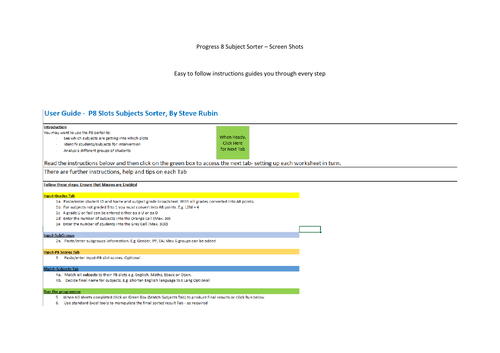
Simply copy and paste a subject/grade broadsheet directly from your MIS/ data analysis software and this Excel program will sort, for all your students, their subjects and grades, into the correct counting Progress 8 slot with just a click of a button.
The sorted results are displayed in Excel in a user-friendly format allowing for more detailed analysis using normal Excel tools.
Full instructions are included and if there are any specific updates you would like - please let me know.
Something went wrong, please try again later.
What a super program, so very helpful to each student. Can only highly recommend getting it.<br /> <br />
Sorts subjects with their grades into Progress 8 slots for each student - so you can easily see where intervention can have the most impact. All I had to do was copy and paste the information from my data analysis package (Sisra) and it did the rest. My SLT love it.
Report this resourceto let us know if it violates our terms and conditions.
Our customer service team will review your report and will be in touch.
£5.00