


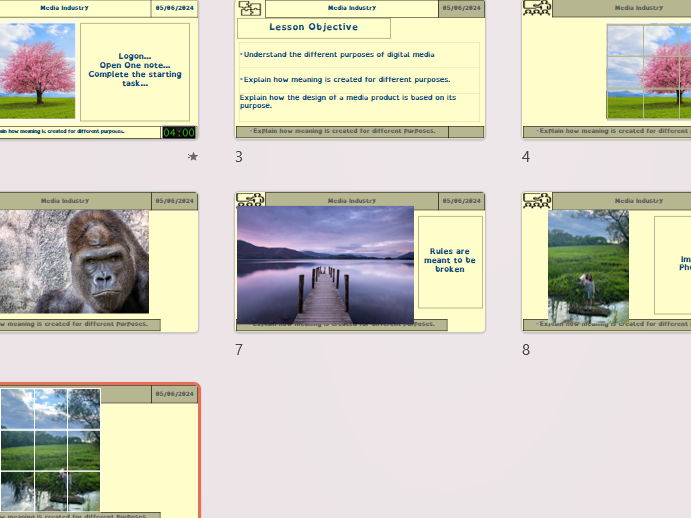


An engaging, hands-on practical lesson introducing students to digital graphics design conventions using free software such as GIMP or Photopea.
Learners create shapes from scratch, apply professional composition rules (including the rule of thirds), manipulate layers correctly, and finish by designing a polished promotional poster for a new product launch.
This lesson blends technical skill development with creative design thinking — ideal for Creative iMedia, Digital Graphics or KS3 Computing units.
Lesson Objectives
Students will:
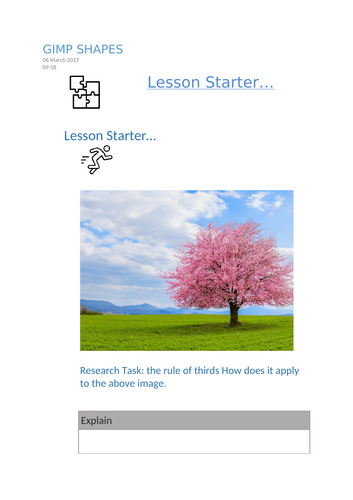
• Understand the rule of thirds and how it improves composition
• Create custom shapes using selection and shape tools
• Merge and resize layers correctly (Merge Down / Layer to Image Size)
• Apply blur effects for visual focus and depth
• Design a professional poster using layout conventions, typography and colour theory
What’s Included
• Fully editable PowerPoint lesson
• Step-by-step guided practical tasks
• Student worksheet with “Quick Query” reflection questions
• Screenshot evidence task to demonstrate progress
• Stretch and challenge activities for higher-attaining learners
Task Highlights
Task 1 – Creating Shapes
Students follow a short video/tutorial to create a love-heart shape from scratch, experiment with blur tools, and reflect on which tools and processes were used.
Main Task – ROBO Poster Design
Students design a pre-release promotional poster for a luxury robot toy. They apply layout conventions, branding, imagery placement and suitable typography to create a professional finish.
Plenary – Understanding Systems
Students reflect on Inputs, Processes and Outputs within digital image editing software.
Why Teachers Choose This Lesson
• Practical and creative with clear structure
• Builds real software skills using free tools
• Encourages independent problem-solving
• Suitable for mixed-ability classes with scaffolded support
• Fully editable and ready to teach
Perfect For
• KS3 Computing
• KS4 Creative iMedia
• Digital Graphics units
• Introduction to composition and design principles
• Cover or project-based lessons
Format
Editable PPTX
Word DOCX / PDF student worksheet
Suitable for digital or print delivery
TES Keywords
Digital Graphics, Creative iMedia, GIMP Lesson, Photopea Lesson, Rule of Thirds, Poster Design, Image Editing, Layer Tools, Blur Effect, Typography, KS3 Computing, KS4 Media, Digital Design Lesson
Something went wrong, please try again later.
This resource hasn't been reviewed yet
To ensure quality for our reviews, only customers who have purchased this resource can review it
Report this resourceto let us know if it violates our terms and conditions.
Our customer service team will review your report and will be in touch.
£2.99