


Lesson 3 Clear Digital Messaging - Smart Search, Copy and Paste
Students will build on what they have learned in the previous lessons and dive deeper into the world of women innovators whilst developing digital messaging skills.
Lesson 1: KS3 Digital Messaging Lesson 1 - Women in Tech
Lesson 2: KS3 Digital Messaging Lesson 2 - Women in Tech
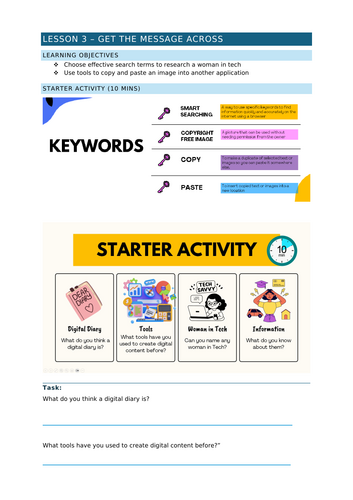
In this third lesson, students sharpen their digital research skills by learning how to select effective search terms that uncover inspiring women in technology. They will discover where to find high quality,copyright free images, practice copying and pasting those visuals, and use them to start a digital diary that celebrates each featured trailblazer.
What students will achieve
- Smart searching: Write precise queries that find relevant information quickly.
- Copyright awareness: Identify truly free-to-use images and understand basic licensing rules.
- Image hunting: Locate copyright-free pictures of women working in tech fields.
- Copy-paste mastery: Transfer images smoothly into a Word document.
- Digital diary creation: Assemble a polished, visual record of each woman’s story.
- Homework: Apply the new skills to produce a short diary entry featuring a chosen tech pioneer.
By the end of the session, learners will have a ready-to-use digital portfolio piece that showcases both research competence and creative presentation key building blocks for confident digital communication.
Something went wrong, please try again later.
This resource hasn't been reviewed yet
To ensure quality for our reviews, only customers who have purchased this resource can review it
Report this resourceto let us know if it violates our terms and conditions.
Our customer service team will review your report and will be in touch.
£1.60