


Stop juggling spreadsheets, paper seating plans and scattered behaviour notes.
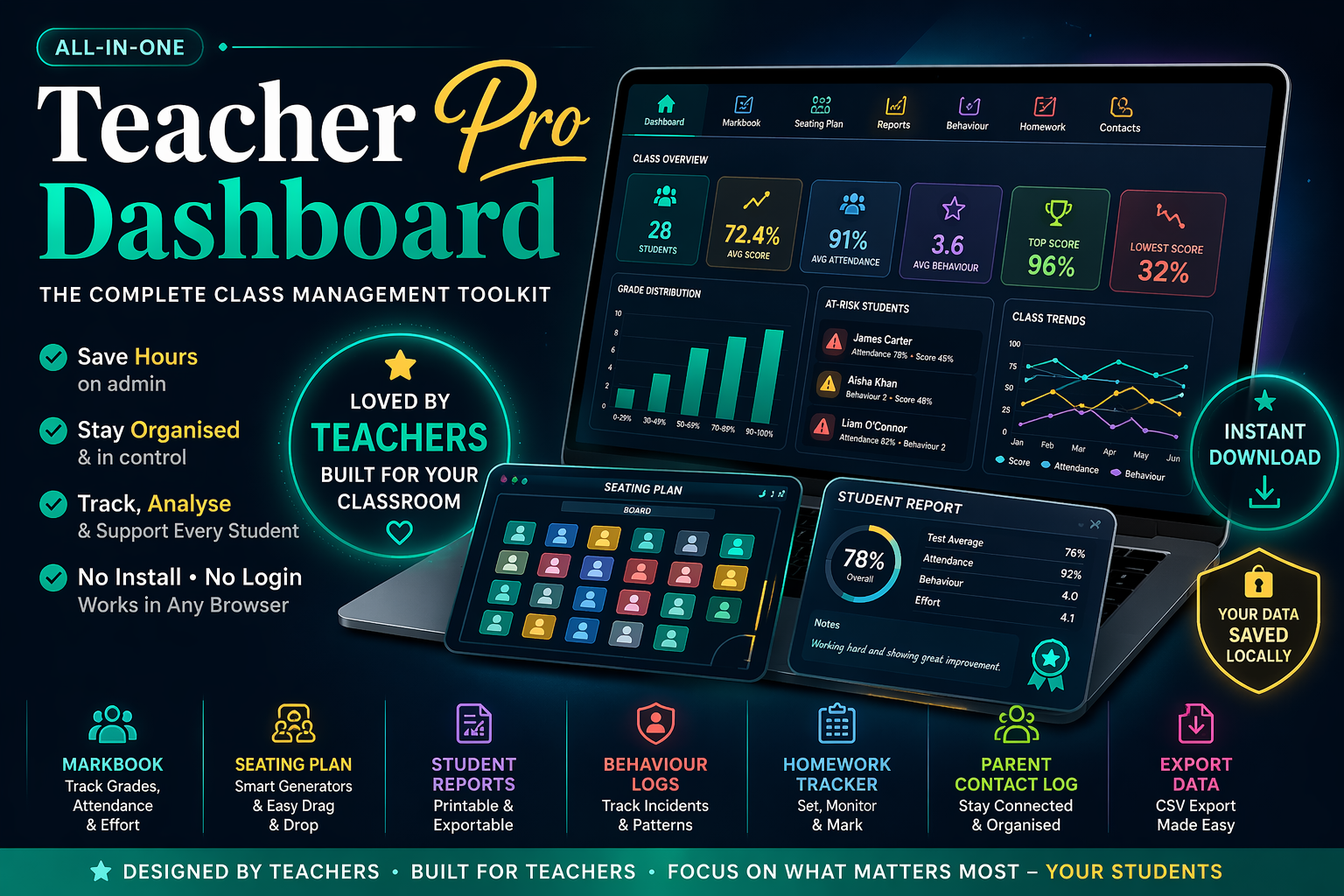
Teacher Dashboard Pro is an all-in-one interactive teacher toolkit that saves time, improves organisation and streamlines classroom admin — all in a single file that opens in any browser.
Now updated to v4.0 with dynamic multi-assessment tracking, target grades, RAG indicators, Google Drive backup and much more.
Built as the premium expansion of our popular free dashboard resource, this version gives you everything you need to manage day-to-day teaching in one place.
WHAT’S INCLUDED
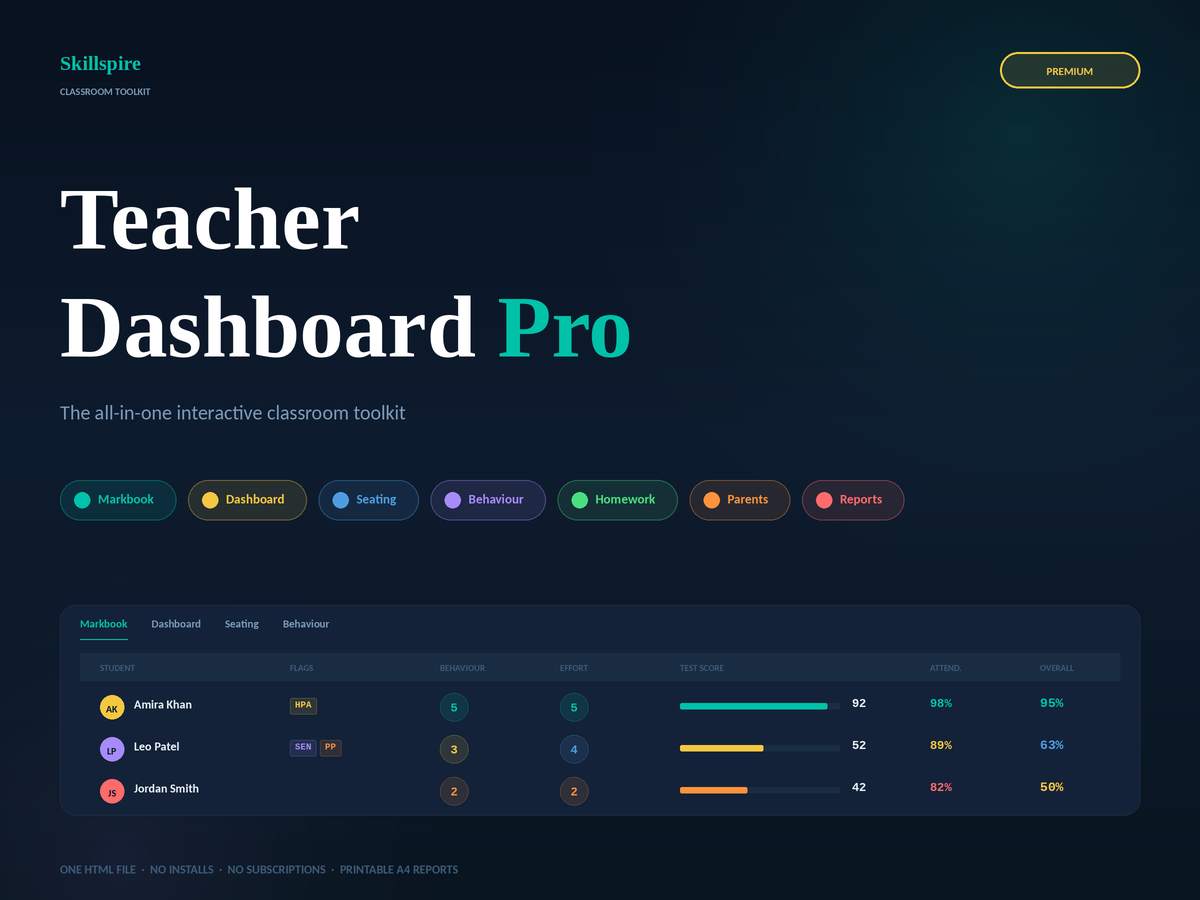
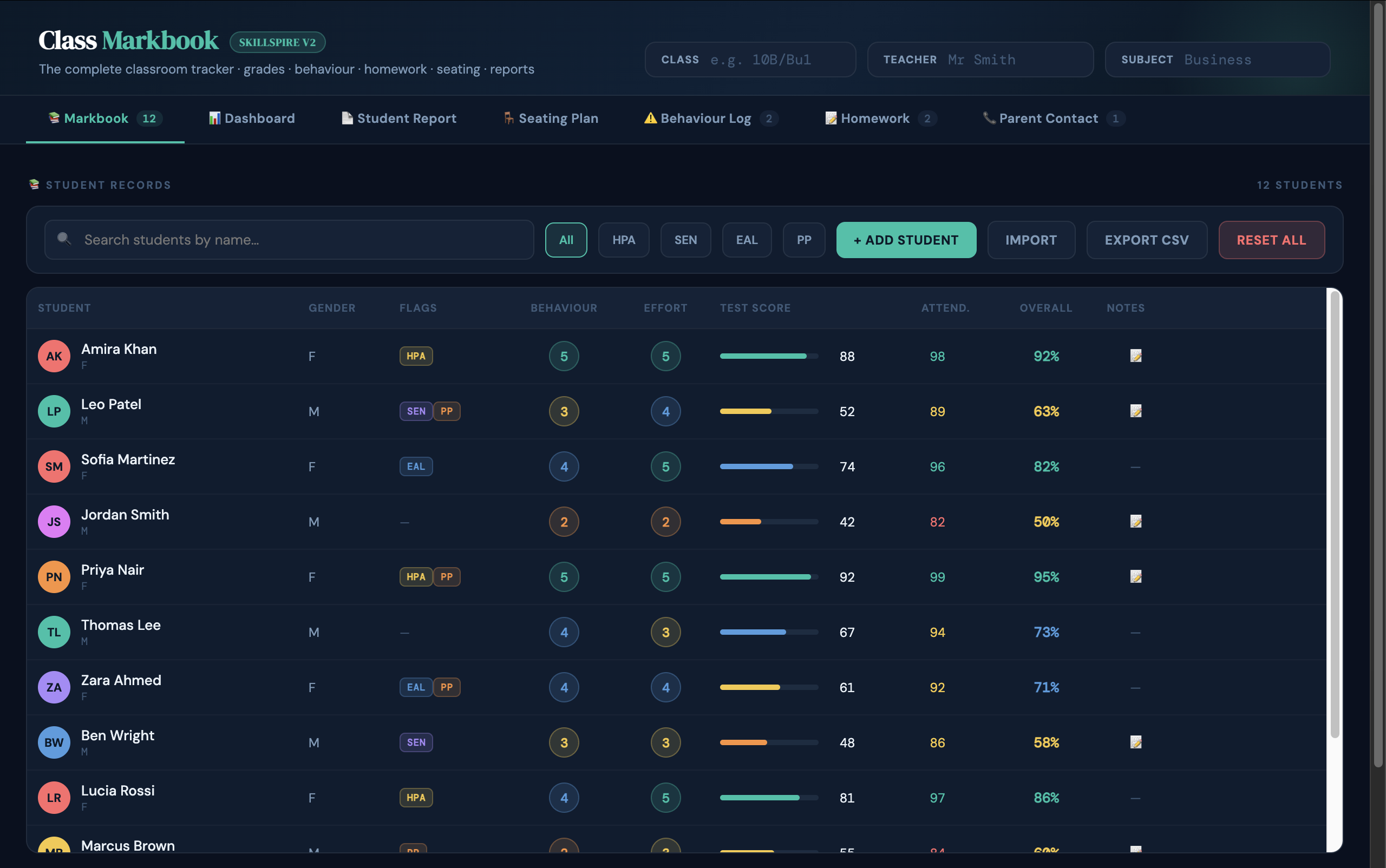
Student Markbook
• Add unlimited students with flags for HPA, SEN, EAL and Pupil Premium
• Set individual target grades with live RAG (red/amber/green) gap indicators
• Sortable columns — click any header to sort instantly
Dynamic Multi-Assessment Columns
• Create as many named assessments as you need (Unit tests, mocks, coursework drafts…)
• Enter scores inline in the markbook or via the dedicated Score Entry Grid
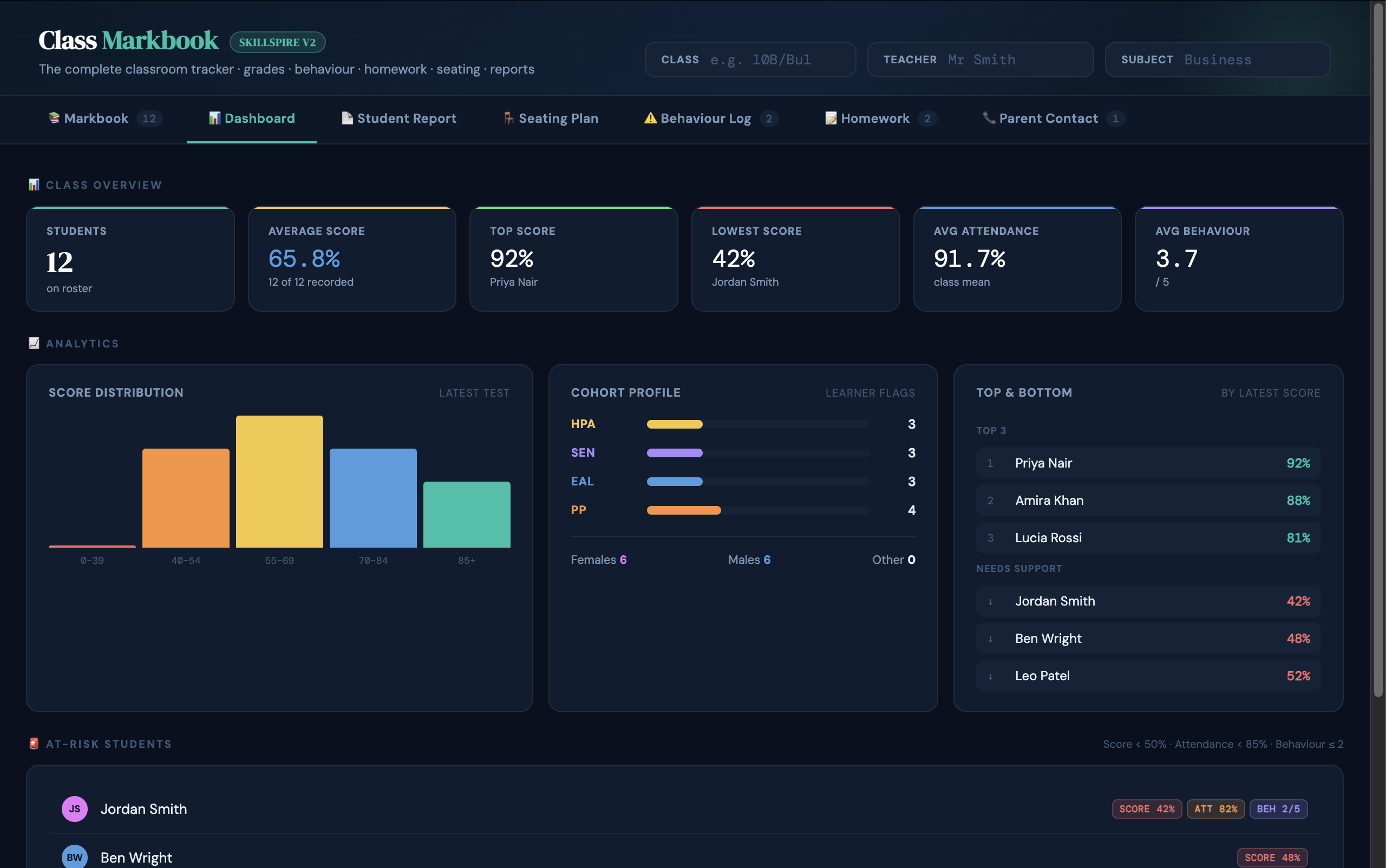
Class Analytics Dashboard
• 8 live KPI cards: class size, average score, top/lowest score, attendance, behaviour, most improved and at-risk count
• Progress over time chart — see each student’s journey across all assessments at a glance
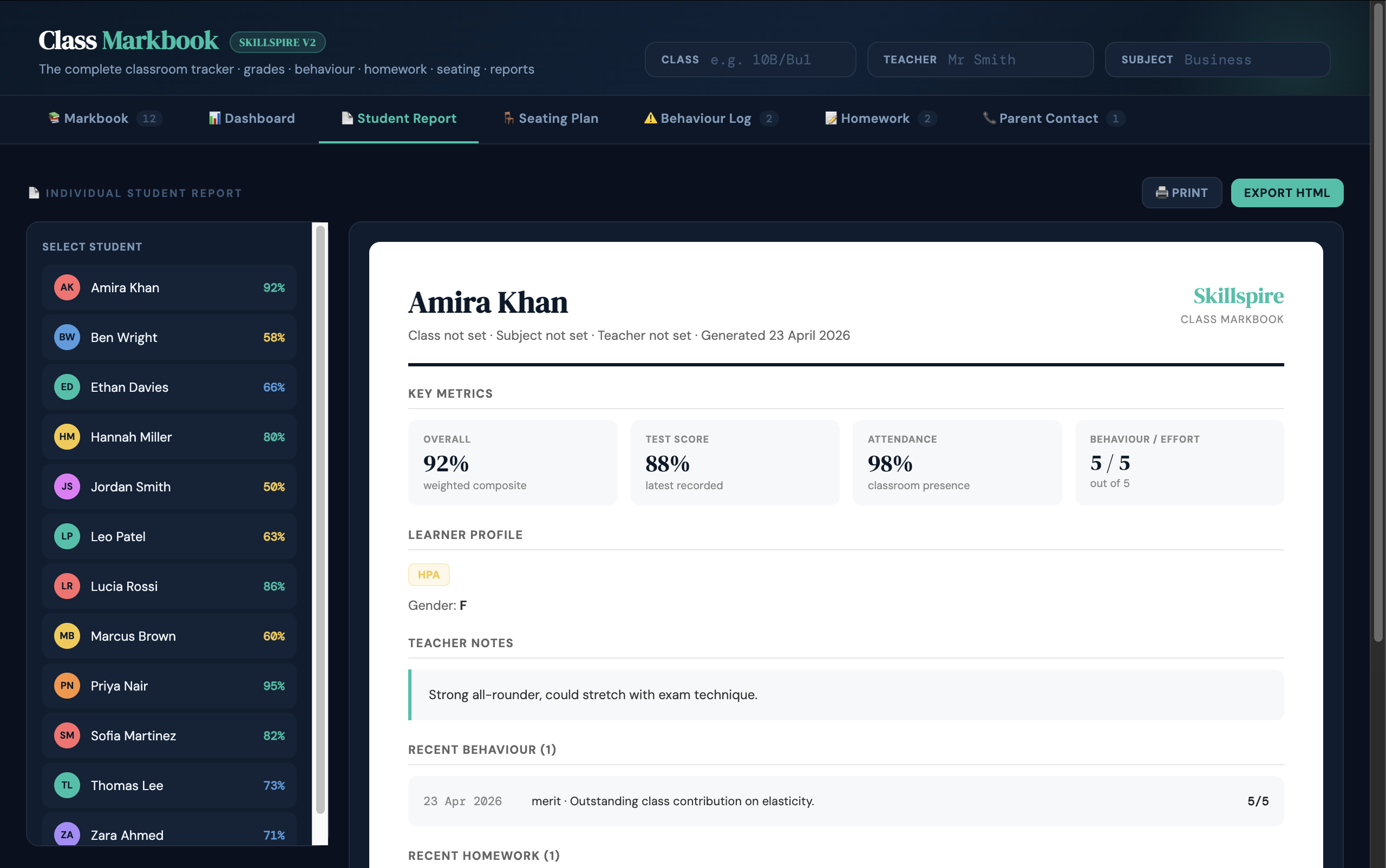
Student Reports
• Individual printable report per student
• Includes all metrics, assessment history, behaviour, homework and parent contact summaries
Class Summary Report
• One-page printable overview of the whole class
• Includes KPIs, at-risk count and full student data table
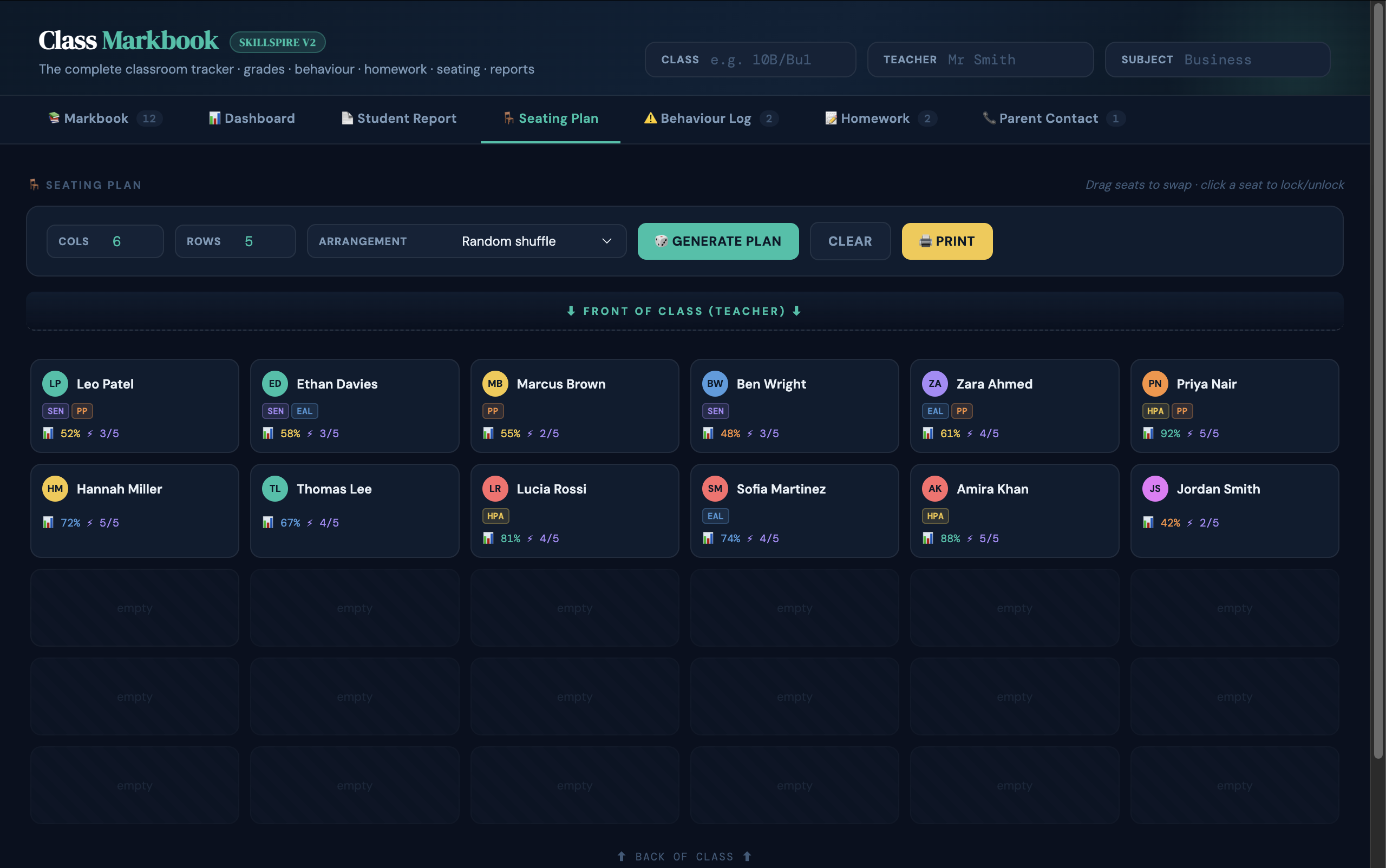
Seating Plan Generator
• Save multiple named seating arrangements (e.g. Normal, Exam, Group Work)
• Generate by random, alphabetical, score order or gender-mixed layout
• HPA, SEN, EAL and PP flags shown as colour dots on each tile
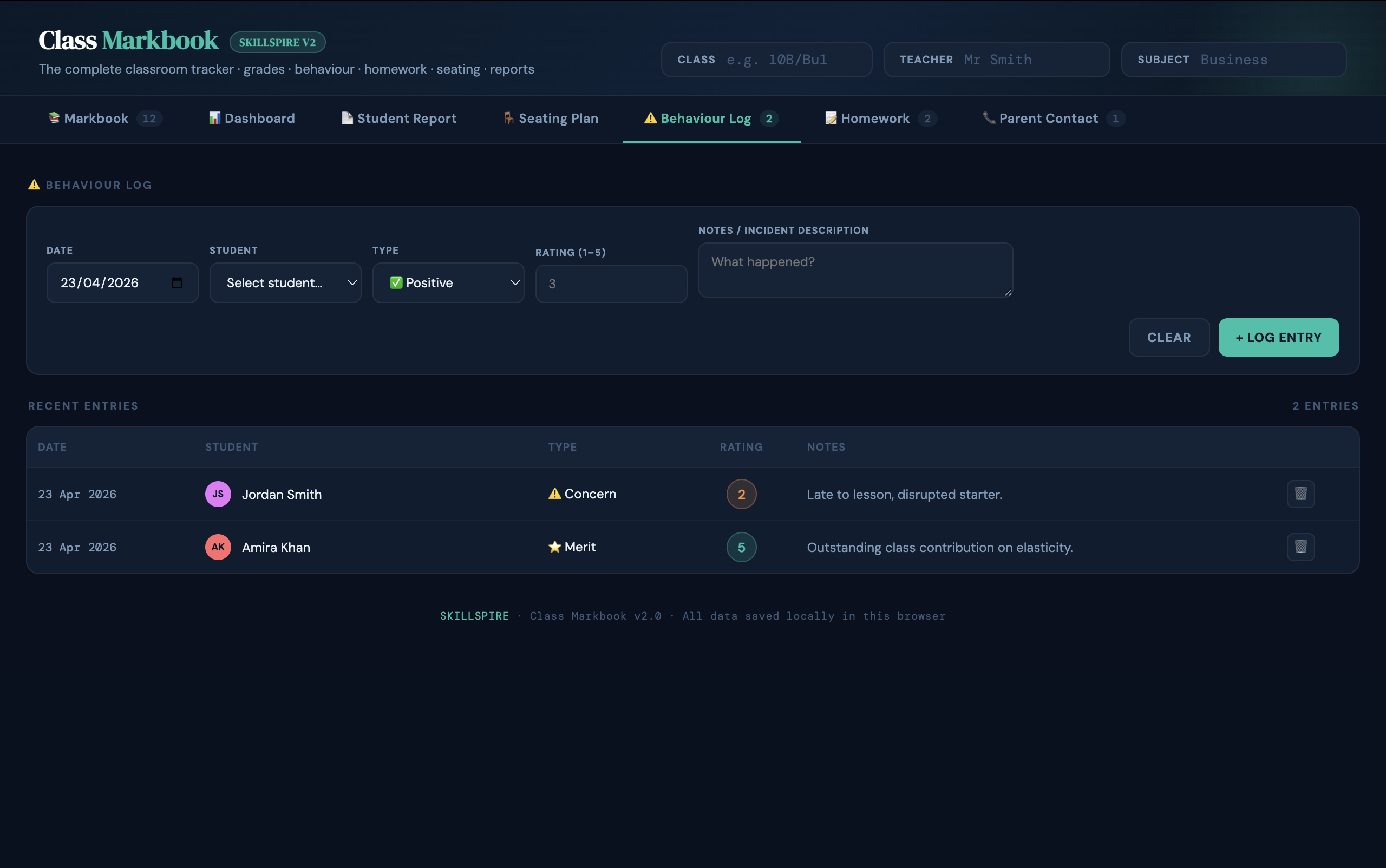
Behaviour Log
• Log positive, merit, concern, negative and detention entries per student
• Rating out of 5, date, type and free-text notes
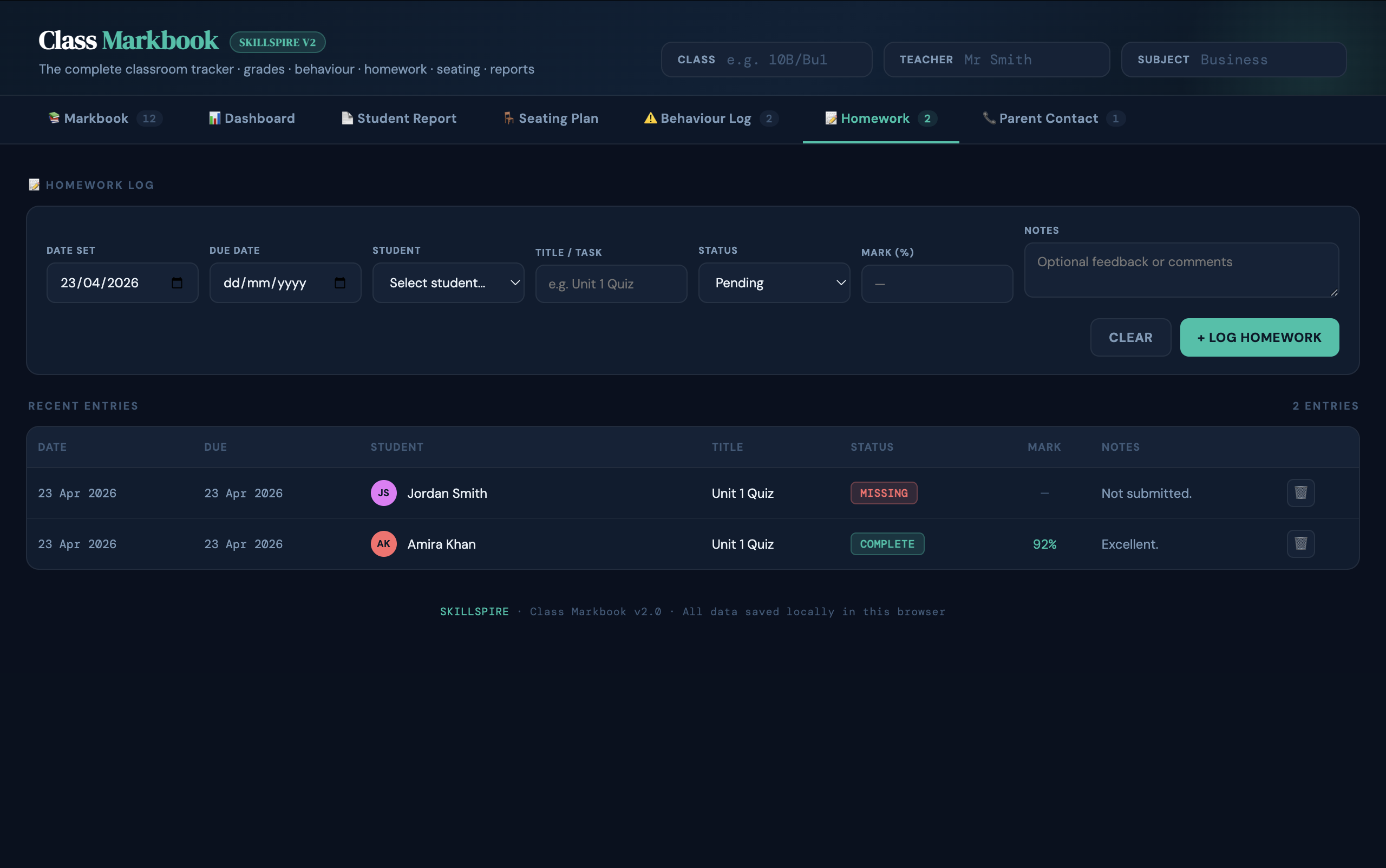
Homework Tracker
• Log homework set and due dates per student
• Record marks out of 100
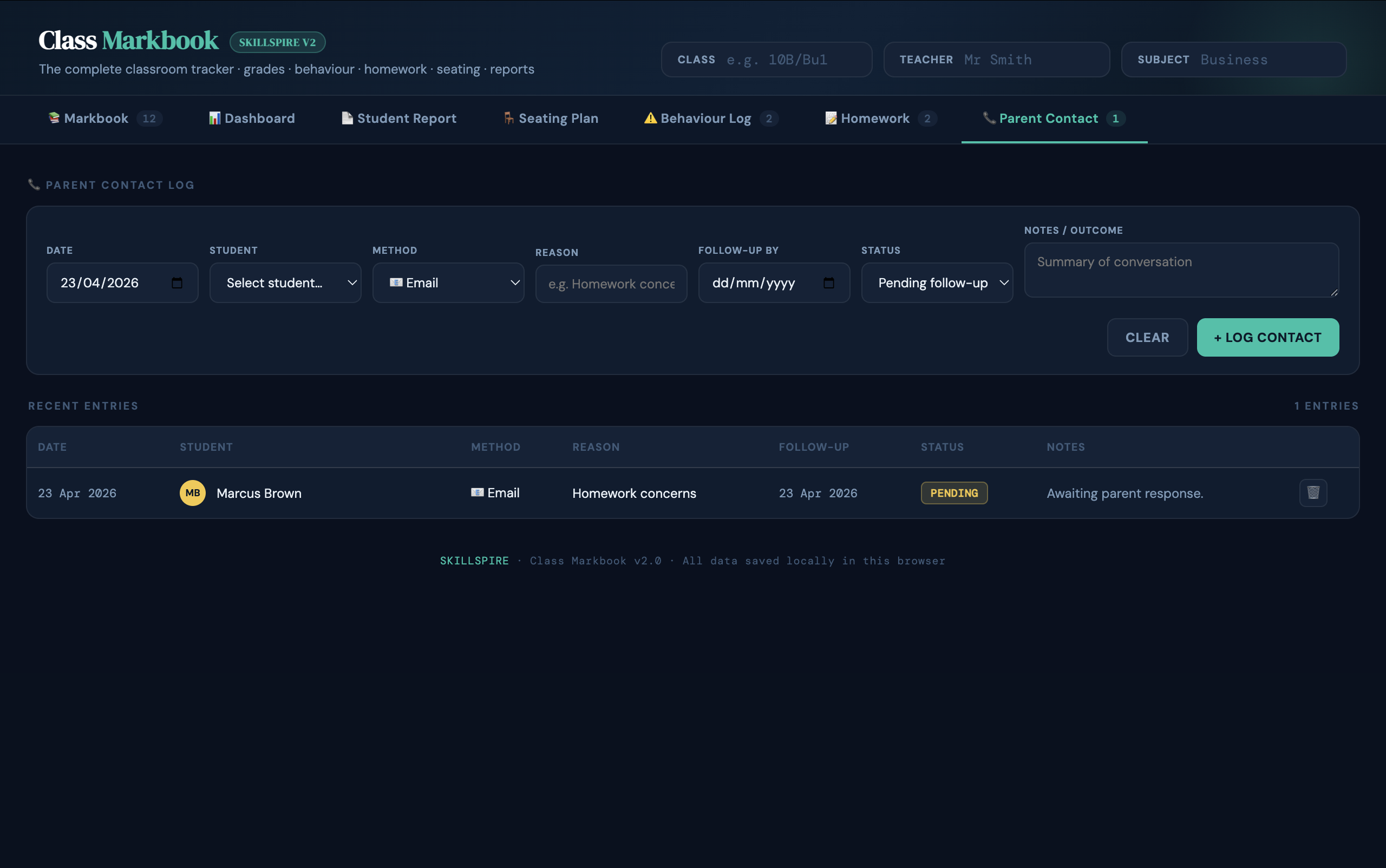
Parent Contact Log
• Record email, phone call, meeting, letter or text contacts
• Reason, outcome notes, follow-up date and status
Data & Backup
• Full JSON backup — export and restore your entire markbook at any time
• CSV export of the full markbook (compatible with Excel and Google Sheets)
Power User Features
• Undo / redo — 50-step history for any inline edit
• Light and dark mode (persisted between sessions)
HOW TO USE
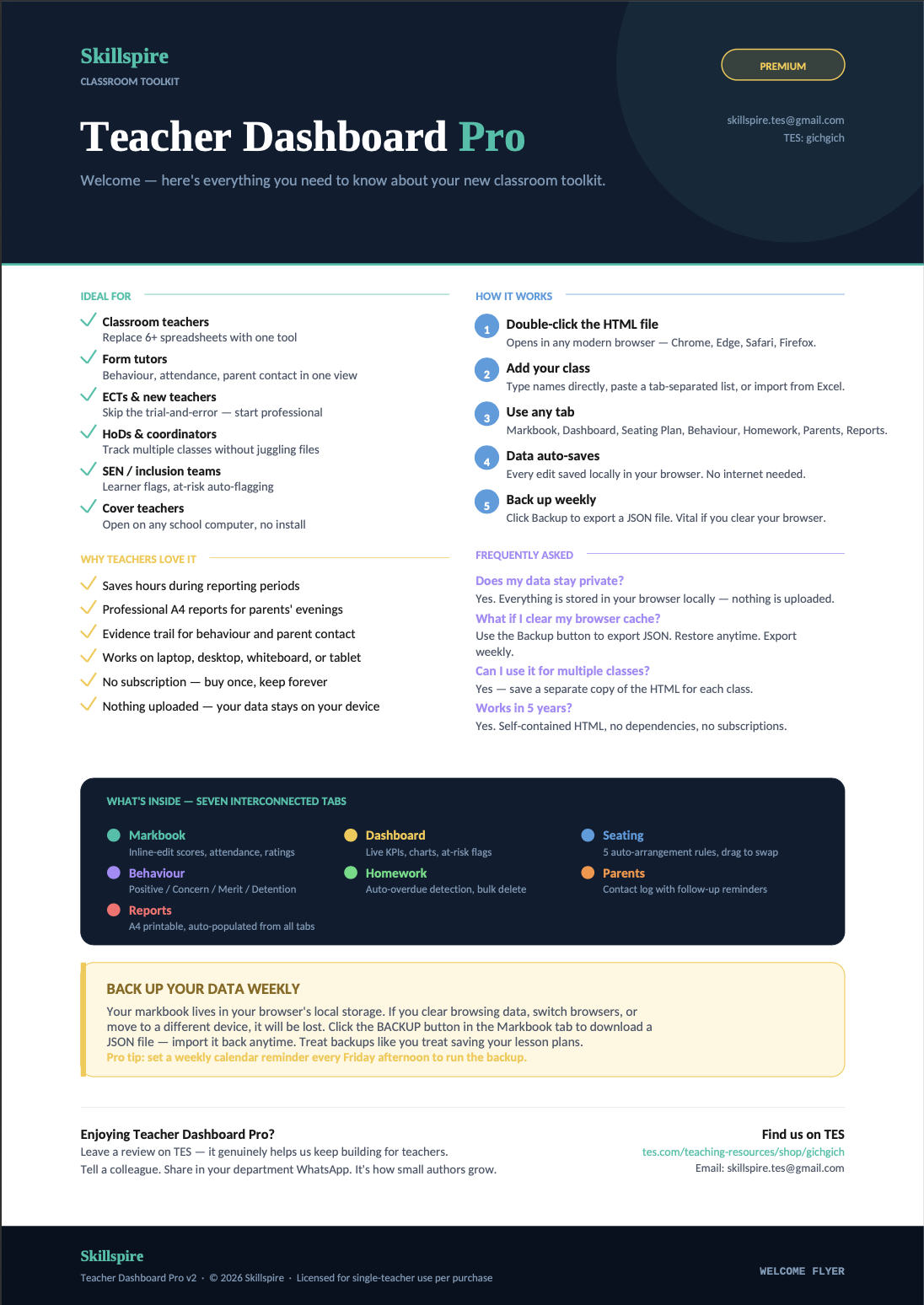
Download the HTML file → open in Chrome, Edge, Firefox or Safari → start adding students. That’s it. Everything saves automatically in your browser.
Version History
v4.0 (April 2026) — Dynamic multi-assessment columns with teacher-defined names and max scores ·Individual target grades with RAG gap indicators · · Progress over time chart · Most Improved KPI · Gender/SEN/PP cohort breakdown dashboard · Undo/redo (50-step) · Light/dark mode ·
v3.0 — Sortable columns · Bulk delete on logs · Import Names button · Data warning banner · JSON backup
Something went wrong, please try again later.
This resource hasn't been reviewed yet
To ensure quality for our reviews, only customers who have purchased this resource can review it
Report this resourceto let us know if it violates our terms and conditions.
Our customer service team will review your report and will be in touch.
£12.00