




Year 6 computing web design unit. Six Google Sites lessons covering features, building, accessibility, sitemaps, evaluation, and online safety.
A complete six-lesson unit for Year 6 on making websites with Google Sites. Pupils explore what makes an effective website, plan layouts, build multi‑page sites, apply accessibility best practice, structure with sitemaps, and complete a peer‑evaluation using a clear rubric. Online safety and responsible publishing are threaded throughout.
What teachers get
- PDFs only
- Six step‑by‑step slide decks with discussion prompts and modelling
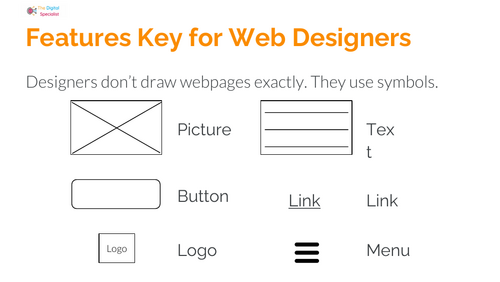
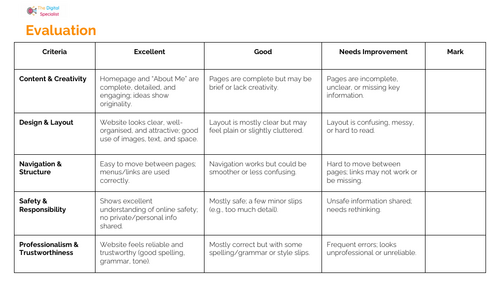
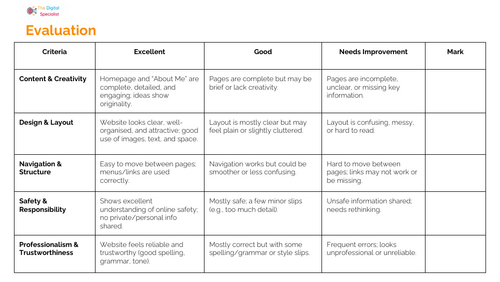
- Printable activity sheets: feature keys, planning templates, checklists, and evaluation rubric
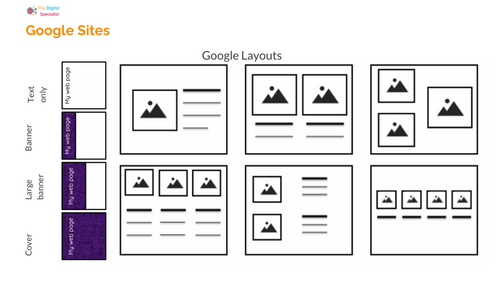
- Scaffolds for sketching layouts and planning content
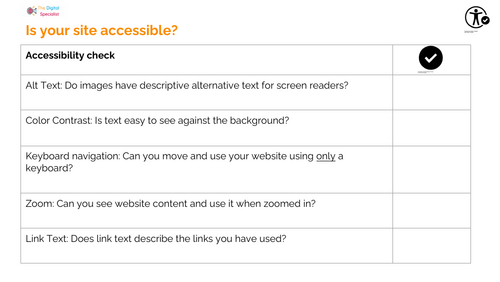
- Accessibility checklist: alt text, colour contrast, keyboard navigation, zoom, link text
- Reflection and plenary tasks in every lesson
- Minimal setup using Google Sites on school accounts
Lesson outline
- Lesson 1: Explore effective websites, key terms, and safety reminders
- Lesson 2: Plan and start a site: headers, menus, content blocks, “About me” page
- Lesson 3: Build pages, add media, organise navigation, safety in publishing
- Lesson 4: Make it accessible: alt text, contrast, keyboard use, device testing
- Lesson 5: Structure with a sitemap, add subpages, expand content
- Lesson 6: Peer review and improve using a clear success rubric
How it’s used in class
- Works as a half‑term computing unit or a focused web design project
- Suitable for whole‑class teaching with independent and paired tasks
- Printable checklists support quick teacher assessment and pupil self‑review
- Easy to differentiate with extension “challenges” and structured scaffolds
Curriculum links and skills
- KS2 Computing: design, create, evaluate digital content
- Digital literacy: online safety, trustworthy information, responsible publishing
- Design thinking: planning, prototyping, accessibility, user experience
- Vocabulary: browser, webpage, navigation, header, responsive, sitemap, accessibility
Something went wrong, please try again later.
This resource hasn't been reviewed yet
To ensure quality for our reviews, only customers who have purchased this resource can review it
Report this resourceto let us know if it violates our terms and conditions.
Our customer service team will review your report and will be in touch.
£1.00