


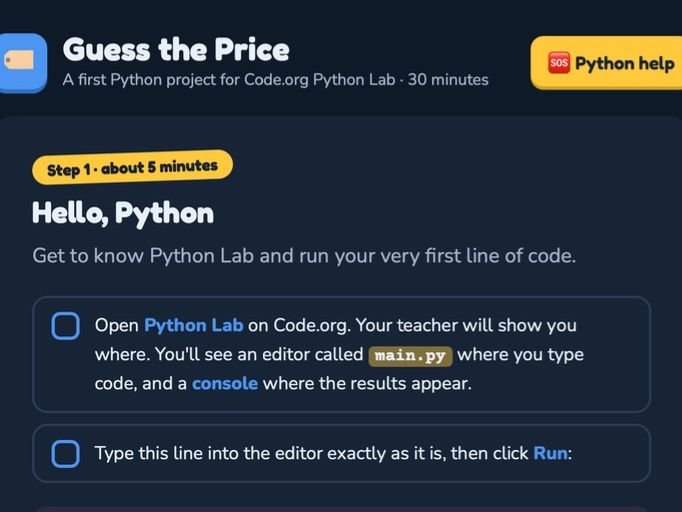

Short description: A self-guided interactive website that takes complete beginners from their first line of Python to a working game show in 30 minutes. No Python experience needed for students or teachers.
Full description:
Students build Guess the Price, a game show where the player guesses the price of a product and the program replies “Higher!”, “Lower!” or “Correct!” until they get it right. It’s a fun, satisfying first Python project, and students finish with a game they can play and challenge their friends with.
The resource is a single interactive web page that guides students step by step, so they can work independently while you circulate and support. It’s written for students who have never used Python before and introduces one new idea per step:
Hello, Python: running code and reading a first error message
Variables and strings: storing a product and its price
Input: asking the player for a guess
Selection: if, elif and else
Iteration: a while loop and a guess counter
What’s included:
Interactive checklists on every step. Students tick off tasks as they go, and a progress tracker shows how far they’ve got.
The full program at every step, with new lines highlighted and line numbers to match Python’s error messages, so students always know where code goes.
Plain-English explanations of each concept, written for beginners.
“Stuck?” boxes that solve the mistakes beginners actually make: missing colons, indentation errors, forgetting the f in f-strings, and typing “£50” instead of “50”.
A built-in help panel with a glossary of key words and a guide to common errors.
Four extension challenges for fast finishers, with hints: a new product, a score rating, a “really close” hint, and a random mystery box price.
A business link connecting the game to how companies research pricing, ideal for cross-curricular work with Business or Enterprise.
Why teachers like it:
Works for non-specialists. Every step includes the complete, tested code, so you don’t need to be a Python expert to deliver it.
Self-paced. Students who are confident move ahead, and students who need support have help on every page.
Covers key KS3 Computing ideas. It uses a text-based programming language with variables, selection and iteration.
Simple to share. It’s one HTML file: put it on your shared drive, VLE or Teams and students open it in their browser. It doesn’t need a website, a login or an install.
Requirements: Code.org’s free Python Lab. The code is standard Python, so it also works in IDLE, Thonny or any Python editor that supports input().
Suitable for: KS3 (Years 7–9) or any beginner group. It works as a one-off lesson, a cover lesson, a code club activity or a transition-day taster.
Something went wrong, please try again later.
This resource hasn't been reviewed yet
To ensure quality for our reviews, only customers who have purchased this resource can review it
Report this resourceto let us know if it violates our terms and conditions.
Our customer service team will review your report and will be in touch.
£3.50