Fetch-Decode-Execute Cycle Worksheet: GCSEQuick View
computingsurvivor

Fetch-Decode-Execute Cycle Worksheet: GCSE

(0)
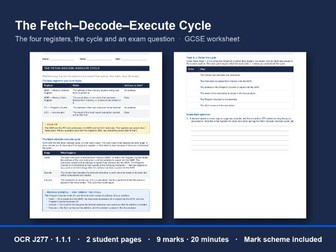
A GCSE worksheet on the fetch-decode-execute cycle and the CPU’s registers for OCR J277 1.1.1: 9 marks in 20 minutes, with a full mark scheme. One double-sided sheet. The front is a recap of the four registers and the three stages of the cycle, with a worked example of one turn. Students read it, turn the sheet over and answer from memory. What’s inside (3 pages, PDF and editable Word) A recap page (page 1): what the MAR, MDR, PC and accumulator hold, and which hold an address and which hold data; what happens at fetch, decode and execute; one turn of the cycle worked through. A task page (page 2), on the back of the recap. A full mark scheme (page 3), with what to accept and what not to accept. It is on an odd page, so a double-sided print keeps it off the back of a student sheet. The tasks Order the cycle: six steps to put in order, four of them at register level. The recap and the task both say this goes beyond what OCR examines; it is there because it helps students understand the cycle. An exam-style question: describe what happens to each instruction during the cycle, for three marks. Why it works in a real classroom It is honest about the exam. OCR asks what happens at each stage, not how data moves from register to register, and the recap says so. The extra detail is labelled as extra. It marks what examiners mark. The scheme rejects “the program is fetched” and “information is processed”, two phrases examiners call inaccurate, and ignores a wrong register detail the specification does not require. Editable. The Word version is included, so you can change a name, a number or a scenario to suit your class. Nothing to set up. Print, hand out, collect. There is nothing to install and nothing to log in to. You need: one double-sided copy of pages 1 and 2 per student. For a strictly closed-book version, print the two pages single-sided and collect the recap first. Keep page 3 back; a cut line marks the mark scheme. Good for: part of a lesson on CPU architecture, homework after teaching 1.1.1, a cover lesson, or Year 11 revision before Paper 1. Made by a practising computing teacher. The answers are written out in full and checked. If you use it, a review helps other teachers find it.
Star & Mesh Topology Worksheet: OCR GCSEQuick View
computingsurvivor

Star & Mesh Topology Worksheet: OCR GCSE

(0)
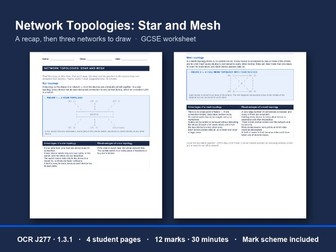
A GCSE worksheet on star and mesh network topologies for OCR J277 1.3.1: 12 marks in 30 minutes, with a full mark scheme. OCR’s May 2026 Paper 1 set an 8-mark question on choosing between a star and a mesh. This worksheet gives students the facts and the drawing practice that question rests on. They read a two-page recap, put it away, then answer a task sheet from memory. What’s inside (5 pages, PDF and editable Word) A recap sheet (pages 1 and 2): the star and the full mesh, each with a diagram and a table of advantages and disadvantages. A task sheet (pages 3 and 4), answered with the recap put away. A full mark scheme (page 5), with what to accept and what not to accept. It is on an odd page, so a double-sided print keeps it off the back of a student sheet. The tasks Draw a star topology: a café’s tills, office laptop and kitchen printer, joined to one switch. Draw a mesh topology: a second café’s four tills in a full mesh, then one point for and one point against using it instead of a star. An exam-style question: draw a five-computer full mesh, then say how many connections a sixth computer brings the total to and how the number grows as computers are added. Why it works in a real classroom Recall, not copying. The recap is on its own sheet, so it can be collected before the tasks start. It marks what examiners mark. Unlabelled devices lose marks, as examiners report, and a central switch drawn into a mesh is capped, because that is not a mesh. Editable. The Word version is included, so you can change a name, a number or a scenario to suit your class. Nothing to set up. Print, hand out, collect. There is nothing to install and nothing to log in to. You need: a recap sheet and a task sheet per student, each printed double-sided and not stapled together. Keep page 5 back; a cut line marks the mark scheme. Good for: half a lesson on networks, homework after teaching 1.3.1, a cover lesson, or Year 11 revision before Paper 1. Made by a practising computing teacher. The answers are written out in full and checked. If you use it, a review helps other teachers find it.
Trace Tables Worksheet: OCR GCSE J277Quick View
computingsurvivor

Trace Tables Worksheet: OCR GCSE J277

(0)
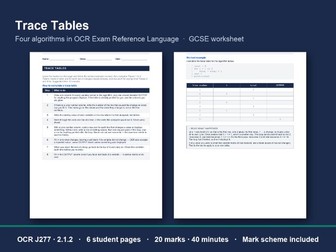
A GCSE trace tables worksheet for OCR J277 2.1.2: a method, a worked example and four algorithms to trace. 20 marks in 40 minutes, with a full mark scheme. Students learn an eight-step method for completing a trace table, follow a worked example of a for loop, then trace four algorithms written in OCR Exam Reference Language, one to a page. Every trace comes with its table printed: the columns are given, and there are more rows than the trace needs. What’s inside (8 pages, PDF and editable Word) Six student pages (pages 1 to 6): the method, the worked example with an explanation of every row, and Traces 1 to 4. A full mark scheme (pages 7 and 8), with every completed trace table and the mark points for each. It starts on an odd page, so a double-sided print keeps it off the back of a student sheet. The four traces Selection: an if-else that decides which message to display. A while loop with MOD and DIV, then a mark for saying what the algorithm calculates. An array read by a for loop, then a mark for saying what the algorithm finds. A string read one character at a time. Traces 1 and 2 use a Line number column, and Traces 3 and 4 use the one-row-per-pass layout, so students meet both styles OCR prints. Why it works in a real classroom A slip is not punished twice. The output mark follows through from the student’s own table, and in Trace 1 a wrong branch costs one mark, not two. It marks what examiners mark. Line numbers carry no marks, and repeated values and an extra loop-counter row are accepted. Editable. The Word version is included, so you can change a name, a number or a scenario to suit your class. Nothing to set up. Print, hand out, collect. There is nothing to install and nothing to log in to. You need: one copy of pages 1 to 6 per student. Keep pages 7 and 8 back; a cut line marks where the mark scheme starts. Good for: a lesson on algorithms, homework after teaching 2.1.2, a cover lesson, or Year 11 revision before Paper 2. Made by a practising computing teacher. The answers are written out in full and checked. If you use it, a review helps other teachers find it.
Logic Gates & Truth Tables Worksheet: GCSEQuick View
computingsurvivor

Logic Gates & Truth Tables Worksheet: GCSE

(0)
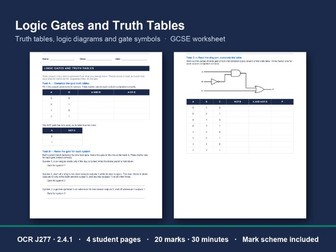
A closed-book GCSE worksheet on logic gates for OCR J277 2.4.1: truth tables, diagrams and gate symbols, 20 marks in 30 minutes, with a full mark scheme. Five short tasks take students from recalling the three gates to spotting what is wrong with a badly drawn symbol. Each task says what its marks are for, so students know what a complete answer looks like before they start. What’s inside (6 pages, PDF and editable Word) Four student pages (pages 1 to 4), answered with notes closed. A full mark scheme (pages 5 and 6), with what to accept and what not to accept, follow-through guidance, the completed truth table and both model diagrams. It starts on an odd page, so a double-sided print keeps it off the back of a student sheet. The five tasks Complete the gate truth tables: AND, OR and NOT, from memory. Name the gate for each system: three everyday systems, each behaving like one gate. Read the diagram, complete the table: a three-gate circuit using NOT, AND and OR, traced through all eight rows a column at a time. Draw the logic diagram: two expressions to draw, each with one gate feeding another. Correct the symbol: three gates drawn wrongly by a student. Say what is wrong with each and what it would do as drawn. Why it works in a real classroom It sticks to the J277 gates. Students draw and use only AND, OR and NOT. Any other shape appears only as a mistake to spot, and no answer needs its name. It marks what examiners mark. The scheme marks each drawing the way examiners do, and follows a slip through instead of punishing it twice. Editable. The Word version is included, so you can change a name or a scenario to suit your class. The logic diagrams are images. Nothing to set up. Print, hand out, collect. There is nothing to install and nothing to log in to. You need: one copy of pages 1 to 4 per student. Keep pages 5 and 6 back; a cut line marks where the mark scheme starts. Good for: half a lesson on Boolean logic, homework after teaching 2.4.1, a cover lesson, or Year 11 revision before Paper 2. Made by a practising computing teacher. The answers are written out in full and checked. If you use it, a review helps other teachers find it.
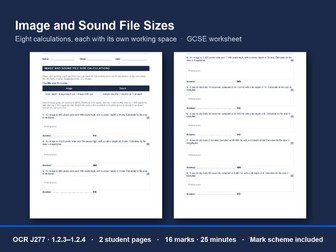
Image & Sound File Size Worksheet: GCSEQuick View
computingsurvivor

Image & Sound File Size Worksheet: GCSE

(0)
A GCSE worksheet of image and sound file size calculations for OCR J277 1.2.3 and 1.2.4: 16 marks in 25 minutes, with every answer worked in full. Eight calculations, four for images and four for sound, each with its own working space. Students are asked for kilobytes or megabytes, so every question practises the unit conversion as well as the formula, and one gives its duration in minutes. What’s inside (4 pages, PDF and editable Word) Two student pages (pages 1 and 2), one double-sided sheet, with both formulas printed at the top and the order of the unit conversions spelled out. A full mark scheme (pages 3 and 4), with each answer worked stage by stage and the answer you get by dividing by 1 024 printed beside the 1 000 one. It starts on an odd page, so a double-sided print keeps it off the back of a student sheet. The eight questions Four images, from a small 4-bit picture to a full HD image at 32 bits, answered in KB or MB. Four sound clips, from 8 000 Hz to 48 000 Hz and from 8 to 24 bits, answered in KB or MB. Each question carries two marks: one for the working and one for the answer in the unit asked for. Why it works in a real classroom Both conventions are marked right. The specification allows 1 000 or 1 024, and the scheme accepts either, so no student loses a mark for the one their teacher taught. It marks what examiners mark. Working earns a mark even when the last conversion slips, and an answer left in bits earns the working mark alone. Editable. The Word version is included, so you can change a name, a number or a scenario to suit your class. Nothing to set up. Print, hand out, collect. There is nothing to install and nothing to log in to. You need: one double-sided copy of pages 1 and 2 per student. Keep pages 3 and 4 back; a cut line marks where the mark scheme starts. Good for: half a lesson on data storage, homework after teaching 1.2.4, a cover lesson, or Year 11 revision before Paper 1. Made by a practising computing teacher. The answers are written out in full and checked. If you use it, a review helps other teachers find it.
Utility Software Worksheet: OCR GCSE J277Quick View
computingsurvivor

Utility Software Worksheet: OCR GCSE J277

(0)
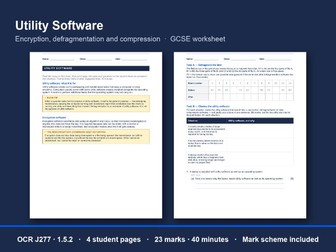
A GCSE worksheet on utility software for OCR J277 1.5.2: encryption, defragmentation and compression, 23 marks in 40 minutes, with a full mark scheme. Students read a two-page recap, put it away, then answer a task sheet from memory. The recap covers what utility software is for and the three utilities OCR names, with a fragmented disk drawn before and after, and the misconception about encryption that examiners keep reporting. What’s inside (6 pages, PDF and editable Word) A recap sheet (pages 1 and 2): what utility software is for, then encryption, defragmentation and data compression software, with two exam tips and the encryption misconception set out. A task sheet (pages 3 and 4), answered with the recap put away. A full mark scheme (pages 5 and 6), with what to accept and what not to accept. It starts on an odd page, so a double-sided print keeps it off the back of a student sheet. The tasks Defragment the disk: twelve blocks holding three fragmented files. Students fill in one arrangement after defragmentation. Choose the utility software: three situations. Name the right utility for each and justify it in one sentence. Two exam-style questions: why a laptop needs utility software, how encryption protects a stolen laptop, how files become fragmented, why defragmenting helps, and why photographs are compressed before they are emailed. Why it works in a real classroom Recall, not copying. The recap is on its own sheet, so it can be collected before the tasks start. It marks what examiners mark. The scheme rejects naming one utility as the purpose of all of them, and “it stops the data being read” for encryption: examiners report both. Editable. The Word version is included, so you can change a name, a number or a scenario to suit your class. Nothing to set up. Print, hand out, collect. There is nothing to install and nothing to log in to. You need: a recap sheet and a task sheet per student, each printed double-sided and not stapled together. Keep pages 5 and 6 back; a cut line marks where the mark scheme starts. Good for: a lesson on systems software, homework after teaching 1.5.2, a cover lesson, or Year 11 revision before Paper 1. Made by a practising computing teacher. The answers are written out in full and checked. If you use it, a review helps other teachers find it.
OCR A Level Boolean Algebra Workbook H446Quick View
computingsurvivor

OCR A Level Boolean Algebra Workbook H446

(0)
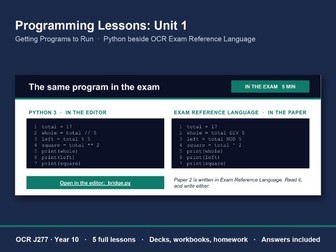
A print-and-go OCR A Level workbook for H446 1.4.3 Boolean algebra: gates, laws, Karnaugh maps, adders and flip-flops, with a full mark scheme. This workbook takes students from the six gates to a four-variable Karnaugh map and a D-type timing diagram, in OCR’s own notation, with every answer written out. What’s inside (32 pages, PDF and editable Word) A core knowledge recap: all six gates with their symbols and truth tables, in words and in OCR’s ∧ ∨ ¬ ⊻ notation, with ≡ for equivalence and T/F truth tables read as 1/0 defining a problem in Boolean logic: a brief written in words turned into an expression, with a worked example a table of laws with De Morgan’s proved by truth table, and three worked simplifications with every law named Karnaugh maps in Gray code up to four variables, built from a truth table, with a wrap-around group drawn in and corner groups explained; four-variable maps are set both ways round, including OCR’s AB-across-the-top layout half and full adders with the circuit and the equations D-type flip-flops: the symbol with its edge-trigger triangle, the rising edge, and how they make a register 23 tick-box objectives covering every 1.4.3 statement, and a confidence tracker to finish. 25 key terms to write from memory, and 19 retrieval questions. Seven application tasks in 18 parts: a three-input truth table and a logic diagram to read simplifications by algebra a three-variable Karnaugh map to build from its truth table and group a four-variable Karnaugh map that needs a corner group and a wrap-around a design problem written up as an expression a full adder truth table to complete a clock, D and Q timing diagram to draw 45 marks of exam-style questions, including a banded 9-mark extended response on circuit design. The mark scheme (pages 23 to 32) Every answer is written out with its specification reference. Simplifications name each law at each step, the four-variable Karnaugh map groups and the timing diagram are drawn in, and the 9-marker has mark bands and indicative content. The answers come after everything a student writes on, so they lift out as whole sheets before you hand the workbook to a class. Any accepted notation is credited: words, ∧ ∨ ¬, or . + and overbar. How teachers use it As the unit’s revision booklet in Year 12, or as a Year 13 refresher before the Component 01 paper. As homework in sections: recap, then key terms, retrieval, application and exam questions. Suggested times are printed for every section after the recap. As a cover lesson for any section except Karnaugh maps, which need a lesson of their own: the recap is complete enough to work from alone. Made by a practising computing teacher. The simplifications, Karnaugh map groupings and adder tables were checked exhaustively against their truth tables. A review helps other teachers find it.
OCR J277 Python Lessons – Unit 1 (5 Lessons)Quick View
computingsurvivor

OCR J277 Python Lessons – Unit 1 (5 Lessons)

(0)
Five complete Year 10 Python lessons for OCR J277: decks, workbooks, homework and answers. Every program students run opens in a browser editor. Nothing to install. This is Unit 1, free in full, of a planned 32-lesson course for J277 Component 02. It takes a class from opening an editor to DIV and MOD, in Python and in OCR Exam Reference Language side by side from the first lesson. The five lessons (60 minutes each) The IDE, sequence, and reading an error Variables, constants and assignment Input, output and casting Data types Operators: arithmetic, DIV, MOD and exponent For each lesson A 17-slide teacher deck (PowerPoint) with paired reveal slides: the question, then the same slide with the answer, so there is nothing to animate. Timed speaker notes cover all 60 minutes. A five-page student workbook: a retrieval starter and three key words a misconception students test by running a program a worked example, a put-it-in-order task and a fill-the-gaps listing Support, Core and Stretch tasks the same program in Python and in Exam Reference Language an exam-style question and a two-question exit ticket A one-page homework, with self-contained questions. Also included An eight-page answers booklet for the whole unit: starters, key words, put-it-in-order (every accepted order), fill-the-gaps, exam-style mark schemes, exit tickets, homework, and a model solution for every Support, Core and Stretch task. A one-page overview of the planned 32-lesson scheme, so you can see where the course goes next. Why the programs are different here Students never have to type a program in before they can run it. Every program students run is one click away in a free browser Python editor: a link on the slide, and a QR code and link on the printed page, each opening the exact program with nothing to install and no login. Every program, model solutions included, has been run to check it prints what the lesson says it prints. No lesson uses anything the course hasn’t taught yet. Exam-ready from lesson 1 Paper 2 is written in OCR Exam Reference Language, so every lesson shows its program in both notations and sets a short exam-style question with a mark scheme. The spec points covered are J277 2.2.1, 2.2.2, 2.3.2 and 2.5.2, and every starter includes a Paper 1 question. Made by a practising computing teacher for their own Year 10s. If Unit 1 works for your class, a review helps other teachers find it.
Binary and Hex - 50+ Graded QuestionsQuick View
computingsurvivor

Binary and Hex - 50+ Graded Questions

(0)
Computing Survivor: Binary Hexadecimal | OCR J277 GCSE Computer Science A comprehensive, exam-focused practice pack covering the full binary and data representation content from the OCR J277 specification (Units 1.2.3 and 1.2.4). Designed for GCSE Computer Science students, this resource contains 50+ graded questions across four difficulty levels, complete with full step-by-step walkthroughs and a detailed mark scheme. What’s included: A spec checklist covering all 18 learning objectives from Units 1.2.3 and 1.2.4 Built-in reference tables for binary place values and hexadecimal conversion 50+ questions across four progressive levels: Bronze — Denary ↔ Binary conversions Silver — Binary addition, hexadecimal, and overflow errors Gold — Binary shifts and file size calculations (images, sound, and text) Platinum — Exam-style multi-mark questions with marks shown Full worked walkthroughs for every question — not just the answer, but the method Survivor Tips at each level to guide students through common mistakes Topics covered: Binary and denary conversion, binary addition and overflow, hexadecimal conversion and its uses, binary shifts (left and right), data units (Bit → PB), file size calculations for images, sound and text files, ASCII vs Unicode, colour depth, resolution, sample rate, and bit depth. Ideal for: Independent revision, classroom practice, homework tasks, or intervention sessions. The levelled structure makes it suitable for differentiation — students can work through levels at their own pace, with walkthroughs providing immediate self-marking support.
A Level Computer Science Open Evening SlidesQuick View
computingsurvivor

A Level Computer Science Open Evening Slides

(0)
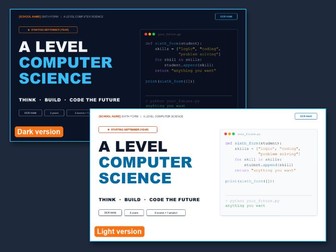
Editable A Level Computer Science open evening slides for OCR H446: eleven rolling slides that play on a loop, in a dark and a light version, ready for your school’s details. What’s inside (11 editable PowerPoint slides, in two versions) Why Computer Science? Four reasons, in plain English for Year 11 visitors. Two years, three parts: Paper 1 (40%), Paper 2 (40%) and the programming project (20%), with what each one covers. What you’ll learn: twelve topics from the course, from the CPU and object-oriented programming to Dijkstra’s algorithm, SQL, and the law and ethics of AI. Can you crack it? A binary puzzle visitors can solve on the spot, with the answer on the next slide. The code is printed on the slide, so no prior knowledge is needed. Your project, your idea: the five stages of the programming project, with example projects. Where it can take you: university courses, degree apprenticeships and careers. Ready to level up? Space for your entry requirements, and who the course suits. Got a question? Space for your contact details. Our results (optional): a hidden slide to fill in with your own figures, or delete. Ready for the evening Two versions of the same eleven slides: a dark theme that stands out on a screen, and a light theme on a white background. In PowerPoint it runs itself: each slide moves on after 10 seconds and the show loops until you press Esc. Everything you need to change is in orange [square brackets]: your sixth form’s name, the start year, your entry requirements and your contact details. Every slide is live, editable text in Arial, so it opens in PowerPoint or Google Slides on any computer with nothing to install. Speaker notes on the first slide explain how to edit it and change the timing. The course facts are for OCR A Level Computer Science (H446). If you teach another board, check the course structure and topics slides. Made by a practising computing teacher. If it helps your open evening, a review helps other teachers find it.
OCR J277 Exam Technique & Command WordsQuick View
computingsurvivor

OCR J277 Exam Technique & Command Words

(0)
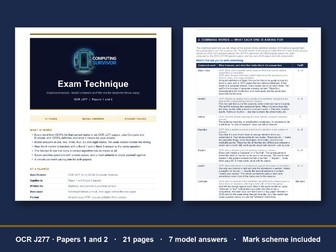
A J277 exam technique handbook: what the command words in OCR’s papers want, seven model answers with weak beside strong, and how the 8-marker is banded. Many marks in J277 are lost on technique, not content. They are lost by answering the topic instead of the question, by giving one point on a four-mark question, by writing “it is faster” with no subject, and by writing prose where Section B wanted code. This handbook teaches the shape of the answer, using OCR’s own definitions and examples quoted from real J277 papers. What’s inside (21 pages, PDF and editable Word) Command words, with OCR’s definitions: 21 of the 29 in OCR’s J277 list. That is every word from OCR’s list that carried marks in six OCR J277 question papers, plus Compare and Evaluate. Each has OCR’s own definition, what it looks like in an answer box and, where it appeared, the range of marks it carried. Seven model answers, weak beside strong: a 1-mark State, 2-mark Describe, 3-mark Explain, 3-mark Calculate, 4-mark Describe, 6-mark Write (in OCR Exam Reference Language and in Python), and an 8-mark Discuss at Band 1 and at Band 3. The commentary says where the marks are won and lost. The 8-mark question: the band descriptors, abridged from OCR’s mark schemes, with a plain-English gloss, a step-by-step method and a planning grid. Paper 2, Section B: the rule that turns a correct algorithm written in English into no marks, what counts as Exam Reference Language, and how Design, Write, Test and Refine questions differ. The marks students throw away every year: twelve common mistakes, what each costs and what to do instead, citing OCR’s examiners’ reports where they name the mistake. A worked trace table and a pacing plan with checkpoints through the 90 minutes. Seven practice questions (27 marks) with answer space, a mark scheme to check against, and a score table that points to what to revise next. Where it comes from The tariffs and the quoted examples come from genuine OCR material only: the J277/01 specimen, the 2020 practice papers for both components, the 2023 J277/02 practice paper, the June 2024 papers for both components, OCR’s mark schemes, and the 2022 to 2025 examiners’ reports. OCR’s command-word definitions are quoted from the specification. The model answers and practice questions are written for this handbook in OCR’s style; only the quoted fragments are OCR’s. Who it’s for Written for students, and for parents supporting revision. Teachers can use it as a Year 11 exam-technique unit, a fortnight before mocks and again before the real papers. It works just as well on the board: put the weak and strong answers side by side and ask the class where the marks are. Made by a practising computing teacher. If it helps your Year 11s, a review helps other teachers find it.
OCR J277 Knowledge Organisers – Full SpecQuick View
computingsurvivor

OCR J277 Knowledge Organisers – Full Spec

(0)
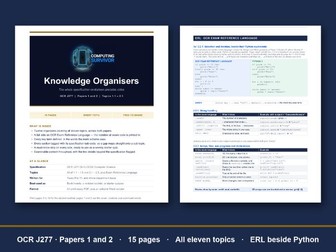
Knowledge organisers for the whole OCR J277 GCSE Computer Science spec: twelve A4 sides covering all eleven topics, plus a side on Exam Reference Language. Memory and storage, and Networks, get two sides each, and Systems software shares one with Impacts. Each organiser fits on one side for the front of an exercise book, and the whole course prints as a thirteen-side revision booklet. What’s inside (15 pages, PDF and editable Word) Twelve topic organisers covering 1.1 to 1.6 and 2.1 to 2.5, including 1.2.5 compression. Every section heading carries its specification sub-code, so a gap found in a book scrutiny maps straight onto the sub-topic to reteach. A full side on OCR Exam Reference Language, the notation exam questions are written in. Selection and iteration are set side by side with Python, followed by tables for string handling, arrays, files, sub programs, switch/case, ASC() and CHR(), const and global. A must-know strip on every organiser: two facts, one minute, ready to use as a weekly starter quiz. A command-word table with what each word asks for and its typical tariff. Worked examples where the marks are: denary to binary to hexadecimal, binary shifts, an image file-size calculation, a trace table, and a two-gate circuit with its full truth table. Linear and binary search are compared side by side. Diagrams: the six OCR flowchart symbols, the AND, OR and NOT gate symbols, and a worked logic circuit. Checked against the specification Everything is examinable J277 content. The two details that go beyond the specification (one register detail and a “how it works” column on storage) are flagged where they sit, so nobody revises something they will never be asked. Test data follows OCR’s own definitions: boundary data is on the very edge of being valid, and the values just outside it are invalid. How teachers use it Look, cover, write, check: cover the right-hand column, write the definition, uncover and correct in a different colour. Book inserts: stick one side in the front of an exercise book at the start of each topic. Revision booklet: print pages 3 to 15 for Year 11 before mocks. Starters: read the must-know strip aloud and have the class write both facts from memory. Specification coverage Paper 1 (J277/01): systems architecture, memory and storage, data representation and compression, networks and protocols, network security, systems software, and ethical, legal, cultural and environmental impacts. Paper 2 (J277/02): algorithms, programming fundamentals, producing robust programs, Boolean logic, and languages and IDEs. Made by a practising computing teacher and written for Years 9 to 11. If it saves you an evening, a review helps other teachers find it.
KS3 Computing Escape Room – No ComputersQuick View
computingsurvivor

KS3 Computing Escape Room – No Computers

(0)
A ready-to-run KS3 computing escape room: five locks on binary, a Caesar cipher, logic, an algorithm trace and a bitmap. One hour, no computers. Somebody has locked the school server room and left five puzzles taped to the racks. Each lock gives one digit; five digits open the door. What’s inside (10 pages, PDF and editable Word) A one-page teacher run sheet (page 2): a timed plan for the hour, what to print and what to keep back, and what to say to a table that is stuck or flying. The team booklet (pages 3 to 8): a code strip, one lock to a page so a team can split up and work in any order, and a door page where the team adds up its digits and writes out the exit code. Worked solutions (pages 9 and 10) for every lock, with the working a teacher can show and the common slips to watch for. Printed double-sided, they start on a sheet of their own. The five locks The light panel: three rows of 4-bit binary to turn into denary. The note on the rack: a Caesar cipher with the shift withheld. Students are given the first word and work the shift out. The switch board: three switches feed a door bolt through NOT and AND. Students complete the truth table a column at a time and count the settings that open it. The maintenance routine: a two-step algorithm traced by hand in a trace table, with a boundary case to argue about. The status lights: seven rows of five bits to shade into a 5 × 7 bitmap. There is also a stretch sixth lock for fast teams, on how long a computer would take to try every code on a five-digit keypad against a ten-digit one, and a question on what an adding checksum cannot catch. Why it works in a real classroom Nothing is chained, so one wrong answer cannot cost a team the whole hour. Teams check their own answers. The digits must add up to a printed total, so a team whose digits miss it knows a lock is wrong before it reaches the door. No guessing the last digit. Four locks would give away the fifth by subtraction, so a digit only counts if its working is on the page. Every student is busy. Teams of three or four split the five locks between them, then swap and check each other’s digits. You need: one single-sided booklet per team, printed loose rather than stapled, a pen for each student, a clock the whole room can see, and one folded slip with the exit code taped under your own desk. There is nothing to install and nothing to log in to. Good for: the first week of Year 7, an end-of-term lesson, a cover lesson a non-specialist can run from the run sheet, or a revision hour on data representation and logic. It covers KS3 computing topics: binary, Boolean logic, algorithms and how data is represented. Made by a practising computing teacher. The answers are written out in full and checked. If you use it, a review helps other teachers find it.
Computer Science Self-Assessment ChecklistQuick View
computingsurvivor

Computer Science Self-Assessment Checklist

(0)
Take control of your GCSE Computer Science revision with this complete RAG (Red, Amber, Green) self-assessment checklist, covering every topic in the OCR J277 specification across both papers. Students rate their confidence on every “I can…” statement, from CPU architecture and binary to algorithms, programming and Boolean logic. A built-in reflection page helps them identify their top priorities and plan their next steps. Perfect for independent revision, classroom use, or homework. Print once and use throughout the year. What’s included: 7-page PDF covering all of J277/01 and J277/02, organised by spec reference with R/A/G columns and a reflection and action plan page. Suitable for: OCR GCSE Computer Science students (J277), Years 10 and 11.