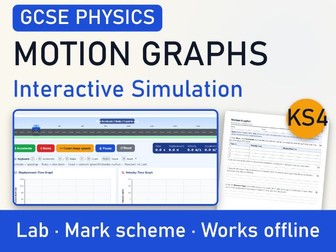
GCSE Motion Grapher SimulationQuick View
Melli888

GCSE Motion Grapher Simulation

(0)
A complete physics simulation for GCSE-level science (ages 14 to 16): a driving simulation that draws displacement–time and velocity–time graphs as the car moves, with an A4 student sheet, an answer key and teacher notes. One offline file; no website, no login and nothing to install. What is this? Students drive a car with Accelerate, Brake and Coast, and watch the displacement–time and velocity–time graphs build in real time. A Measure Slope tool draws a gradient triangle on either graph, and four Challenge Mode graphs ask them to match a target by driving. It runs offline from a single file on any device, from a Chromebook to a projector. It comes with a two-page student sheet (26 marks) written for this simulation, with tables to fill in from the simulation’s own numbers, short explanations, calculations and an evaluation question. The answer key gives every number the simulation produces, so marking is quick. What is in the zip The simulation (Motion-Grapher.html): one file for any modern browser. Works offline, sends nothing anywhere and uses no live AI at run time. Student sheet (PDF, 2 pages, 26 marks) for printing or sharing. Answer key (PDF) with a mark scheme and the numbers the simulation gives. Teacher notes (PDF): how to run a 50-minute lesson, how the simulation behaves, and its honest limits. What the simulation includes Accelerate, Brake, Coast, Pause and Reset controls, with keyboard shortcuts Live readouts of time, displacement, velocity and acceleration Displacement–time and velocity–time graphs drawn as the car moves A gradient tool that measures slope on either graph Four challenge graphs to match by driving, and a common-mistakes panel What students learn The gradient of a displacement–time graph is velocity. The gradient of a velocity–time graph is acceleration, and the area under it is distance. A horizontal line on a velocity–time graph is constant velocity, not ‘stopped’. How to calculate acceleration, distance and stopping distance from graph readings. How to describe and explain graph shapes. Where it fits GCSE Physics: motion, distance–time and velocity–time graphs, acceleration and stopping distances. Use it as a starter, for prep, cover work, homework or revision. What it does, and what it does not The numbers come from a model, not from measurements, so real data will look messier. It does not replace working with real apparatus: use it to prepare, to practise reading and plotting data, or when the practical cannot be run. There is a free demo of this simulation on Tes with one fixed set-up and a one-page sheet, so you can try the format first. Written by a British science and maths teacher who taught for more than 12 years in international schools, including a spell as Head of Science. An independent resource, not affiliated with or endorsed by any exam board. Every question and the simulation are original.
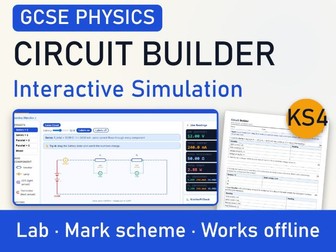
GCSE Circuit Builder SimulationQuick View
Melli888

GCSE Circuit Builder Simulation

(0)
A complete physics simulation for GCSE-level science (ages 14 to 16): a circuit bench for series and parallel circuits with live meters, with an A4 student sheet, an answer key and teacher notes. One offline file; no website, no login and nothing to install. What is this? Students load a preset or build a circuit from resistors, lamps, an LDR and a thermistor, add ammeters and voltmeters, move the battery slider and watch the readings, a live Kirchhoff check and the circuit diagram change. It runs offline from a single file on any device, from a Chromebook to a projector. It comes with a two-page student sheet (22 marks) written for this simulation, with tables to fill in from the simulation’s own numbers, short explanations, calculations and an evaluation question. The answer key gives every number the simulation produces, so marking is quick. What is in the zip The simulation (Circuit-Builder.html): one file for any modern browser. Works offline, sends nothing anywhere and uses no live AI at run time. Student sheet (PDF, 2 pages, 22 marks) for printing or sharing. Answer key (PDF) with a mark scheme and the numbers the simulation gives. Teacher notes (PDF): how to run a 50-minute lesson, how the simulation behaves, and its honest limits. What the simulation includes Five presets: series with two or three resistors, parallel with two or three, and mixed Resistors, lamps, an LDR and a thermistor, with ammeters and voltmeters Live readings: EMF, total current, total resistance, total power, and each component A Kirchhoff check for current and voltage A Series vs Parallel comparison tab A misconceptions quiz and a data log What students learn V = IR, and current is proportional to voltage for a fixed resistor. In series the current is the same everywhere and the voltages add to the battery voltage. In parallel the branch currents add up and the total resistance is lower than any branch. Why household lamps are in parallel. Why current is not ‘used up’. Where it fits GCSE Physics: electric circuits, series and parallel circuits, V = IR and the circuit rules. Use it as a starter, main activity, prep for the real practical, cover work, homework or revision. What it does, and what it does not The numbers come from a model, not from measurements, so real data will look messier. It does not replace working with real apparatus: use it to prepare, to practise reading and plotting data, or when the practical cannot be run. There is a free demo of this simulation on Tes with one fixed set-up and a one-page sheet, so you can try the format first. Written by a British science and maths teacher who taught for more than 12 years in international schools, including a spell as Head of Science. An independent resource, not affiliated with or endorsed by any exam board. Every question and the simulation are original.
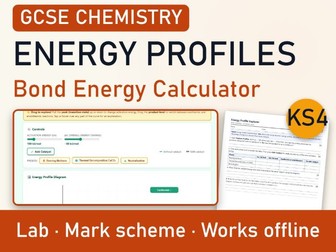
GCSE Energy Profile Explorer SimulationQuick View
Melli888

GCSE Energy Profile Explorer Simulation

(0)
A complete chemistry simulation for GCSE-level science (ages 14 to 16): a reaction energy profile you can drag, plus a bond energy calculator, with an A4 student sheet, an answer key and teacher notes. One offline file; no website, no login and nothing to install. What is this? Students drag the peak of an energy profile to change the activation energy and drag the product level to switch between exothermic and endothermic reactions. They add a catalyst, try three presets, then use bond energies to calculate ΔH for three reactions and check their answers. It runs offline from a single file on any device, from a Chromebook to a projector. It comes with a two-page student sheet (29 marks) written for this simulation, with tables to fill in from the simulation’s own numbers, short explanations, calculations and an evaluation question. The answer key gives every number the simulation produces, so marking is quick. What is in the zip The simulation (Energy-Profile-Explorer.html): one file for any modern browser. Works offline, sends nothing anywhere and uses no live AI at run time. Student sheet (PDF, 2 pages, 29 marks) for printing or sharing. Answer key (PDF) with a mark scheme and the numbers the simulation gives. Teacher notes (PDF): how to run a 50-minute lesson, how the simulation behaves, and its honest limits. What the simulation includes A draggable energy profile with sliders for activation energy and ΔH A catalyst button that lowers the peak and shows ΔH unchanged Presets for burning methane, thermal decomposition of CaCO₃ and neutralisation A bond energy calculator for three reactions with a check button A quiz and reflection questions What students learn Exothermic and endothermic reactions on an energy profile. Activation energy, and why even exothermic reactions need a spark. A catalyst lowers the activation energy but does not change ΔH. ΔH = energy to break bonds − energy released forming bonds. How to show working in a bond energy calculation. Where it fits GCSE Chemistry: energy changes, exothermic and endothermic reactions, catalysts and bond energies. Use it as a starter, for prep, cover work, homework or revision. What it does, and what it does not The numbers come from a model, not from measurements, so real data will look messier. It does not replace working with real apparatus: use it to prepare, to practise reading and plotting data, or when the practical cannot be run. There is a free demo of this simulation on Tes with one fixed set-up and a one-page sheet, so you can try the format first. Written by a British science and maths teacher who taught for more than 12 years in international schools, including a spell as Head of Science. An independent resource, not affiliated with or endorsed by any exam board. Every question and the simulation are original.
GCSE Mole Calculations Stoichiometry SolverQuick View
Melli888

GCSE Mole Calculations Stoichiometry Solver

(0)
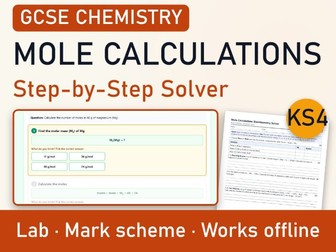
A complete chemistry simulation for GCSE-level science (ages 14 to 16): a step-by-step solver for mole calculations, with presets in five calculation types, with an A4 student sheet, an answer key and teacher notes. One offline file; no website, no login and nothing to install. What is this? Students pick a calculation type, choose a preset question and either follow a guided walk-through or try each step themselves with multiple-choice answers. Types cover mass and moles, reacting masses, gas volumes, empirical formulae and percentage yield, and a Build Your Own mode takes any balanced equation. It runs offline from a single file on any device, from a Chromebook to a projector. It comes with a two-page student sheet (25 marks) written for this simulation, with tables to fill in from the simulation’s own numbers, short explanations, calculations and an evaluation question. The answer key gives every number the simulation produces, so marking is quick. What is in the zip The simulation (Mole-Calculations-Solver.html): one file for any modern browser. Works offline, sends nothing anywhere and uses no live AI at run time. Student sheet (PDF, 2 pages, 25 marks) for printing or sharing. Answer key (PDF) with a mark scheme and the numbers the simulation gives. Teacher notes (PDF): how to run a 50-minute lesson, how the simulation behaves, and its honest limits. What the simulation includes Five calculation types with preset questions Show Me How (guided) and Let Me Try (multiple choice at each step) modes A Build Your Own mode for any balanced equation and masses A score, badges and a progress tracker Reflection questions on each type What students learn Moles = mass ÷ Mᵣ, and how to find the relative formula mass. How to use a balanced equation’s mole ratio to find a reacting mass. Gas volumes from moles at room temperature and pressure (24 dm³ per mole). How to work out an empirical formula from percentages or masses. Percentage yield and why it is below 100%. Where it fits GCSE Chemistry: the mole, reacting masses, gas volumes, empirical formulae and percentage yield. Use it as a starter, for prep, cover work, homework or revision. What it does, and what it does not The numbers come from a model, not from measurements, so real data will look messier. It does not replace working with real apparatus: use it to prepare, to practise reading and plotting data, or when the practical cannot be run. There is a free demo of this simulation on Tes with one fixed set-up and a one-page sheet, so you can try the format first. Written by a British science and maths teacher who taught for more than 12 years in international schools, including a spell as Head of Science. An independent resource, not affiliated with or endorsed by any exam board. Every question and the simulation are original.
GCSE Heart and Circulation ExplorerQuick View
Melli888

GCSE Heart and Circulation Explorer

(0)
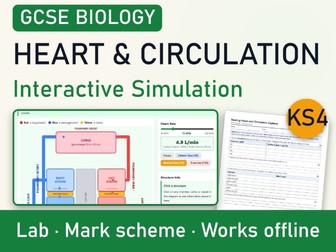
A complete biology simulation for GCSE-level science (ages 14 to 16): a beating heart and double circulation with a heart-rate slider, a labelling task and a red blood cell trace, with an A4 student sheet, an answer key and teacher notes. One offline file; no website, no login and nothing to install. What is this? Students watch oxygenated (red) and deoxygenated (blue) blood move through the four chambers, valves and vessels, change the heart rate to see the cardiac output, click any structure for information, label the diagram and follow a red blood cell through the double circulation. It runs offline from a single file on any device, from a Chromebook to a projector. It comes with a two-page student sheet (25 marks) written for this simulation, with tables to fill in from the simulation’s own numbers, short explanations, calculations and an evaluation question. The answer key gives every number the simulation produces, so marking is quick. What is in the zip The simulation (Heart-and-Circulation-Explorer.html): one file for any modern browser. Works offline, sends nothing anywhere and uses no live AI at run time. Student sheet (PDF, 2 pages, 25 marks) for printing or sharing. Answer key (PDF) with a mark scheme and the numbers the simulation gives. Teacher notes (PDF): how to run a 50-minute lesson, how the simulation behaves, and its honest limits. What the simulation includes A beating heart diagram with a heart-rate slider from 40 to 180 BPM Cardiac output shown live (heart rate × stroke volume of 70 mL) Click-for-information on every chamber, valve and vessel A label-the-diagram task with a check button A Trace a Cell journey and reflection questions What students learn The four chambers, the valves and the main blood vessels. The double circulation: lungs and body. Cardiac output = heart rate × stroke volume. Why the left ventricle has the thicker wall. The pulmonary artery and vein as exceptions to the usual rule. Where it fits GCSE Biology: the circulatory system, the structure of the heart and the double circulation. Use it as a starter, for prep, cover work, homework or revision. What it does, and what it does not The numbers come from a model, not from measurements, so real data will look messier. It does not replace working with real apparatus: use it to prepare, to practise reading and plotting data, or when the practical cannot be run. There is a free demo of this simulation on Tes with one fixed set-up and a one-page sheet, so you can try the format first. Written by a British science and maths teacher who taught for more than 12 years in international schools, including a spell as Head of Science. An independent resource, not affiliated with or endorsed by any exam board. Every question and the simulation are original.
GCSE Atom Builder: Isotopes and IonsQuick View
Melli888

GCSE Atom Builder: Isotopes and Ions

(0)
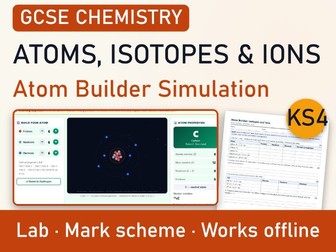
A complete chemistry simulation for GCSE-level science (ages 14 to 16): an atom builder where students add protons, neutrons and electrons to make atoms, isotopes and ions, with an A4 student sheet, an answer key and teacher notes. One offline file; no website, no login and nothing to install. What is this? Students click + and − to add or remove protons, neutrons and electrons, watch the electron shells fill and read the atomic number, mass number, nuclear notation and charge. A message appears when they have made an isotope or an ion, and nine build challenges give clues and hints. It runs offline from a single file on any device, from a Chromebook to a projector. It comes with a two-page student sheet (26 marks) written for this simulation, with tables to fill in from the simulation’s own numbers, short explanations, calculations and an evaluation question. The answer key gives every number the simulation produces, so marking is quick. What is in the zip The simulation (Atom-Builder.html): one file for any modern browser. Works offline, sends nothing anywhere and uses no live AI at run time. Student sheet (PDF, 2 pages, 26 marks) for printing or sharing. Answer key (PDF) with a mark scheme and the numbers the simulation gives. Teacher notes (PDF): how to run a 50-minute lesson, how the simulation behaves, and its honest limits. What the simulation includes Add and remove protons, neutrons and electrons with live shell filling (2, 8, 8, 2) A properties panel with Z, A, neutrons, electrons, charge and nuclear notation Isotope and ion detection messages Nine build challenges with clues and hints A misconceptions panel and reflection questions What students learn Protons, neutrons and electrons: relative charges and masses. Atomic number, mass number and nuclear notation. Isotopes: same protons, different neutrons. How ions form by gaining or losing electrons. Electron arrangements up to calcium. Where it fits GCSE Chemistry: atomic structure, isotopes, ions and electron arrangements. Use it as a starter, for prep, cover work, homework or revision. What it does, and what it does not The numbers come from a model, not from measurements, so real data will look messier. It does not replace working with real apparatus: use it to prepare, to practise reading and plotting data, or when the practical cannot be run. There is a free demo of this simulation on Tes with one fixed set-up and a one-page sheet, so you can try the format first. Written by a British science and maths teacher who taught for more than 12 years in international schools, including a spell as Head of Science. An independent resource, not affiliated with or endorsed by any exam board. Every question and the simulation are original.
GCSE Nuclear Fission and Fusion SimulatorQuick View
Melli888

GCSE Nuclear Fission and Fusion Simulator

(0)
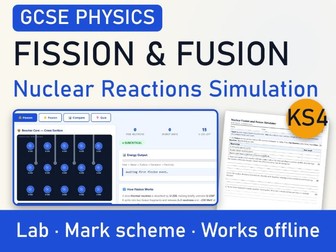
A complete physics simulation for GCSE-level science (ages 14 to 16): a fission reactor core with control rods and moderators, plus fusion and a fission versus fusion comparison, with an A4 student sheet, an answer key and teacher notes. One offline file; no website, no login and nothing to install. What is this? Students fire neutrons into a reactor core of 15 U-235 nuclei or start a chain reaction, move the control rods and swap the moderator, and watch the free neutrons, the energy released and the reactor state. Further tabs show deuterium and tritium fusing, compare fission with fusion and quiz them. It runs offline from a single file on any device, from a Chromebook to a projector. It comes with a two-page student sheet (24 marks) written for this simulation, with tables to fill in from the simulation’s own numbers, short explanations, calculations and an evaluation question. The answer key gives every number the simulation produces, so marking is quick. What is in the zip The simulation (Nuclear-Fission-Fusion-Simulator.html): one file for any modern browser. Works offline, sends nothing anywhere and uses no live AI at run time. Student sheet (PDF, 2 pages, 24 marks) for printing or sharing. Answer key (PDF) with a mark scheme and the numbers the simulation gives. Teacher notes (PDF): how to run a 50-minute lesson, how the simulation behaves, and its honest limits. What the simulation includes A reactor core with fire-neutron and chain-reaction buttons A control-rod slider and three moderators (water, graphite, heavy water) Live neutron count, energy in MeV and the reactor state A fusion tab with the conditions needed A fission versus fusion comparison and an eight-question quiz What students learn How a U-235 nucleus splits and releases neutrons and about 200 MeV. Chain reactions, and subcritical, critical and supercritical states. What control rods and moderators do. Why fusion needs temperatures of about 150 million kelvin. How fission and fusion compare. Where it fits GCSE Physics: nuclear fission and fusion, chain reactions and nuclear power. Use it as a starter, for prep, cover work, homework or revision. What it does, and what it does not The numbers come from a model, not from measurements, so real data will look messier. It does not replace working with real apparatus: use it to prepare, to practise reading and plotting data, or when the practical cannot be run. There is a free demo of this simulation on Tes with one fixed set-up and a one-page sheet, so you can try the format first. Written by a British science and maths teacher who taught for more than 12 years in international schools, including a spell as Head of Science. An independent resource, not affiliated with or endorsed by any exam board. Every question and the simulation are original.

GCSE Natural Selection Predator GameQuick View
Melli888

GCSE Natural Selection Predator Game

(0)
A complete biology simulation for GCSE-level science (ages 14 to 16): a predator game that shows natural selection over six generations of coloured prey, with an A4 student sheet, an answer key and teacher notes. One offline file; no website, no login and nothing to install. What is this? Students play a predator and click on coloured prey in a habitat before a 20-second timer runs out. The survivors reproduce, the population is held at 30 and a graph shows how the colour frequencies change over six generations. Four scenarios, including peppered moths, and optional events such as disease add extra questions. It runs offline from a single file on any device, from a Chromebook to a projector. It comes with a two-page student sheet (21 marks) written for this simulation, with tables to fill in from the simulation’s own numbers, short explanations, calculations and an evaluation question. The answer key gives every number the simulation produces, so marking is quick. What is in the zip The simulation (Natural-Selection-Game.html): one file for any modern browser. Works offline, sends nothing anywhere and uses no live AI at run time. Student sheet (PDF, 2 pages, 21 marks) for printing or sharing. Answer key (PDF) with a mark scheme and the numbers the simulation gives. Teacher notes (PDF): how to run a 50-minute lesson, how the simulation behaves, and its honest limits. What the simulation includes Four scenarios: green forest, tree bark, sandy desert and peppered moths A 20-second predator round with live round statistics A colour frequency graph for each generation Optional events: disease, natural disaster and habitat change A key ideas box and a check-your-understanding quiz What students learn Variation, competition, survival and reproduction. Why camouflaged prey survive and pass on their alleles. That individuals do not change on purpose: populations change. The peppered moth as a named example. Why genetic variation helps a population cope with change. Where it fits GCSE Biology: variation, natural selection, adaptation and evolution. Use it as a starter, for prep, cover work, homework or revision. What it does, and what it does not The numbers come from a model, not from measurements, so real data will look messier. It does not replace working with real apparatus: use it to prepare, to practise reading and plotting data, or when the practical cannot be run. There is a free demo of this simulation on Tes with one fixed set-up and a one-page sheet, so you can try the format first. Written by a British science and maths teacher who taught for more than 12 years in international schools, including a spell as Head of Science. An independent resource, not affiliated with or endorsed by any exam board. Every question and the simulation are original.
GCSE Ray Optics Bench SimulationQuick View
Melli888

GCSE Ray Optics Bench Simulation

(0)
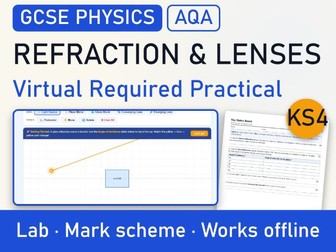
A complete physics simulation for GCSE-level science (ages 14 to 16): an optical bench for reflection, refraction, total internal reflection and lenses, with an A4 student sheet, an answer key and teacher notes. One offline file; no website, no login and nothing to install. What is this? Students place light sources, plane mirrors, glass blocks and converging and diverging lenses on a bench, or load a preset, and watch the rays. Sliders change the angle of incidence, the refractive index, the focal length and the number of rays, and a protractor tool measures angles. It runs offline from a single file on any device, from a Chromebook to a projector. It comes with a two-page student sheet (21 marks) written for this simulation, with tables to fill in from the simulation’s own numbers, short explanations, calculations and an evaluation question. The answer key gives every number the simulation produces, so marking is quick. What is in the zip The simulation (Ray-Optics-Bench.html): one file for any modern browser. Works offline, sends nothing anywhere and uses no live AI at run time. Student sheet (PDF, 2 pages, 21 marks) for printing or sharing. Answer key (PDF) with a mark scheme and the numbers the simulation gives. Teacher notes (PDF): how to run a 50-minute lesson, how the simulation behaves, and its honest limits. What the simulation includes Light sources, plane mirror, glass block, converging and diverging lenses Sliders for angle of incidence, refractive index (1.0 to 2.5), focal length and number of rays A protractor tool and a status line that explains what is happening Six scenario presets, including total internal reflection and a real inverted image Reflection questions What students learn The law of reflection. Refraction: sin i ÷ sin r gives the refractive index, and light bends towards the normal in glass. Total internal reflection and the critical angle, sin c = 1 ÷ n. How a converging lens forms real and virtual images. Uses: optical fibres, binoculars, cameras and magnifying glasses. Where it fits GCSE Physics: waves and light: reflection, refraction, critical angle, total internal reflection and lenses. Use it as a starter, for prep, cover work, homework or revision. What it does, and what it does not The numbers come from a model, not from measurements, so real data will look messier. It does not replace working with real apparatus: use it to prepare, to practise reading and plotting data, or when the practical cannot be run. There is a free demo of this simulation on Tes with one fixed set-up and a one-page sheet, so you can try the format first. Written by a British science and maths teacher who taught for more than 12 years in international schools, including a spell as Head of Science. An independent resource, not affiliated with or endorsed by any exam board. Every question and the simulation are original.
GCSE Radioactive Decay SimulatorQuick View
Melli888

GCSE Radioactive Decay Simulator

(0)
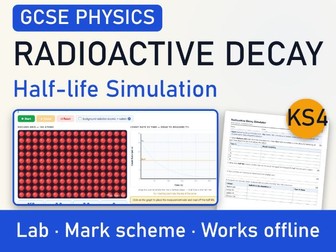
A complete physics simulation for GCSE-level science (ages 14 to 16): a grid of 160 radioactive nuclei that decay at random, with a count-rate graph and a half-life ruler, with an A4 student sheet, an answer key and teacher notes. One offline file; no website, no login and nothing to install. What is this? Students choose an isotope (radium-226, iodine-131, carbon-14 or uranium-238), press Start and watch the nuclei decay at random while a count-rate graph builds. They drag a ruler on the graph to measure the half-life, and a second tab tests alpha, beta and gamma radiation against paper, aluminium and lead. It runs offline from a single file on any device, from a Chromebook to a projector. It comes with a two-page student sheet (22 marks) written for this simulation, with tables to fill in from the simulation’s own numbers, short explanations, calculations and an evaluation question. The answer key gives every number the simulation produces, so marking is quick. What is in the zip The simulation (Radioactive-Decay-Simulator.html): one file for any modern browser. Works offline, sends nothing anywhere and uses no live AI at run time. Student sheet (PDF, 2 pages, 22 marks) for printing or sharing. Answer key (PDF) with a mark scheme and the numbers the simulation gives. Teacher notes (PDF): how to run a 50-minute lesson, how the simulation behaves, and its honest limits. What the simulation includes 160 nuclei that decay at random, with a live count of nuclei remaining Four isotopes with their real half-lives, decay types and uses A count-rate graph with a half-life ruler and a background-radiation tick box A Radiation Types tab: alpha, beta and gamma against absorbers A misconceptions panel and a quiz with a score What students learn Decay is random but the half-life is predictable. How to measure a half-life from a graph. After n half-lives a fraction (1/2)ⁿ of the nuclei remain. The penetrating power of alpha, beta and gamma radiation. Why background radiation is subtracted, and uses such as carbon dating and medical tracers. Where it fits GCSE Physics: radioactivity, half-life, types of radiation and background radiation. Use it as a starter, for prep, cover work, homework or revision. What it does, and what it does not The numbers come from a model, not from measurements, so real data will look messier. It does not replace working with real apparatus: use it to prepare, to practise reading and plotting data, or when the practical cannot be run. There is a free demo of this simulation on Tes with one fixed set-up and a one-page sheet, so you can try the format first. Written by a British science and maths teacher who taught for more than 12 years in international schools, including a spell as Head of Science. An independent resource, not affiliated with or endorsed by any exam board. Every question and the simulation are original.
GCSE Momentum Collision Lab SimulationQuick View
Melli888

GCSE Momentum Collision Lab Simulation

(0)
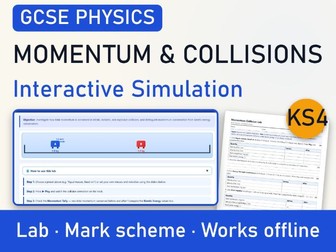
A complete physics simulation for GCSE-level science (ages 14 to 16): a trolley collision lab with elastic, sticking and explosive collisions, with an A4 student sheet, an answer key and teacher notes. One offline file; no website, no login and nothing to install. What is this? Students set the mass and velocity of two trolleys, choose an elastic, perfectly inelastic (stick together) or explosive collision, press Play and watch them move along a track. A momentum tally shows the total before and after, and kinetic energy values show what is and is not conserved. It runs offline from a single file on any device, from a Chromebook to a projector. It comes with a two-page student sheet (29 marks) written for this simulation, with tables to fill in from the simulation’s own numbers, short explanations, calculations and an evaluation question. The answer key gives every number the simulation produces, so marking is quick. What is in the zip The simulation (Momentum-Collision-Lab.html): one file for any modern browser. Works offline, sends nothing anywhere and uses no live AI at run time. Student sheet (PDF, 2 pages, 29 marks) for printing or sharing. Answer key (PDF) with a mark scheme and the numbers the simulation gives. Teacher notes (PDF): how to run a 50-minute lesson, how the simulation behaves, and its honest limits. What the simulation includes Two trolleys with masses from 0.5 to 5.0 kg and velocities from −6 to +6 m/s Elastic, perfectly inelastic and explosive collisions, with five presets A live momentum tally and kinetic energy before and after A worked solution after each run and a results table Three predict-and-check challenges with model answers What students learn Momentum = mass × velocity, and the total is conserved in every collision. In an elastic collision kinetic energy is conserved too; equal masses swap velocities. When trolleys stick together, kinetic energy is transferred to heat and sound. In an explosion from rest the two momenta are equal and opposite. How to calculate a final velocity from conservation of momentum. Where it fits GCSE Physics: momentum, conservation of momentum, collisions and explosions. Use it as a starter, for prep, cover work, homework or revision. What it does, and what it does not The numbers come from a model, not from measurements, so real data will look messier. It does not replace working with real apparatus: use it to prepare, to practise reading and plotting data, or when the practical cannot be run. There is a free demo of this simulation on Tes with one fixed set-up and a one-page sheet, so you can try the format first. Written by a British science and maths teacher who taught for more than 12 years in international schools, including a spell as Head of Science. An independent resource, not affiliated with or endorsed by any exam board. Every question and the simulation are original.
GCSE Reactivity Series Displacement LabQuick View
Melli888

GCSE Reactivity Series Displacement Lab

(0)
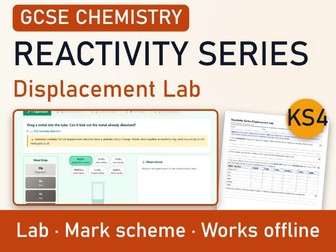
A complete chemistry simulation for GCSE-level science (ages 14 to 16): a displacement reaction lab with six metals and six solutions, with an A4 student sheet, an answer key and teacher notes. One offline file; no website, no login and nothing to install. What is this? Students drag magnesium, zinc, iron, lead, copper and silver strips into test tubes of metal salt solutions and read the observation and the equation. They build a results grid, rank the metals, predict new reactions and finish with a boss round on extraction methods. It runs offline from a single file on any device, from a Chromebook to a projector. It comes with a two-page student sheet (25 marks) written for this simulation, with tables to fill in from the simulation’s own numbers, short explanations, calculations and an evaluation question. The answer key gives every number the simulation produces, so marking is quick. What is in the zip The simulation (Reactivity-Series-Displacement-Lab.html): one file for any modern browser. Works offline, sends nothing anywhere and uses no live AI at run time. Student sheet (PDF, 2 pages, 25 marks) for printing or sharing. Answer key (PDF) with a mark scheme and the numbers the simulation gives. Teacher notes (PDF): how to run a 50-minute lesson, how the simulation behaves, and its honest limits. What the simulation includes Six metal strips and six solutions, with observations and equations A results grid and a ranking challenge Five prediction questions A boss round on extraction: electrolysis, carbon reduction or found native A points score and a quick-fill button What students learn A more reactive metal displaces a less reactive metal from its solution. How to build the reactivity series from experiments. How to write word equations for displacement. How reactivity links to the way a metal is extracted. Why unreactive metals such as gold are found native. Where it fits GCSE Chemistry: the reactivity series, displacement reactions and extraction of metals. Use it as a starter, for prep, cover work, homework or revision. What it does, and what it does not The numbers come from a model, not from measurements, so real data will look messier. It does not replace working with real apparatus: use it to prepare, to practise reading and plotting data, or when the practical cannot be run. There is a free demo of this simulation on Tes with one fixed set-up and a one-page sheet, so you can try the format first. Written by a British science and maths teacher who taught for more than 12 years in international schools, including a spell as Head of Science. An independent resource, not affiliated with or endorsed by any exam board. Every question and the simulation are original.
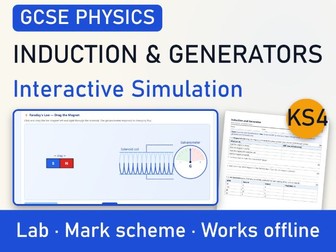
GCSE Induction and Generator SimulationQuick View
Melli888

GCSE Induction and Generator Simulation

(0)
A complete physics simulation for GCSE-level science (ages 14 to 16): a magnet-and-coil lab, an AC generator and a transformer in one file, with an A4 student sheet, an answer key and teacher notes. One offline file; no website, no login and nothing to install. What is this? Students drag a bar magnet through a solenoid and watch a galvanometer, spin a coil in a magnetic field and watch the EMF graph build as they change the speed, turns and field strength, and adjust the turns and load of a transformer to see the secondary voltage and currents. It runs offline from a single file on any device, from a Chromebook to a projector. It comes with a two-page student sheet (26 marks) written for this simulation, with tables to fill in from the simulation’s own numbers, short explanations, calculations and an evaluation question. The answer key gives every number the simulation produces, so marking is quick. What is in the zip The simulation (Induction-and-Generator.html): one file for any modern browser. Works offline, sends nothing anywhere and uses no live AI at run time. Student sheet (PDF, 2 pages, 26 marks) for printing or sharing. Answer key (PDF) with a mark scheme and the numbers the simulation gives. Teacher notes (PDF): how to run a 50-minute lesson, how the simulation behaves, and its honest limits. What the simulation includes Drag-the-magnet Faraday’s law demo with a galvanometer and EMF readout An AC generator with sliders for RPM, number of turns and field strength, and a live EMF graph A transformer with sliders for primary voltage, turns and load, showing both voltages, currents and powers A four-question quiz and key principles, including Lenz’s law What students learn An EMF is induced only when the magnetic flux changes. The size of the EMF depends on speed, strength and number of turns. Lenz’s law: the induced current opposes the change. The AC generator: peak EMF and frequency rise with the speed of rotation. The transformer: Vs ÷ Vp = Ns ÷ Np, step-up and step-down, and why it needs alternating current. Where it fits GCSE Physics: electromagnetic induction, generators and transformers. Use it as a starter, for prep, cover work, homework or revision. What it does, and what it does not The numbers come from a model, not from measurements, so real data will look messier. It does not replace working with real apparatus: use it to prepare, to practise reading and plotting data, or when the practical cannot be run. There is a free demo of this simulation on Tes with one fixed set-up and a one-page sheet, so you can try the format first. Written by a British science and maths teacher who taught for more than 12 years in international schools, including a spell as Head of Science. An independent resource, not affiliated with or endorsed by any exam board. Every question and the simulation are original.
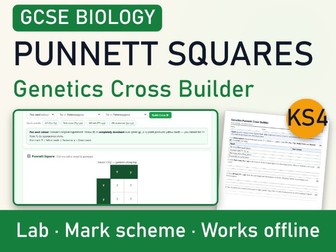
GCSE Genetics Punnett Cross BuilderQuick View
Melli888

GCSE Genetics Punnett Cross Builder

(0)
A complete biology simulation for GCSE-level science (ages 14 to 16): a Punnett square builder for monohybrid, dihybrid, codominant and sex-linked crosses, with an A4 student sheet, an answer key and teacher notes. One offline file; no website, no login and nothing to install. What is this? Students choose a trait and two parent genotypes, or a preset cross, build the Punnett square and reveal the cells one at a time. A results panel gives the genotype and phenotype ratios and a chart. Five modes cover monohybrid, dihybrid, codominance and incomplete dominance, sex-linked inheritance and a mystery parent challenge. It runs offline from a single file on any device, from a Chromebook to a projector. It comes with a two-page student sheet (29 marks) written for this simulation, with tables to fill in from the simulation’s own numbers, short explanations, calculations and an evaluation question. The answer key gives every number the simulation produces, so marking is quick. What is in the zip The simulation (Genetics-Punnett-Cross-Builder.html): one file for any modern browser. Works offline, sends nothing anywhere and uses no live AI at run time. Student sheet (PDF, 2 pages, 29 marks) for printing or sharing. Answer key (PDF) with a mark scheme and the numbers the simulation gives. Teacher notes (PDF): how to run a 50-minute lesson, how the simulation behaves, and its honest limits. What the simulation includes Monohybrid crosses for four traits, with preset crosses A dihybrid builder with a 16-cell grid ABO blood groups and snapdragon flower colour Colour blindness and haemophilia (sex-linked) A mystery parent challenge and a quick check What students learn How to construct a Punnett square and read genotype and phenotype ratios. Dominant and recessive alleles; homozygous and heterozygous. The 9:3:3:1 dihybrid ratio. Codominance and incomplete dominance. Why sex-linked conditions are more common in males. Where it fits GCSE Biology: inheritance, Punnett squares, genetic crosses and sex-linked conditions. Use it as a starter, for prep, cover work, homework or revision. What it does, and what it does not The numbers come from a model, not from measurements, so real data will look messier. It does not replace working with real apparatus: use it to prepare, to practise reading and plotting data, or when the practical cannot be run. There is a free demo of this simulation on Tes with one fixed set-up and a one-page sheet, so you can try the format first. Written by a British science and maths teacher who taught for more than 12 years in international schools, including a spell as Head of Science. An independent resource, not affiliated with or endorsed by any exam board. Every question and the simulation are original.
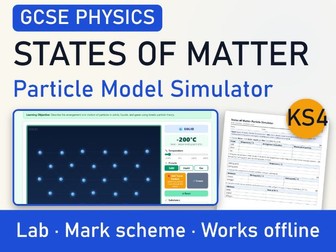
GCSE States of Matter Particle SimulatorQuick View
Melli888

GCSE States of Matter Particle Simulator

(0)
A complete physics simulation for GCSE-level science (ages 14 to 16): a particle model of solids, liquids and gases that you heat from −273 °C to 500 °C, with an A4 student sheet, an answer key and teacher notes. One offline file; no website, no login and nothing to install. What is this? Students drag a temperature slider for water, ethanol or nitrogen and watch 28 particles change from a vibrating lattice to a liquid to a gas. A latent heat message shows where the temperature stops rising at the melting and boiling points, and a tracer particle shows diffusion. It runs offline from a single file on any device, from a Chromebook to a projector. It comes with a two-page student sheet (26 marks) written for this simulation, with tables to fill in from the simulation’s own numbers, short explanations, calculations and an evaluation question. The answer key gives every number the simulation produces, so marking is quick. What is in the zip The simulation (States-of-Matter-Particle-Simulator.html): one file for any modern browser. Works offline, sends nothing anywhere and uses no live AI at run time. Student sheet (PDF, 2 pages, 26 marks) for printing or sharing. Answer key (PDF) with a mark scheme and the numbers the simulation gives. Teacher notes (PDF): how to run a 50-minute lesson, how the simulation behaves, and its honest limits. What the simulation includes Three substances with real melting and boiling points A slider from −273 °C to 500 °C with plateaus at each change of state Solid, liquid and gas presets and live state, speed and energy readouts A tracer particle for diffusion and a freeze-and-annotate button Three check-your-understanding questions What students learn The arrangement and movement of particles in solids, liquids and gases. How to find melting and boiling points on a heating curve. Why the temperature stays constant during a change of state. Average speed rises with temperature (proportional to √T in kelvin). Diffusion: the random path of a single particle. Where it fits GCSE Physics and Chemistry: the particle model, states of matter, changes of state and diffusion. Use it as a starter, for prep, cover work, homework or revision. What it does, and what it does not The numbers come from a model, not from measurements, so real data will look messier. It does not replace working with real apparatus: use it to prepare, to practise reading and plotting data, or when the practical cannot be run. There is a free demo of this simulation on Tes with one fixed set-up and a one-page sheet, so you can try the format first. Written by a British science and maths teacher who taught for more than 12 years in international schools, including a spell as Head of Science. An independent resource, not affiliated with or endorsed by any exam board. Every question and the simulation are original.
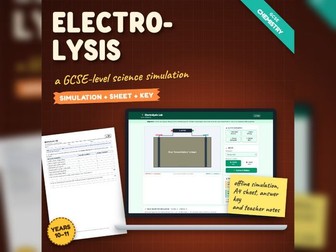
GCSE Electrolysis Lab SimulationQuick View
Melli888

GCSE Electrolysis Lab Simulation

(0)
A complete chemistry simulation for GCSE-level science (ages 14 to 16): a virtual electrolysis cell with five electrolytes, two electrode materials and a half-equation challenge, with an A4 student sheet, an answer key and teacher notes. One offline file; no website, no login and nothing to install. What is this? Students choose an electrolyte (molten sodium chloride, aqueous copper sulfate, dilute sulfuric acid, aqueous sodium chloride or aqueous nickel sulfate), carbon or copper electrodes and, for sodium chloride solution, the concentration. They connect the battery, watch the ions move and find the product at each electrode, then write and check half-equations. It runs offline from a single file on any device, from a Chromebook to a projector. It comes with a two-page student sheet (22 marks) written for this simulation, with tables to fill in from the simulation’s own numbers, short explanations, calculations and an evaluation question. The answer key gives every number the simulation produces, so marking is quick. What is in the zip The simulation (Electrolysis-Lab.html): one file for any modern browser. Works offline, sends nothing anywhere and uses no live AI at run time. Student sheet (PDF, 2 pages, 22 marks) for printing or sharing. Answer key (PDF) with a mark scheme and the numbers the simulation gives. Teacher notes (PDF): how to run a 50-minute lesson, how the simulation behaves, and its honest limits. What the simulation includes Five electrolytes and carbon or copper electrodes A sodium chloride concentration slider: the anode product switches Animated ions and gas bubbles A half-equation challenge with a score and a streak Four quick scenarios, including chlor-alkali and copper refining What students learn Ions must be free to move: molten or dissolved. Cations go to the cathode, anions to the anode (OIL RIG). The products at each electrode and what changes them. How to write half-equations with electrons. How copper is refined and objects are electroplated. Where it fits GCSE Chemistry: electrolysis of molten and aqueous solutions, half-equations, copper refining and electroplating. Use it as a starter, for prep, cover work, homework or revision. What it does, and what it does not The numbers come from a model, not from measurements, so real data will look messier. It does not replace working with real apparatus: use it to prepare, to practise reading and plotting data, or when the practical cannot be run. There is a free demo of this simulation on Tes with one fixed set-up and a one-page sheet, so you can try the format first. Written by a British science and maths teacher who taught for more than 12 years in international schools, including a spell as Head of Science. An independent resource, not affiliated with or endorsed by any exam board. Every question and the simulation are original.
GCSE Photosynthesis Rate Lab SimulationQuick View
Melli888

GCSE Photosynthesis Rate Lab Simulation

(0)
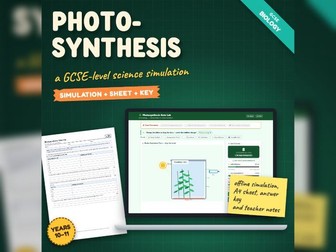
A complete biology simulation for GCSE-level science (ages 14 to 16): a virtual pondweed experiment: oxygen bubbles per minute against light, carbon dioxide and temperature, with an A4 student sheet, an answer key and teacher notes. One offline file; no website, no login and nothing to install. What is this? Students drag a lamp towards or away from a tank of pondweed, or use sliders for light distance, carbon dioxide concentration and water temperature, and count the net oxygen bubbles per minute. They can pin readings to a graph, let the simulation plot a sweep for them, or draw a predicted graph first and then test it. It runs offline from a single file on any device, from a Chromebook to a projector. It comes with a two-page student sheet (23 marks) written for this simulation, with tables to fill in from the simulation’s own numbers, short explanations, calculations and an evaluation question. The answer key gives every number the simulation produces, so marking is quick. What is in the zip The simulation (Photosynthesis-Rate-Lab.html): one file for any modern browser. Works offline, sends nothing anywhere and uses no live AI at run time. Student sheet (PDF, 2 pages, 23 marks) for printing or sharing. Answer key (PDF) with a mark scheme and the numbers the simulation gives. Teacher notes (PDF): how to run a 50-minute lesson, how the simulation behaves, and its honest limits. What the simulation includes A pondweed tank with a draggable lamp and live bubbles Sliders for light distance, carbon dioxide and temperature Six presets, including the compensation point and carbon dioxide limited A breakdown of photosynthesis, respiration and net oxygen, with limiting factor bars A predict-then-test drawing tool and a rate graph A misconceptions quiz and a CSV export What students learn How light, carbon dioxide and temperature each limit the rate of photosynthesis. Why high temperature cuts the rate: enzymes denature. The compensation point, where photosynthesis equals respiration. How to explain rate graphs and evaluate a bubble-counting method. Where it fits GCSE Biology: photosynthesis, limiting factors and the light intensity required practical. Use it as a starter, for prep, cover work, homework or revision. What it does, and what it does not The numbers come from a model, not from measurements, so real data will look messier. It does not replace working with real apparatus: use it to prepare, to practise reading and plotting data, or when the practical cannot be run. There is a free demo of this simulation on Tes with one fixed set-up and a one-page sheet, so you can try the format first. Written by a British science and maths teacher who taught for more than 12 years in international schools, including a spell as Head of Science. An independent resource, not affiliated with or endorsed by any exam board. Every question and the simulation are original.
GCSE Heat Transfer Explorer SimulationQuick View
Melli888

GCSE Heat Transfer Explorer Simulation

(0)
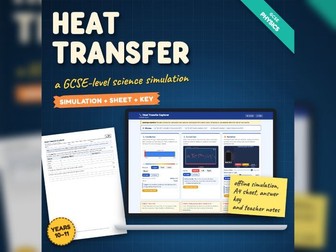
A complete physics simulation for GCSE-level science (ages 14 to 16): three experiments in one file: conduction, convection and radiation, with an A4 student sheet, an answer key and teacher notes. One offline file; no website, no login and nothing to install. What is this? In the conduction experiment students heat rods of copper, steel, glass and wood and compare how fast the energy travels. In the convection experiment they move a heater to the bottom, left or right of a tank and watch the current form. In the radiation experiment they change the surface finish and the temperature and read the power emitted. It runs offline from a single file on any device, from a Chromebook to a projector. It comes with a two-page student sheet (24 marks) written for this simulation, with tables to fill in from the simulation’s own numbers, short explanations, calculations and an evaluation question. The answer key gives every number the simulation produces, so marking is quick. What is in the zip The simulation (Heat-Transfer-Explorer.html): one file for any modern browser. Works offline, sends nothing anywhere and uses no live AI at run time. Student sheet (PDF, 2 pages, 24 marks) for printing or sharing. Answer key (PDF) with a mark scheme and the numbers the simulation gives. Teacher notes (PDF): how to run a 50-minute lesson, how the simulation behaves, and its honest limits. What the simulation includes Four conduction rods with thermal conductivities from 400 to 0.15 W/m·K A convection tank with three heater positions A radiation panel: emissivity from shiny to matt black, temperature from 20 to 500 °C A mission checklist, a data table and a comparison summary A myths panel and challenge questions with explanations What students learn Conduction in metals by free electrons and in other solids by vibrations. Convection currents: warm fluid expands, becomes less dense and rises. Radiation depends on surface and temperature: black surfaces emit and absorb more. How to compare data from three different methods. Where it fits GCSE Physics: energy transfers by heating, thermal insulation and the thermal energy practicals. Use it as a starter, for prep, cover work, homework or revision. What it does, and what it does not The numbers come from a model, not from measurements, so real data will look messier. It does not replace working with real apparatus: use it to prepare, to practise reading and plotting data, or when the practical cannot be run. There is a free demo of this simulation on Tes with one fixed set-up and a one-page sheet, so you can try the format first. Written by a British science and maths teacher who taught for more than 12 years in international schools, including a spell as Head of Science. An independent resource, not affiliated with or endorsed by any exam board. Every question and the simulation are original.
GCSE Enzyme Activity Explorer SimulationQuick View
Melli888

GCSE Enzyme Activity Explorer Simulation

(0)
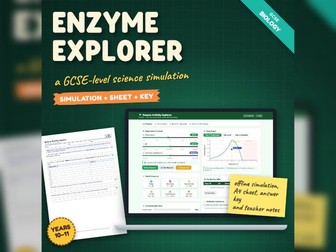
A complete biology simulation for GCSE-level science (ages 14 to 16): a lab-bench simulation of an enzyme-controlled reaction, with an A4 student sheet, an answer key and teacher notes. One offline file; no website, no login and nothing to install. What is this? Students set the temperature, the pH and the substrate concentration, run the reaction and watch enzyme and substrate molecules collide in a live molecular view. They record the rate in a results table and see it build into rate graphs against temperature, pH and substrate concentration, with the predicted curve for comparison. It runs offline from a single file on any device, from a Chromebook to a projector. It comes with a two-page student sheet (25 marks) written for this simulation, with tables to fill in from the simulation’s own numbers, short explanations, calculations and an evaluation question. The answer key gives every number the simulation produces, so marking is quick. What is in the zip The simulation (Enzyme-Activity-Explorer.html): one file for any modern browser. Works offline, sends nothing anywhere and uses no live AI at run time. Student sheet (PDF, 2 pages, 25 marks) for printing or sharing. Answer key (PDF) with a mark scheme and the numbers the simulation gives. Teacher notes (PDF): how to run a 50-minute lesson, how the simulation behaves, and its honest limits. What the simulation includes Live molecular view of enzyme and substrate Rate graphs against temperature, pH and substrate concentration with a predicted curve Six quick scenarios (fridge, body temperature, stomach acid) Reflection questions with model answers and a quiz Denaturing is permanent: cooling does not restore the enzyme What students learn The lock-and-key model: the substrate fits the active site. Rate rises with temperature up to an optimum because particles collide more often. Above the optimum the enzyme denatures and the rate falls to zero. Each enzyme has an optimum pH, and the rate falls either side of it. Rate rises with substrate concentration and then levels off. Where it fits GCSE Biology: enzymes, factors affecting enzyme activity, and the enzyme practicals. Use it as a starter, for prep, cover work, homework or revision. What it does, and what it does not The numbers come from a model, not from measurements, so real data will look messier. It does not replace working with real apparatus: use it to prepare, to practise reading and plotting data, or when the practical cannot be run. There is a free demo of this simulation on Tes with one fixed set-up and a one-page sheet, so you can try the format first. Written by a British science and maths teacher who taught for more than 12 years in international schools, including a spell as Head of Science. An independent resource, not affiliated with or endorsed by any exam board. Every question and the simulation are original.
GCSE Rates of Reaction Virtual PracticalQuick View
Melli888

GCSE Rates of Reaction Virtual Practical

(0)
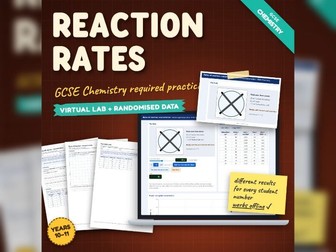
Run the GCSE Chemistry rates of reaction practical on screen: sodium thiosulfate and acid, the disappearing cross, with different results for every student number. One download gives you the virtual lab, 30 student sheets (40 marks), 30 answer keys and 30 data cards. What is this? Every student gets a flask on a paper cross, a choice of volume of sodium thiosulfate solution, hydrochloric acid and a timer. They add the acid, stop the timer when the cross has gone and do each volume twice. They calculate concentrations, mean times and rates, plot rate against concentration, explain the relationship with collision theory, predict a time from their graph, then evaluate the method. Their student number fixes their results, so a copied answer will not fit. It suits preparation, data analysis and write-up, and the practical you could not run: no equipment, no technician time, a missed lesson, or no fume cupboard. It does not replace the real practical. What is in the zip The virtual lab: one file that opens in any modern browser. Works offline, needs no login, sends nothing anywhere and uses no live AI at run time. The Practical Maker: prints sheets, keys and data cards for any number from 1 to 99. Student sheets 1 to 30 (PDF, 4 pages, 40 marks): variables, hazard, results table, rate = 1000 ÷ time, graph, collision theory, prediction, evaluation and an exam-style question. Answer keys with mark scheme 1 to 30 (PDF): the results and a mark per step. Data cards 1 to 30 (PDF): times for students without a device. Teacher guide (2 pages): a 55-minute plan, the model and honest limits. Why teachers use it Different results per student number: ten base times, three response sizes and a different room temperature. Neighbouring numbers never share a time, and the key always matches. Realistic data: the student decides when to stop the timer (a late click gives a longer time) and every run has a little scatter. The skills that get marks: variables, hazard (sulfur dioxide), concentration from volumes, mean, rate, graph, collision theory, prediction, anomalies and evaluation, plus an exam-style question per student. What it does, and what it does not The numbers come from a simple model, not from measurements, and real data is messier. This pack covers the disappearing cross (concentration) only, not the gas-volume method. Keep the Practical Maker and the answer keys for yourself. Check what your exam board expects students to have done by hand. Where it fits GCSE Chemistry, Years 10 and 11 (ages 14 to 16): rates of reaction and collision theory. Use it for prep, catch-up, revision, cover work or homework. Written by a British science and maths teacher who taught for more than 12 years in international schools, including a spell as Head of Science. An independent resource, not affiliated with or endorsed by any exam board. Every question, number and simulation is original.
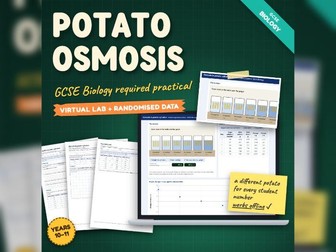
GCSE Osmosis in Potato Virtual PracticalQuick View
Melli888

GCSE Osmosis in Potato Virtual Practical

(0)
Run the GCSE Biology osmosis in potato required practical on screen, with a different potato for every student number. One download gives you the virtual lab, 30 student sheets (46 marks), 30 answer keys and 30 data cards. What is this? Every student gets six beakers of sugar solution (0.0 to 1.0 mol/dm³), each with three potato cylinders, and a balance. They weigh the cylinders, soak them for a time they choose, weigh them again, work out the change in mass and the percentage change, and repeat with new cylinders. Then they plot a graph with negative values, read off the concentration at which the mass does not change and explain it with osmosis. Their student number fixes their potato (cylinder mass and cell concentration), so a copied answer will not fit. It suits preparation, data analysis and write-up, and the practical you could not run: no equipment, no technician time, a missed lesson. It does not replace the real practical. What is in the zip The virtual lab: one file that opens in any modern browser. Works offline, needs no login, sends nothing anywhere and uses no live AI at run time. The Practical Maker: prints sheets, keys and data cards for any number from 1 to 99. Student sheets 1 to 30 (PDF, 4 pages, 46 marks): variables, hazards, results table, percentage change, means, graph, concentration at zero change, osmosis explanations, evaluation and an exam-style question. Answer keys with mark scheme 1 to 30 (PDF): the potato, readings and a mark per step. Data cards 1 to 30 (PDF), for students without a device. Teacher guide (2 pages): a 55-minute plan, the model and honest limits, plus a getting-started guide. Why teachers use it A different potato per student number: six cell concentrations, six starting masses and three response sizes. Neighbouring numbers never share a result, and the key always matches. Realistic data: cylinders never weigh exactly the same, the change builds up over time (about 70% in 30 minutes), a longer soak changes the mass more and the balance reads to 0.01 g. The skills that get marks: variables, hazards, percentage change, means of repeats, a graph with negative values, explaining with osmosis and evaluation, plus an exam-style question per student. What it does, and what it does not The numbers come from a simple model, not from real potatoes. Real data is messier. Keep the Practical Maker and the answer keys for yourself. Check what your exam board expects students to have done by hand. Where it fits GCSE Biology, Years 10 and 11 (ages 14 to 16): transport in cells and osmosis. Use it for prep, catch-up, revision, cover work or homework. Written by a British science and maths teacher who taught for more than 12 years in international schools, including a spell as Head of Science. An independent resource, not affiliated with or endorsed by any exam board. Every question, number and simulation is original.