Computational Thinking WorksheetsQuick View
nwilkin

Computational Thinking Worksheets

(0)
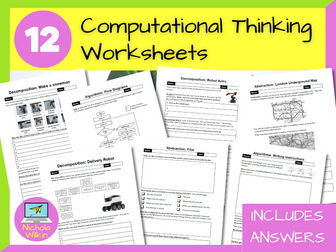
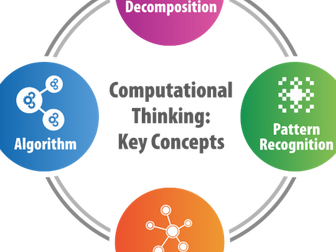
12 computational thinking worksheets you can use with your class, no preparation necessary. You even have the answers, making these a brilliant easy to use addition to your teacher toolkit. They can be printed out or completed on-screen as they are PDF files with editable areas for students to enter their answers. HOW CAN I USE THEM? These worksheets are ideal for An easy grab-and-go classroom activity, homework tasks and cover worksheets. . Perfect for computer science teachers, non-specialists and new teachers. WHAT IS INCLUDED? The 12 PDF worksheets included: Decomposition: Delivery Robot – A 2-page worksheet where students break down larger tasks into smaller tasks. A great starter activity. Decomposition: Make a Snowman – This simple worksheet where students put the steps in order and then decompose one of those steps further. This is perfect for a starter or a plenary. Decomposition: Robot Arms – This asks students to break down the tasks a robot arm in a factory would need to do. Great as a homework task. Pattern Recognition: Finding Order – Students decide on the order or steps that are required to follow a recipe successfully. A nice starter. Pattern Recognition: Spot the Correct Pattern – a 3-page worksheet where students need to pick the correct set of instructions to draw the shape. Perfect for a homework task or plenary. Pattern Recognition: Create a Pattern – a 2-page worksheet. Students follow the example given and adapt it to match the scenarios. A great way to check progress. Abstraction: London Underground – Students look at the London underground map, then answer questions about why the map has been simplified. A nice way of introducing the topic of abstraction in computational thinking. Abstraction: Film – Students describe answer questions on abstraction about a film synopsis. A nice in-class activity to reinforce learning. Abstraction: Gathering Important Facts – Students read a statement and answer questions. A nice homework task or plenary. Algorithms: Writing Instructions – A fun in-class pairs activity to write instructions for a secret handshake. A great interactive starter activity which reinforces the need for clarity in instructions. Algorithms: Pseudocode – Students write pseudocode. A nice homework task, in-class tasks to reinforce learning or plenary to check understanding. Algorithms: Flow Diagrams – A 3-page worksheet where students need to answer questions about flowcharts. Great as a plenary activity or homework task. What are you waiting for? Buy them now and use them straight away to enhance your lessons whilst saving yourself hours of preparation.
Computational Thinking Escape RoomQuick View
nwilkin

Computational Thinking Escape Room

(7)
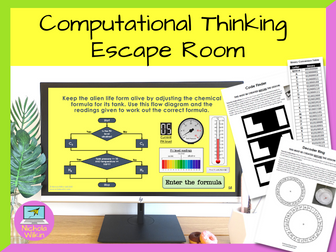
This highly interactive lesson that requires the pupils to work in teams and use computational thinking skills to solve a range of puzzles. This activity perfect for pupils about to learn Python programming and you want to show the importance of computational thinking skills. **This resource was shortlisted for the Teach Secondary Awards, a very rare honor for an independent resource creator. ** Your class need to work together to escape a locked laboratory in a spaceship and start the engines to avoid being sucked into a black hole by completing different challenges which will use a variety of computational thinking skills. They are given most of the lesson to work together and at the end of the lesson, time is dedicated to discuss the computational thinking skills they used during the activity. This gives them a practical application for the computational thinking theory rather than using the tired old “making a jam sandwich” or “getting up in the morning” scenarios which are commonly used. This activity is not a handout driven escape room, it involves using an interactive PowerPoint presentation and physical tasks that moves away from pupils filling in yet another worksheet, to working together in a team to solve interesting and challenging puzzles. Pupils enjoy the lesson and are fully engaged whilst developing the key computational thinking skills of decomposition, pattern recognition, abstraction and algorithms. Please note: This lesson does require teachers to prepare some props beforehand and it is highly recommended the teacher reads through the teacher’s instructions and creates the props well before they want to use the lesson. Also please note that this resource does not work with Google Slides. Written primarily for key stage 3, this activity can be used in a variety of situations: Introducing pupils to computational thinking skills before they are introduced to a text-based programming language Used as an end of term fun lesson which still has an education element A fun activity to use on a year 6 transition day Allow your new year 7s to get to know their new classmates and grow team sprit Helping a reluctant class see the benefits of learning programming skills . What are you waiting for? Download this interactive escape room NOW, to help students learn about computational thinking skills in a fun and memorable lesson they will love and remember. You may also be interested in my Computational Thinking Worksheets which you can buy from here.
Computational Thinking LessonQuick View
CrimsonWizard

Computational Thinking Lesson

(0)
Computational thinking unlocks students’ problem-solving skills! Teach abstraction to simplify complexities and decomposition to break tasks into easier, more manageable steps, allow them to tackle real-world challenges. This complete lesson discusses abstraction, decomposition, and algorithmic thinking, as well as how they are used. You can use this resource with minimal preparation - it is good to go! You can easily reuse and build upon our top-quality teaching material to fit your unique teaching style. The activities inside this resource have been specially created to allow students to develop their problem-solving and critical thinking skills.   █▀▀ █▀▀ ▄▀█ ▀█▀ █░█ █▀█ █▀▀ █▀ █▀░ ██▄ █▀█ ░█░ █▄█ █▀▄ ██▄ ▄█ Specially designed for the OCR GCSE curriculum (J277). No excessive content from other exam boards here! ➟ This resource contains: 36x Slide Presentation which consists of appealing visuals, discussion tasks, student activities, and more! and (un)funny jokes! Worksheet with answers to allow students to consolidate their knowledge or explore a different aspect of the topic. Exam-Styled Questions with a mark scheme to reinforce key concepts learned in the lesson, either for homework or during the lesson.   ➟ Other useful resources: Pseudocode - OCR GCSE Lesson Bubble Sort - OCR GCSE Lesson Python String Manipulation - OCR GCSE Lesson   █▀▀ █▀█ █ █▀▄▀█ █▀ █▀█ █▄░█ █▄▄ █▀▄ █ █░▀░█ ▄█ █▄█ █░▀█   █░█░█ █ ▀█ ▄▀█ █▀█ █▀▄ ▀▄▀▄▀ █ █▄ █▀█ █▀▄ █▄▀ We hope you enjoy using our resources just as much as we enjoyed creating them! :) ─────█─▄▀█──█▀▄─█───── ────▐▌──────────▐▌──── ────█▌▀▄──▄▄──▄▀▐█──── ───▐██──▀▀──▀▀──██▌─── ──▄████▄──▐▌──▄████▄──
KS3 Computational Thinking Digital WorkbookQuick View
TeachBytes

KS3 Computational Thinking Digital Workbook

(0)
Digital workbook for students to use for 6 lessons as a introduction to computational thinking. Perfect for year 7 students before starting a programming unit of work. 6 lessons of engaging activites for students to complete digitally (can also be printed as A4 booklets but best done digital through Microsoft Teams/Google Classroom etc) Challenge activities to push the higher ability students. Teacher answers included in seperate digital workbook to check answers. (Great for non-specalists) Created in Microsoft PowerPoint for students to fill out with clear colour coding to show where students should enter their answers. (Fully compatable with Google Slides) Fully editable to suit your school/academies’ needs including editable master slides/colour theme to speed up the process. Tested and used across multiple ability students with successful outcomes - great for both low ability and high ability pupils. **Use alongside my other resources for the best results of buy the Full Teaching Bundle (Lesson presentations, student digital workbook, teachers answers, end of unit assessment digital (self-marking) or printed) All resources checked and updated regulary - if you have any feedback please email hello@teachbytes.co.uk and I will be happy to make any changes and update this resource if applicable.
Computational Thinking LessonsQuick View
nwilkin

Computational Thinking Lessons

(0)
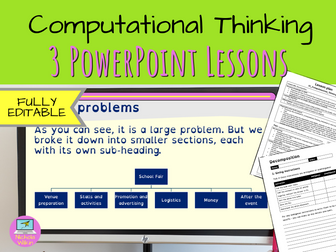
A great introduction to understanding computational thinking including decomposition, pattern recognition and abstraction. These ready to use computational thinking lessons will save you hours of preparation and can easily be adapted to meet your own requirements. WHAT IS INCLUDED? In this unit you have 3 ready-to-use lessons: Decomposition Pattern recognition Abstraction including a computational thinking team task . Please Note: This unit DOES NOT teach pupils about algorithms. In this unit pupils will be using everyday examples to help them understand the principles of computational thinking. This lesson includes everything you need is included such as: a very high-quality accessible PowerPoint presentation for every lesson that effortlessly leads the teacher through the lesson and includes all the answers to the many questions and tasks the students need to complete an editable worksheet for every lesson an easy-to-follow editable lesson plan for every lesson . PRIOR LEARNING This unit does expect pupils know that computers use programs to tell them what to do, and assumes they have had some experience of writing Scratch programs. EASY TO USE These ready to use resources are so straightforward that although I have included a lesson plan, most teachers can teach straight from the PowerPoint presentation without any further assistance. And best of all, the answers are included saving you time and energy. This makes these lessons suitable for experienced computing specialist teachers along with non-specialists and early career teachers (ECTs). EDITABLE RESOURCES I understand that teachers want to adapt their resources, so I’ve made the bold decision to make these resources editable. Therefore, if you need to use a particular template style for your school or pupils with special educational needs, you can change the PowerPoint presentation, worksheet and lesson plan to suit your needs. SCIENTIFICALLY PROVEN TEACHING TECHNIQUES These teaching resources have been specifically designed to aid pupils using educational psychology backed theories including dual coding, Mayer’s theory and the best techniques to alleviate cognitive load. These lessons are highly interactive and engage students straight from the start. I have created another unit called Understanding Algorithms which teachers pupils the basics of writing algorithms and drawing flowcharts which teachers can use after this computational thinking unit to make a complete 6 lesson unit, alternatively you may want to split them up and teach them as 2 discreet units with 3 lessons in each. [You can view the Understanding Algorithms lesson here (http:// Start reaping the benefits today of incredibly high-quality, professionally designed teaching resources that you can use with virtually no preparation. Just click on the BUY NOW button to download them straight away. You’ll wonder how you ever managed without them.
Computational Thinking for KS3Quick View
RobbotResources

Computational Thinking for KS3

(16)
This unit of work introduces students within KS3 to the concepts of computational thinking by helping Rob-bot the robot make a jam sandwich. Through the activity, students will learn about decomposition, pattern recognition, abstraction and algorithm design (through both basic flowcharts and pseudo code). They will also lean about the importance of debugging their algorithms. The duration of this work usually takes between 2-3 hours to complete, so is perfect as an introductory unit to computational thinking and programming. ***Please leave a review!***
Computational Thinking: Code BreakingQuick View
RobbotResources

Computational Thinking: Code Breaking

(1)
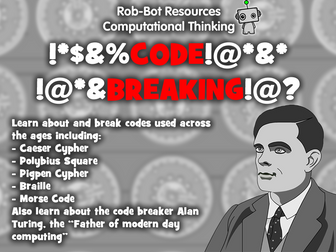
Develop your students problem solving skills with this resource! Learn about and break codes used across the ages including: Caeser Cypher Polybius Square Pigpen Cypher Braille Morse Code Also learn about how cryptanalyst Alan Turing shortened the length of World War II and saved millions of lives in the process! Includes both student PowerPoint work book and Teacher solutions. Final consolidation exercise includes differentiated challenges!
Computational Thinking for KS4Quick View
RobbotResources

Computational Thinking for KS4

(15)
This comprehensive unit of work introduces the concepts of computational thinking to students at KS4. It covers all elements of computational thinking such as Decomposition, Pattern Recognition, Abstraction and Algorithmic Design. I have also included debugging within the work. Each section is explained and followed by tasks to help develop student understanding. I have also included a ‘supermarket sweep’ computational thinking problem and a final project exercise which has three levels of difficulty. 2018 Update: Improved Grammar and clarity of task requirement. ***Please leave a review!***
KS3 Computational Thinking Starter QuizQuick View
RobbotResources

KS3 Computational Thinking Starter Quiz

(13)
The following quiz is based upon the four parts of Computational Thinking: Decomposition, Abstraction, Pattern Recognition and Algorithm Design. The quiz includes 8 questions including definitions and scenarios to test your students understanding of Computational Thinking. Ideal to use as either a starter or plenary! Give students a mini white board and marker pen for instant feedback! Also includes a Computational Thinking Recap slide prior to the quiz itself. Please leave a review!
Computer Science Escape RoomQuick View
Cre8tive_Resources

Computer Science Escape Room

(1)
Computer Science Team Building Escape Room - Virtual Escape Room run through PowerPoint by Cre8tive Resources! This lasts an hour or under depending on how quick the teams can solve each puzzle! Students love this style of lesson, great as an educational treat for your middle school or even high school class. Will your students be able to escape before time runs out? The escape room puzzles content will be tailored to the topic of this escape room. Escape Room Product Contents: ☞ Escape Room Interactive Tracker PowerPoint - Keeps the competitive nature on display ☞ Escape Room Puzzle Keys (Six Sets for Six Teams) ☞ Escape Room Team sheet - Record codes, answers clues as they progress through the 7 rooms ☞ Escape Room Puzzles (7 Rooms = 7 Different styles of Puzzles involving numeracy, literacy and lateral thinking) ☞ Bonus Riddles with every puzzle. ☞ Teacher Answer Sheet - Quickly confirm to teams they have solved the puzzle correctly ☞ Teacher instructions of how to set up the escape room and what to print and top tips and shortcuts. ☞ Successful Escape Certificates for those that complete the entire challenge (There is a difficult bonus escape too :) for any quick teams ✿ The 7 Rooms include: The Garage, The Attic, The Nowhere, The Dungeon, The Entrance, The Rest Room and the Garden. (Each Puzzle has been adapted to suit the topic of this Escape Room (this one is very general and fun!) and is suitable for Middle School and High School students. Our Philosophy ✿ We aim to help you equip students with the knowledge and skills to take ownership of their own learning. ✰✰✰✰✰✰✰✰✰✰✰✰✰✰✰✰✰✰✰✰✰✰✰✰✰✰✰✰✰✰✰✰✰✰✰✰✰✰✰✰✰✰✰✰ Why not try out one of our other fantastic best selling Escape Rooms ⇨ English and Language Digital Escape Room ⇨ Dr. Jekyll and Mr. Hyde Digital Escape Room ⇨ Big Fun End of Term Digital Escape Room ⇨ PSHE and Form Time Escape Room ⇨ Careers Digital Escape Room ⇨ Drama and Performance Digital Escape Room JUST PRINT AND GO! They can also be used to encourage a flipped learning environment.
Computational thinkingQuick View
badpower

Computational thinking

(0)
A complete set of presentation notes detailing the theory behind computational thinking. This presentation details algorithms, problem solving and the key concepts of computational thinking.
Computational ThinkingQuick View
BussICT

Computational Thinking

(0)
A powerpoint that introduces, decomposition, algorithm thinking and abstraction. Suitable for KS4 and KS3
Computational ThinkingQuick View
Qualiteach_Education

Computational Thinking

(0)
This 2 page resource explains computational thinking, abstraction, decomposing and generalisation. An example is provided of a step-by-step process with unnecessary detail filtered out. Two activities follow the explanation and examples. This resource is suitable for Key Stage 2 or 3 Computer Science.
Computational thinkingQuick View
raybeardmore

Computational thinking

(0)
Computational thinking is an approach to problem solving Computational thinking is about taking a complex problem and being able to use several ‘computation thinking techniques’ (abstraction, decomposition, pattern recognition and algorithmic thinking) to: Fully understand the problem Create an effective solution.
Computational ThinkingQuick View
mackers15

Computational Thinking

(0)
Decomposition, Abstraction, Pattern Recognition and Algorithm Design. Full lesson explaining the concepts in an easy way. Great tasks and examples for all pupils. Good interactive lesson and can be done in multiple ways.
Computational ThinkingQuick View
Teachinator5000

Computational Thinking

(0)
This unit of work helps users think in computational terms, it looks at topics like algorithms, logic gates. It contains presentations, worksheets and HW.
Computational Thinking Starter PuzzlesQuick View
RobbotResources

Computational Thinking Starter Puzzles

(0)
Get your students into the right mindset from the off with these fantastic starter activities! With 20 different puzzles for your students to try and solve, there are enough activities to cover a full 8 week term! This resource includes a range of puzzles such as code breaking, symbol grids, number pyramids, understanding algorithms and many more! Solutions included!
Computational Thinking (complete SOW)Quick View
123khan

Computational Thinking (complete SOW)

(0)
A complete SOW for Computational Thinking at Ks3. Focus is strand 1 and strand 2 of the Ks3 Pos. During this unit students will learn about Computational Thinking and how the same problem can be solved in different ways. Students will be able to apply the four strands of CT to solve a range of problems. They will experiment with flowcharts and test to evaluate the effectiveness of a given solution. What you get: 5 Full lesson PowerPoints (starters, plenaries and hinge Q’s), Class workbook with suitable activities for students to complete, Homework booklet, Retrieval practice x2, End of topic assessment, Mid-point marking and feedback, Marking and feedback sheet for end of unit and a Sheme of Work showing overview of the whole topic. Keywords: Decomposition, Pattern recognition, Abstraction, Algorithm, Sub-problems, Model, Flowchart, Process, Control, Loops, Decision, Evaluate.
Curriculum for Computational ThinkingQuick View
Tadjerout

Curriculum for Computational Thinking

(0)
This course is designed to provide students with fundamental skills and knowledge required for a critical thinker to solve real life problems. They will learn computational thinking; decompose data, recognize patterns, automate solutions using algorithms and flow charts. Moreover, students will generalize solutions to a wider variety of real world problems based on a set of identified similarities and differences and then share results using various online platforms.