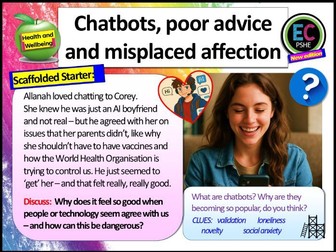
NEW for 2026 RSHE DfE Guidelines - In this lesson students will learn about the dangers of chatbots, trusting AI advice without fact checking, the worrying increase of people developing affections or even falling in love with chatbots, the rising belief in some online conspiracy theories, and how chatbots can be programmed to give harmful advice and promote products without a user realising. There is a large focus on digital literacy, with real life case studies, clip tasks, literacy-based analysis tasks and much more. Students will learn how to be a discerning consumer of information as stipulated by the 2026 RSHE Guidelines from the DfE.
**We are confident you’ll be pleased with this resource – however, if you have any issues at all, contact us at info@ecpublishing.co.uk and we’ll help you straight away. If you try to contact us through Tes we may not for be alerted for days so may not be able to help you on time.**
All editable and includes lesson plan.
All taken from the EC Publishing 2026 Complete Secondary PSHE Package, available at our Tes store and at the EC Publishing website.
Enhance your students’ digital literacy skills with this comprehensive Digital Literacy Lesson Bundle, designed for secondary school students. This bundle includes four engaging lesson plans and PowerPoint presentations covering essential topics in today’s digital world. Ideal for ICT, Computer Science, or Digital Citizenship classes, this resource is perfect for both in-class teaching and remote learning.
What’s Included in This Bundle:
Dangers of Social Networking - Complete Lesson Plan and PowerPoint:
Explore the potential risks of social networking sites and learn how to stay safe online. Includes activities such as Do Now, Reading Exposition, Text Analysis, Independent Practice, and Exit Ticket Questions.
How to Create a Secure, Memorable Password - Complete Lesson Plan and PowerPoint:
Teach students how to create strong, memorable passwords to protect their personal information. Covers key topics such as characteristics of a strong password, creating a secure password, and avoiding common mistakes.
Advantages and Disadvantages of Email - Complete Lesson Plan and PowerPoint:
Dive into the benefits and drawbacks of email communication, and help students understand when and how to use email effectively. Includes interactive discussions on email security, independent practice activities, and assessments.
How to Search the Web Effectively - Complete Lesson Plan and PowerPoint:
Equip students with the skills to search the web efficiently and critically evaluate the credibility of online information. Includes lessons on keyword search, Boolean operators, advanced search techniques, and evaluating search results.
Why This Bundle?
Aligned with KS3 and KS4 Curriculum: Meets the requirements for ICT and Computer Science curricula.
Engaging and Interactive: Each lesson is designed with various activities to promote active learning and student participation.
Ready-to-Use Resources: Includes all necessary materials such as PowerPoint presentations and lesson plans for a hassle-free teaching experience.
Supports Digital Literacy Development: Helps students become responsible and informed digital citizens.
Keywords: digital literacy lesson bundle, ICT lessons for secondary school, social networking safety, secure password teaching resource, email communication lesson, web search skills lesson, ICT curriculum resources, KS3 ICT bundle, KS4 digital literacy.
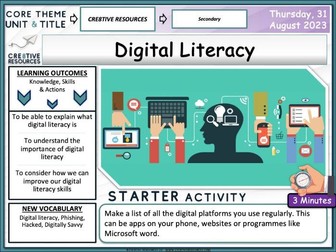
Importance of Digital literacy . A fully-resourced editable Careers PowerPoint lesson (1 hour +) which can be used by teachers to deliver a detailed workshop / session on this topic.
Learning Outcomes:
“To be able to explain what digital literacy is To understand the importance of digital literacy To consider how we can improve our digital literacy skills”
Key terms
Digital literacy, Phishing, Hacked, Digitally Savvy
**Homework Extension Suggestion **
Find an article on the BBC news website about a cyber attack. From the article, pick out the parts that show where the person or company showcased poor digitally literacy skills. What could they have done differently to prevent the cyber attack?
Each Lesson Pack Contains:
1 Fully Editable Careers PowerPoint (Learning Outcomes, Confidence Checkers, Assessment of Learning, Variety of Tasks, Video Embedded URL Clips, Engaging Premium Quality Slides, Extra Support Websites, Challenging & Thoughtful Questioning)
Assessment Opportunity (Confidence Checker)
The lesson includes a detailed PowerPoint, variety of student facing tasks and comprehension tasks These resources have been designed to be engaging, informative and pick up and teach.
Why not check out some of our latest super bundles below:
Personal Finance as a young Adult
Online Safety + Staying Safe
Y12 Survival Kit - Personal Safety
Y11 Survival Kit - Revision + Exam Stress
British Values Explored Bundle
Society, Body Image + Peer Pressure
Finance Risk + Online Safety
Digital literacy is increasingly important! This resource has two record cards for teachers to track students literacy and digital literacy from starting school to adulthood. This document has many uses and possibilities and can be used in all curriculum.
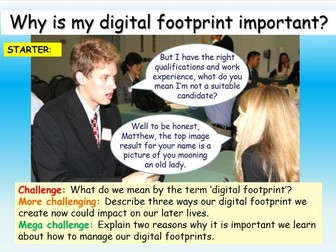
One hour, fully resourced Internet Safety lesson which introduces the concept of digital footprints and how our actions on the Internet now can have an impact on our later lives - especially when applying for jobs or in relationships.
This resource pack includes an hour long PowerPoint with accompanying worksheets, well differentiated activities, literacy focus tasks, clip tasks with three-way differentiated questions and information sheets.
The lesson has been left editable and is filled with engaging, well differentiated and fun activities. It is useful for PSHE, ICT, Careers, Citizenship or Tutor Time. As with all our lessons, you don’t need any prior knowledge as all the information is included - you can just pick up and teach it.
You can find many more inexpensive and free PSHE, Citizenship and RE resources at my shop: MORE PSHE RESOURCES
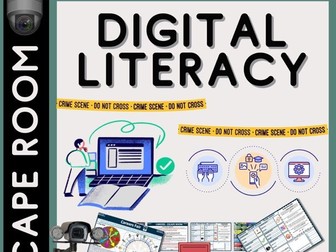
Secondary Digital Literacy - Escape Room - Virtual Escape Room run through PowerPoint by Cre8tive Resources! This lasts an hour or under depending on how quick the teams can solve each puzzle! Students love this style of lesson, great as an educational treat for your middle school or even high school class. Will your students be able to escape before time runs out?
The escape room puzzles content will be tailored to the topic of this escape room.
Escape Room Product Contents:
☞ Escape Room Interactive Tracker PowerPoint - Keeps the competitive nature on display
☞ Escape Room Puzzle Keys (Six Sets for Six Teams)
☞ Escape Room Team sheet - Record codes, answers clues as they progress through the 7 rooms
☞ Escape Room Puzzles (7 Rooms = 7 Different styles of Puzzles involving numeracy, literacy and lateral thinking)
☞ Bonus Riddles with every puzzle.
☞ Teacher Answer Sheet - Quickly confirm to teams they have solved the puzzle correctly
☞ Teacher instructions of how to set up the escape room and what to print and top tips and shortcuts.
☞ Successful Escape Certificates for those that complete the entire challenge (There is a difficult bonus escape too :) for any quick teams
✿ The 7 Rooms include: The Classroom, The Fair, The Interview, The Website, Job Interview, Boss’s Office, and the Extra Secret Escape Room location. It is suitable for Middle School and High School students.
JUST PRINT AND GO!
They can also be used to encourage a flipped learning environment.
Digital Literacy + Computing
Perfect for meeting the new PSHE Statutory guidelines, this pack has been created from the popular EC Resources PSHE lessons to match one of the new PSHE Association optional frameworks - the ‘Thematic Framework��, from their model programme builder. This is one of a variety of ways to order your PSHE content and follows the PSHE Association’s new, suggested order for content within their three categories: Living in the Wider World, Relationships and Health and Wellbeing.
PSHE Association Theme:
Summer 2 Living in the Wider World
Topic – Digital Literacy
Online safety, digital literacy, media reliability, and gambling hooks
This pack is mapped against the latest DfE guidance and uses the PSHE Association Core themes (H3, H30, H32, R17, L19, L20, L21, L22, L23, L24, L25, L26, L2) for the 2020 Requirements (Statutory Health and RSE).
Learning Outcomes for this unit – Students will learn…
about online communication
how to use social networking sites safely
how to recognise online grooming in different forms, e.g. in relation to sexual or financial exploitation, extremism and radicalisation
how to respond and seek support in cases of online grooming
how to recognise biased or misleading information online
how to critically assess different media sources
how to distinguish between content which is publicly and privately shared
about age restrictions when accessing different forms of media and how to make responsible decisions
how to protect financial security online
how to assess and manage risks in relation to gambling and chance-based transactions
All lessons are editable, differentiated at least three ways so you can be Ofsted and DfE guidance-ready and ensure your pupils have the very best PSHE education. Each pack contains a variety of activities, an hour-long PowerPoint, a clip with questions, a literacy focus task, new key-term introductions, reading aloud materials, assessment opportunities, progress checkers and creative tasks.
Who are EC Resources?
EC Resources are the top TES PSHE providers and are a group of teachers who work together to create easy to use, high quality and editable lessons and units of work. We have created lessons for The Children’s Commissioner, The Bank of England, MACS Charity, Tes, LikeToBe Careers, the Criminal Cases Review Commission (UK Gov) and have also completed PSHE and Citizenship commissions for schools across the UK.
Check out our PSHE Packages here:
Complete KS3 PSHE and RSE
Complete KS4 PSHE and RSE
One Year of KS5 PSHE and RSE
One Year of Citizenship and British Values
Complete Year 7 and 8 RE
Complete Careers and Employability
AQA Citizenship GCSE Mega Pack
The rest of the Thematic Packages can be found here:
You can contact us at info@ecpublishing.co.uk
Teaching PSHE, RE or Citizenship GCSE next year? Why not join our Citizenship and PSHE teachers Facebook group, with 7000 other teachers, for guidance, advice and resource sharing.
These are around 10 - 12 hours of resources improving pupils digital critical literacy.
They split into two parts i) Information and Bias and ii) Fake News.
These resources are designed to be delivered in front of a computer in a computing lesson but can be easily adapted to be delivered in a standard classroom.
This covers important parts of the Computing and Citizenship KS3 NC
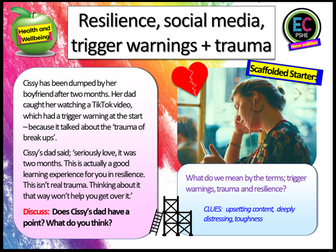
NEW 2026 DfE RSHE GUIDELINES COMPLIANT (see lesson plan included for details). A digital resilience PSHE lesson which examines what happens when we take social media too seriously, don’t think critically and build our lives around what we hear online. The lesson encourages critical thinking and speaking to trusted offline adults before taking advice from Tiktok or any other social media site. Students will investigate how to build emotional resilience. The lesson also examines trauma, and how to recognise whether we really are suffering from trauma, or whether we are experiencing normal (albeit stressful) teenage life.
This is all new content (2026) and all editable. The lesson will last you an hour and is aimed at KS4 but could be used with KS3. Taken from the new 2026 EC Publishing Complete PSHE Package.
Activities are scaffolded, there is a detailed and colourful PowerPoint, clip tasks with questions and answers, information pack, worksheets, literacy tasks, creative tasks, signposting to further help agencies and charities, clear outcomes and also partnered activities. Includes optional assessment sheet, lesson plan and written scheme of work that the lesson is taken from.
It is fully editable, engaging and very easy to follow.
Who are EC Resources?
EC Resources are the top TES PSHE providers and are a group of teachers who work together to create easy to use, high quality and editable lessons and units of work. We have created lessons for The Children’s Commissioner, The Bank of England, The British Legion, MACS Charity, Tes, LikeToBe Careers, the Criminal Cases Review Commission (UK Gov) and have also completed PSHE and Citizenship commissions for schools across the UK.
Check out our PSHE Packages on Tes here:
Complete KS3 PSHE and RSE
Complete KS4 PSHE and RSE
Complete KS5 PSHE and RSE
One Year of Citizenship and British Values
Complete KS3 RE
Complete Careers and Employability
AQA Citizenship GCSE Mega Pack
You can contact us at info@ecpublishing.co.uk
Teaching PSHE, RE or Citizenship GCSE next year? Why not join our Citizenship and PSHE teachers Facebook group, with 10,000 other teachers, for guidance, advice and resource sharing.
This e-booklet contains a collection of ten lesson plans to help you develop students' digital literacies and critical thinking skills. Based around authentic infographics the lessons start by using discussion to help students access what they already know about the topics and then move on to comprehension and a range of tasks that help students to explore the validity and authenticity of the information they find. They finish with structured research and presentation tasks that encourage students to work collaboratively and share what they have learned.
The lessons progress through a range of tasks that engage student’s interest, encourage them to:
-: interact and share what they know
-: develop their abilities to extract information from text and graphics
-: view information critically
-: check the credibility and validity of information
-: develop online research skills
-: use web based tools to create surveys and data visualisations
The lessons cover a range of topics including:
-: Advertising and how it influences us
-: Body language and how to understand it
-: Introverts and extroverts and how they differ
-: Emotional intelligence and how it impacts on our relationships
-: Facts about hair
-: Happiness and what effects it
-: Developing study skills
-: The environment and waste caused by clothes manufacturing
-: Daily habits of the world's wealthiest people
-: The history of marriage and weddings
Each lesson includes:
-: A step by step teachers guide with advice and answer key
-: Worksheets to print for students
This e-booklet contains a collection of ten lesson plans to help you develop students' digital literacies and critical thinking skills. Based around authentic infographics the lessons start by using discussion to help students access what they already know about the topics and then move on to comprehension and a range of tasks that help students to explore the validity and authenticity of the information they find. They finish with structured research and presentation tasks that encourage students to work collaboratively and share what they have learned.
The aims of the lessons are to:
-: develop student's digital literacies
-: help them to think more critically about online information
-: develop their ability discuss and develop ideas around information and understand how it applies to their own lives.
The lessons progress through a range of tasks that engage student’s interest, encourage them to:
-: interact and share what they know
-: develop their abilities to extract information from text and graphics
-: view information critically
-: check the credibility and validity of information
-: develop online research skills
-: use web based tools to create surveys and data visualisations
The lessons cover a range of topics including:
-: Advertising and how it influences us
-: Body language and how to understand it
-: Introverts and extroverts and how they differ
-: Emotional intelligence and how it impacts on our relationships
-: Facts about hair
-: Happiness and what effects it
-: Developing study skills
-: The environment and waste caused by clothes manufacturing
-: Daily habits of the world's wealthiest people
-: The history of marriage and weddings
Each lesson includes:
-: A step by step teachers guide with advice and answer key
-: Worksheets to print for students
An excel spreadsheet to track Digital Literacy. Includes benchmarks, E&O and brocken down into smaller measurable chuncks. Simply enter 1,2 or 3 to RAG.
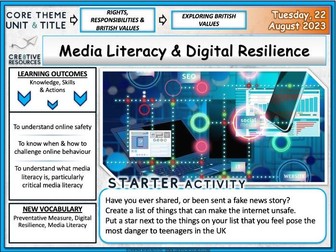
Media literacy + Digital resilience explained for KS5 Students. Careers + PSHE Lesson designed by a L6 Qualified Careers Guidance Leader and PSHE Expert. Editable 18+ slide PowerPoint Lesson. Lesson includes: Lesson Assessment, Student Resources, Signposting to extra support services. Bonus Homework Activity and links to our videos and much more.
Learning Outcomes:
To understand online safety
To know when & how to challenge online behaviour
To understand what media literacy is, particularly critical media literacy
Some Key Terms Covered
Preventative measure, digital resilience, media literacy
✯✯✯✯✯✯✯✯✯✯✯✯✯✯✯
Each Lesson Pack Contains:
1 Fully Editable PowerPoint (Learning Outcomes, Confidence Checkers, Assessment of Learning, Variety of Tasks, Video Embedded URL Clips, Engaging Premium Quality Slides, Extra Support careers Websites, Challenging & Thoughtful Questioning)
Student Worksheet(s) are included with some lessons
Homework Activity
Assessment Opportunity (Confidence Checker)
Teacher Notes (On some slides)
Focus on literacy
1 Hours worth of activities - including timings for every activity
✯✯✯✯✯✯✯✯✯✯✯✯✯✯✯
Why not try out some of our other highly rated secondary careers units:
☞ Year 7 Gatsby Benchmark Careers in Context Unit
☞ Year 8 Gatsby Benchmark Careers in Context Unit
☞ Year 9 Gatsby Benchmark Careers in Context Unit
☞ Year 10 Gatsby Benchmark Careers in Context Unit
☞ Year 11 Gatsby Benchmark Careers in Context Unit
☞ Year 12 Gatsby Benchmark Finance & Careers in Context Unit
☞ Year 13 Gatsby Benchmark Finance & Careers in Context Unit
The assessments provided encompass a blend of creative design, digital document creation, and financial analysis tasks tailored for educational settings. Students are required to engage in logo design using specific color schemes and branding elements, format and analyze data within spreadsheets, create visually appealing and informative marketing presentations, and compile professional word-processed documents.
These worksheets have been carefully designed to engage learners in a variety of subjects, fostering knowledge, creativity, individuality, and the development of essential functional skills. They are ideal for use in Tutorial, English or Digital Skills sessions.
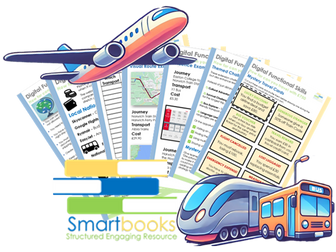
Take on the ultimate travel challenge with this exciting and interactive workbook! Designed to engage learners in planning, budgeting, and researching real-world travel options, this activity pushes participants to see how far they can go on a limited budget. With only £750 to cover transport and accommodation, learners will need to make strategic choices, compare travel options, and create a detailed itinerary—including tickets, routes, and expenses.
This workbook is packed with practical skills, encouraging critical thinking, problem-solving, and digital literacy. Learners will use tools like Google Maps to visualize their journey, budget sheets to track spending, and online resources to find the best travel deals. The challenge adds a competitive edge, as the winner is the one who can reach the furthest destination while staying within budget and following all the rules.
Extension Ideas - For higher-level learners, additional challenges can take the experience even further! Whether it’s exploring the most culturally diverse locations, stretching the budget for the longest trip, or prioritizing eco-friendly travel, these extension activities encourage deeper research and creative problem-solving. Bonus points can also be earned for finding unexpected destinations, securing the cheapest flights, or using multiple forms of transport. Mystery travel cards introduce an extra layer of excitement, throwing in surprises that test adaptability and decision-making skills along the way!
Ideal for classrooms, group activities, or independent learners, this workbook makes financial planning and travel research an exciting adventure!
This resource is available as a PDF download and is designed for learners working at Entry Level 3 to Level 1. It can be adapted to suit individual learning needs—if you require a Word document version, please contact SmartbooksED@outlook.com.
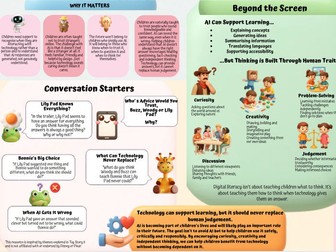
Artificial Intelligence is becoming an increasingly common part of childhood, from voice assistants and smart toys to chatbots, homework tools and social media features. Yet many parents feel unsure about how AI works, the risks it can present and how to help children use it safely.
This parent guide explores how AI works, why it can sometimes provide inaccurate information, how AI companions are designed to build engagement and the digital literacy skills children need for the future.
The guide includes:
Key information for parents
Signs to look out for and practical steps
Conversation starters linked to Toy Story 5
Guidance on AI chatbots, smart toys and AI companions
Advice on critical thinking, privacy and responsible AI use
Key message: Technology can support thinking, but it should never replace it.
Ideal for parents, carers, schools and educators supporting children in an increasingly AI-powered world.
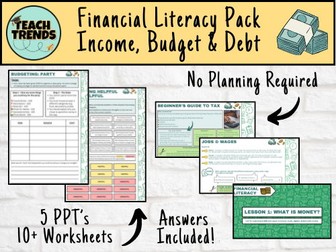
Equip your pupils with essential life skills through Financial Literacy, a ready-to-use teaching package designed for upper KS2 and lower KS3 learners. This comprehensive resource includes five engaging PowerPoint presentations and over ten versatile worksheets with answers, providing everything you need to make financial education accessible, interactive, and fun.
Why Choose ‘Financial Literacy’?
Money skills are life skills. This resource ensures students don’t just learn about money—they understand it, manage it, and make informed choices that set them up for the future. Each presentation is carefully structured around clear learning objectives:
What is Money?
Learning Objective: To understand different types of money—cash, digital, debit, and credit cards.
Students explore the forms money takes today and how it’s used in everyday life.
*** Income and Budgets**
Learning Objectives: To identify income sources (jobs, allowances, gifts, interest) and to recognise why budgeting is important.
Pupils learn to plan, prioritise, and see how budgeting affects their financial decisions.
Saving and Spending****
Learning Objectives: To understand the importance of saving and to explore banks, savings accounts, and interest.
Students discover how saving today can create opportunities tomorrow.
*** Borrowing and Debt****
Learning Objectives: To recognise forms of borrowing (loans, credit cards, mortgages) and understand good vs. bad debt.
Equip students with knowledge to make responsible borrowing decisions.
Making Smart Choices
Learning Objectives: To understand value for money and comparison shopping, and to learn how advertising influences spending.
Encourage critical thinking about purchases and empower pupils to become savvy consumers.
What’s Included:
5 full PowerPoint presentations, packed with clear explanations, examples, and discussion prompts.
10+ worksheets with answers to consolidate learning and encourage independent thinking.
Fully aligned to the needs of upper KS2 and lower KS3 learners.
Benefits for Teachers and Pupils:
Saves planning time with ready-to-use materials.
Encourages active learning through discussion, problem-solving, and reflection.
Prepares pupils with practical, lifelong money skills in a safe, engaging way.
Transform your classroom into a hub of financial knowledge.
With Financial Literacy, students don’t just learn about money—they learn to use it wisely.
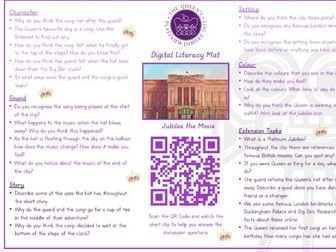
Queen’s Jubilee Digitial Literacy Mat - Jubilee the Movie film short.
Watch the Jubilee film short and complete the discussion questions on five areas;
Character
Story
Setting
Sound
Colour
Plus extension tasks for early finishers.
Inspired by @MissLMacDonald on Twitter. I hope you enjoy this resource. I would love to see them in use, please tag me on;
Twitter @MissS_Says
Instagram @Miss_S_Says
Thank you!
Digital Literacy
Christmas Advert Digitial Literacy Mats
A selection of famous UK TV Adverts complete with questions on five areas;
Character
Story
Setting
Sound
Colour
Plus extension tasks for early finishers.
Inspired by @MissLMacDonald on Twitter. I hope you enjoy this resource. I would love to see them in use, please tag me on;
Twitter @MissS_Says
Instagram @Miss_S_Says
Thank you!


 Quick View