Powerpoint timers (countdown clocks)Quick View
pppmaukonen

Powerpoint timers (countdown clocks)

(1)
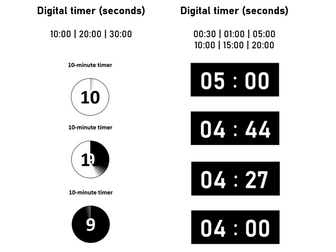
Customisable Powerpoint timers/countdown clocks. Each slide contains a different timer. Included are the following: six digital timers that count down each second: 00:30 | 01:00 | 05:00 | 10:00 | 15:00 | 20:00 three one-minute circle timers (like film leaders): 10:00 | 15:00 |20:00 Each timer is set to start when the slide changes. If you want to change the colours, formats and fonts of the timers, click and drag to select the whole timer and then change the fill, outline, font, text colour, etc. (instructions included in the Powerpoint). The same applies to using them in your own presentations - just click and drag to select the whole timer, copy and paste in your own slide.
Actual Powerpoint countdown timerQuick View
bdsouza1

Actual Powerpoint countdown timer

(6)
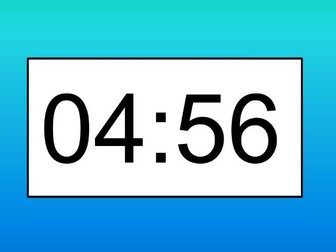
On recognising that a countdown timer in powerpoint does not seem to exist I set myself the challenge of creating one. Done completely through animation these timers can be easily copied and pasted into your own powerpoints. I only made a 5 minute and 1 minute timer for the actual countdown clock. I tried a 1 minute and 2 minute timer using a different method too.
PowerPoint TimersQuick View
Mustafa91

PowerPoint Timers

(131)
A PowerPoint that contains countdown timers. When copying the timers onto slides make sure you highlight the entire timer for the sound and animation to work
Class Management - 5 Minute TimerQuick View
ami_amri123

Class Management - 5 Minute Timer

(0)
5 Minute Timer, great for timed class work. Little distractions and no adverts often found on websites. This powerpoint timer does not need wifi like many online ones.
Simple PowerPoint TimersQuick View
JNNorth

Simple PowerPoint Timers

(43)
Here is a collection of timers for use in any lesson. They are simple and (I think) quite attractive. No bumph, just timers with a couple of example slides. They range from 30 seconds to 10 minutes but can be extended very easily. Runs as PowerPoint so slides can be copied or objects copied for use in any lesson. Completely original and distributable material.
PowerPoint Timers - 5 minutes OR 30 secondsQuick View
MarkMolloy

PowerPoint Timers - 5 minutes OR 30 seconds

(0)
The 'pack' includes four PowerPoint presentations: Two of them are full screen timers - either 30 seconds OR 5 minutes. The other two are corner timers - again either 30 seconds OR 5 minutes. The 5 minute timers: The circles containing 5, 4, 3, 2, 1 minutes don't count seconds, instead they will slowly rotate for 1 minute. When the time is down to 30 seconds it will spin each second. The 30 second timers exit spin, one per second. The timer has a transparent surround, meaning that the orange background can safely be changed to any colour or any lesson. More info and screenshots can be found at: https://markmolloyresources.wordpress.com/2017/03/13/powerpoint-timers/
Powerpoint timersQuick View
misskayan

Powerpoint timers

(0)
Updated: Lots more different styles added, more times, and in different colours bar circle sand timer digital 10, 15,20, 30, 45, 60, 1min, 1.5min, 2min, 3, 4, 5, 10, 15, 20 Total 41 slides Lots of different timers on powerpoint (built in)
PowerPoint Timer PackQuick View
lgcomp

PowerPoint Timer Pack

(0)
Our PowerPoint timer pack includes: Clock timers (no digital display for) 5 minutes, 10 minutes, 15 minutes, 20 minutes, 25 minutes and 30 minutes. The clock will turn red when the time is up and show progress through time with the clock hand. A digital display 1 minute clock timer. A 10 second countdown timer - really good for getting students engaged with questions. You can see this is action with our 10 second timer animated template too.
PowerPoint TimersQuick View
Sherwen

PowerPoint Timers

(1)
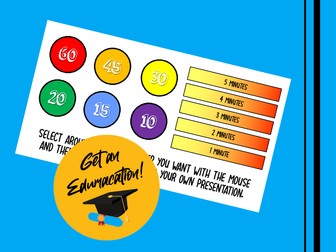
Round (tick) timers for 10, 15, 30, 45 and 60 seconds. Bar (fade) timers for 1, 2, 3, 4 and 5 minutes. Simply select around the timer of choice with your mouse and then copy and paste it into your presentation. Click on it to start!
pTimer for PowerpointQuick View
ifthesunrefusedtoshine

pTimer for Powerpoint

(1)
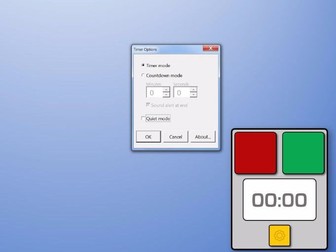
A persistent timer for Powerpoint, suitable for all ages and subjects. Can be used to create a presentation showing a timer on chosen slides. Timer can be in 'timer mode' or 'countdown mode'. Running timer persists even when slideshow is progressing. Slides with and without a timer are created by right-clicking on a thumbnail and choosing the preferred layout.
TimersQuick View
Gerlings

Timers

(0)
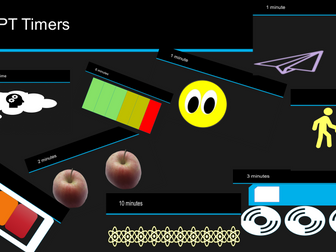
Simple, graphic timers which can be copied and pasted into your PowerPoint presentations. Grouping the images will stop timers from working, however resizing and moving elements is possible.
Set of TimersQuick View
ahbramley

Set of Timers

3 Resources
A full range of powerpoint timers for PE, tidying up and meditation/relaxation time. Varying lengths included from 1 - 30 minutes. Countdown and music included.
Interactive PowerPoint Quiz Template with TimersQuick View
Sherwen

Interactive PowerPoint Quiz Template with Timers

(0)
This is an snazzy looking quiz template which is made up of a title page, question numbers pages, question pages (with one minute timers) and answer pages. It is fully editable and perfect for quickly adding your own questions and answers for a pop quiz or end of unit test. The timers only start when you click them so you can give the children a chance first before starting them or you could just start them straight away, depending on how much time you think they may need.
Bubble TimerQuick View
TeachElite

Bubble Timer

(6)
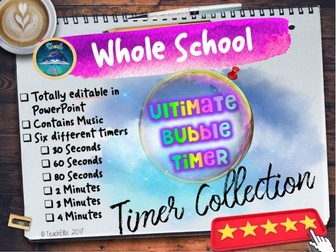
The Ultimate Bubble Timer. This is our new Ultimate Bubble timer. If you love our other timers you will certainly love this! It comes with popping sounds and music! This is a fun countdown timer that can be used as a time management tool in any lesson. You have a choice between a 4, 3 or 2 minute, 80, 60 or 30 second timer. The bubbles can easily be altered in the animation pane to make the timer shorter or longer should you so wish. The bubbles can all be selected, copied from this presentation and pasted and inserted into your own or on top of any slide you wish alternatively, there is a section of slides on the PowerPoint where you can choose a timer and copy and paste the bubbles as a frame around your own slides too (just copy and paste them into your presentation. Feedback is most welcome. Please do not hesitate to contact us on our Facebook page: https://www.facebook.com/TeachElite/
PowerPoint Timer - Time Remaining PowerPoint for Classroom ManagementQuick View
Happyedugator

PowerPoint Timer - Time Remaining PowerPoint for Classroom Management

(0)
PowerPoint Timer! Classroom Management PowerPoint Timer. Set for any time up to 1 hour. Keep students on task with this countdown clock. The PowerPoint slides count down from 60 minutes all the way to "None." Set it for any time up to 60 minutes. It has a 2 minute warning (with a sound effect) as well to give students advance notice that time will be up soon. It can be used for timing students for many different activities including cooperative learning time, group work, independent work, timed tests, etc. A great visual aid for teaching students how to pace themselves for state tests. Just project it up on the Smartboard for all students to see. It doesn't have to be set always at 60 minutes: it can be set at any interval between 1 and 60 minutes and transitions slides each minute. Good classroom management technique to keep students on task.
Timers bundleQuick View
robholt1984

Timers bundle

7 Resources
A pack of timer videos which can be used independently or embedded into PowerPoints. Brilliant for helping students gauge an activity or as an assessment tool for a timed activity such as a 60 second writing challenge