Safer Internet Day 2026: Staying Safe Online at Key Stage 3
Welcome to our special assembly celebrating Safer Internet Day and exploring how we can all navigate the digital world safely, responsibly, and confidently.
Safer Internet Day 2026 Assembly – AI Safety & Responsibility
Smart Tech, Safe Choices – Exploring the Safe and Responsible Use of AI
Fully Scripted | Secondary | Editable
Description
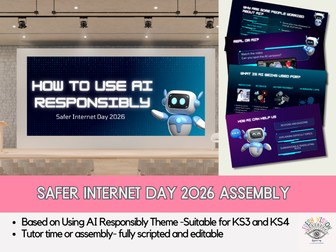
A fully scripted, ready-to-use secondary school assembly for Safer Internet Day 2026, built around the official theme:
“Smart tech, safe choices – Exploring the safe and responsible use of AI”
This engaging and safeguarding-focused assembly helps students understand what AI is, how they are already using it, how it is shaping the world, and how to use it safely, ethically and responsibly in school and in everyday life.
The assembly is designed to be accessible, modern, non-alarmist, and inspection-ready, with a strong focus on:
• Online safety
• Misinformation and deepfakes
• Academic honesty
• Privacy and data
• Ethical use of technology
• Student responsibility and character
It includes clear explanations, real-world examples, pupil interaction, and a video activity to show how convincing AI content has become.
Perfect for:
• Safer Internet Day 2026
• Personal Development
• Assemblies
• Tutor time
• Whole-school safeguarding focus
What’s Included
12 fully scripted, editable slides (PowerPoint)
The assembly includes:
Starter hook – Hands-up questions to engage pupils with their own AI use
What is AI? – Clear, student-friendly explanation
What is AI being used for by pupils? – Revision, creativity, planning, accessibility
How is AI being used in society?
o Medicine
o Science & environment
o Entertainment & creativity
o Everyday life
Why are some people worried about AI?
o Jobs and human skills
o Power and control
o Environmental impact
o Use of artists’ and people’s data without consent
Video activity slide: “Can you spot the AI?”
o Designed for pupil interaction
o Shows how realistic AI images and videos now are
What are the main risks for students?
o Misinformation
o Cheating and plagiarism
o Over-reliance
o Privacy and data
o Fake content, scams and manipulation
AI and school work – Clear guidance on what is and is not acceptable
The Golden Rules of AI – Simple, memorable safety framework
Closing message – Ethics, responsibility and character
Signposting and safeguarding – Where to get help if something feels wrong online
Fully scripted – staff can read straight from the notes
Completely editable – adapt for your school’s policy and age range
Safeguarding and Ofsted-aligned
Suitable for whole-school or year-group assemblies
Ideal For
• Secondary schools
• Personal Development / PSHE leads
• Safeguarding teams
• Form tutors and heads of year
• Whole-school assemblies
• Safer Internet Day 2026
• Digital literacy and AI awareness
Why Schools Love This
✔ No prep required
✔ Fully scripted for confidence and consistency
✔ Modern, relevant and pupil-friendly
✔ Supports safeguarding and inspection priorities
✔ Promotes responsible, ethical and safe technology use
KS3–KS4 Safer Internet Day lessons exploring AI, deepfakes, misinformation and online responsibility. Includes quizzes, videos and critical thinking tasks.
This Safer Internet Day lesson pack includes two fully prepared lessons for KS3 and KS4, aligned with the 2026 theme:
“Smart Tech, Safe Choices – Exploring the Safe and Responsible Use of AI.”
Both lessons are designed to build students’ critical thinking, helping them navigate online content safely, responsibly and confidently in an age of AI-generated media.
Ideal for PSHE, Computing, tutor time, assemblies or drop-down days.
KS3 Lesson: Critical Thinking & AI Online
Students explore what it means to be safe online and why critical thinking is essential when using the internet. The lesson introduces artificial intelligence in an accessible way and helps students recognise misinformation, fake content and AI-generated media.
Includes:
Do It Now starter activity
Sustainability-style quiz (internet & AI focus)
Videos explaining AI and online content
Critical thinking framework (questioning sources, checking evidence)
Reflection on responsible online behaviour
KS4 Lesson: AI, Deepfakes & Misinformation
A more advanced lesson focusing on deepfakes, misinformation and the wider social, political and personal consequences of AI-generated content. Students analyse why misinformation spreads, who benefits, and reflect on their personal responsibility when creating or sharing content online.
Includes:
Do It Now viral-content scenario
AI and deepfake quiz
Real-world video examples
Group analysis of fake content
Discussion and reflection on trust, democracy and responsibility
Key Features
✔ 2 complete, editable PowerPoint lessons
✔ No preparation required
✔ Do It Now tasks, quizzes, videos and discussion prompts
✔ Age-appropriate progression from KS3 to KS4
✔ Encourages safe, responsible and ethical online behaviour
This fully editable PowerPoint has been designed to support schools in delivering an engaging and informative assembly or lesson for Safer Internet Day 2026. It helps pupils understand how to stay safe, think critically and behave responsibly online, using clear explanations and age‑appropriate examples.
The presentation includes:
An introduction to Safer Internet Day 2026 and its purpose
Key online safety themes, including privacy, digital footprints, respectful communication and recognising risks
Interactive discussion prompts to encourage pupil participation
Realistic scenarios to help pupils practise safe decision‑making
Practical tips for staying safe and seeking help
Bright, student‑friendly visuals to support engagement and understanding
Perfect for whole‑school assemblies, PSHE lessons or tutor‑time activities, this resource empowers pupils to make safer, smarter choices online. Suitable for both primary and lower secondary settings.
Safer Internet Day 2026 form / tutor time / assembly resource looking at the theme this year which is ‘Exploring the safe and responsible use of AI‘. We have also linked this to mental health as it is also Children’s Mental Health Week.
If you like this resource, you may consider looking at the Youcantknoweverything Education complete package which gives access to all of our resources including updates for 12 months, available from £39.99. Email youcantknoweverything@gmail.com for more information.
You may also be interested in our form time resources for -
Valentine’s Day
Time to Talk Day / Children’s Mental Health Week
Ramadan
This is an easy to follow power point resource (no prior planning, printing or preparation required) so saving your valuable time. The resource is designed to be delivered as one 20-25 minute tutorial / assembly but all of our resources are fully editable and designed to allow sections to be added, removed or changed should you need to do so. You may need to make small adaptations for use as an assembly.
No previous knowledge in the subject area is needed, the lesson is easily deliverable by someone who is not a subject specialist it meets current UK PSHE guidance.
Tutorial includes-
Clear and accurate information
Optional Rights Respecting Schools slide
Discussion and feedback tasks
Starter and plenary task
Where to go for further support slide
Related careers slide
Video clip
In response to current educational research on cognitive load, our lessons contain minimal unnecessary text or imagery in order to enhance memory of key information
For FREE tutorial resources as well as support and guidance on making the most out of form / tutorial time sessions please join our new community Facebook group here.
Please follow us on Facebook, X and Instagram to be the first to know about our latest free and premium RE, PSHE, Citizenship, Assembly and Awareness Day resources.
Leave us a positive review and get a free resource!
If for any reason you are unhappy or have technical problems with this resource please email youcantknoweverything@gmail.com and we will do our best to resolve any problems for you.
Youcantknoweverything Education
Celebrate Safer Internet Day 2026 with ready-to-use, engaging lessons designed to teach students the importance of staying safe online. This resource includes separate, age-appropriate tasks for Years 7, 8, and 9, making it perfect for tutor time, PSHE, or ICT lessons.
Each section is structured to introduce key e-safety concepts, provide realistic scenarios, and offer interactive activities that encourage discussion, reflection, and responsible online behaviour. Differentiated tasks ensure all students can engage meaningfully while being challenged appropriately.
✔ Tailored tasks for Years 7, 8, and 9
✔ Covers key e-safety topics including privacy, digital footprints, and online responsibility
✔ Interactive, scenario-based activities to spark discussion
✔ Flexible for tutor time, ICT, or PSHE lessons
✔ Supports safe, responsible, and informed digital citizenship
Perfect for celebrating Safer Internet Day, this resource saves planning time while helping students develop practical knowledge and awareness about online safety. A ready-to-use, engaging, and age-appropriate toolkit for promoting positive digital habits.
Bringing together a selection of the SID 2020 resources so they can be used for assemblies or form times in our school. Could be useful for anyone wanting quick, easy to use ideas. All in one PPT.
KS2 & KS3
Included in this Safer Internet Day resource is:
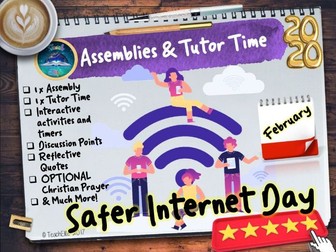
1 x Assembly
1 x Tutor Time
Interactive activities and timers
Discussion Points
Reflective Quotes
OPTIONAL Christian Prayer
& Much More!
We hope that you enjoy this resource!
Please join our Facebook groups for teacher chat, networking and exclusive freebies.
#teach
#TeachRE
#TeachChristianity
#TeachJudaism
#TeachScience
#TeachPSHE & RSE
We would love your feedback, if you like what you see, please follow us at TeachElite and click the ‘Follow this Author button’ . We will keep you updated on any sales we throw or FREEBIES we upload.
You can find us on Twitter
and Facebook
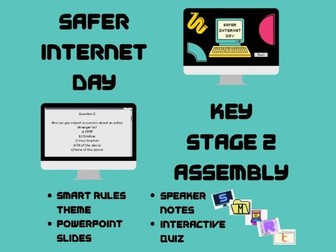
Assembly for Safer Internet Day with the theme of following the ‘SMART’ rules. Adaptable to allow children to help present the assembly.
Speaker notes included as part of the PowerPoint slides
PowerPoint slides explaining the SMART rules*
Interactive quiz
Slides can also be printed and used as flash cards so that a group of children can help to present the assembly. The speaker notes for the SMART rules can be used as a script for the children.
Safe
Keep safe by being careful not to give out personal information when you’re chatting or posting online. Personal information includes your email address, phone number and password.
Meet
Meeting someone you have only been in touch with online can be dangerous. Only do so with your parents’ or carers’ permission and even then only when they can be present. Remember online friends are still strangers even if you have been talking to them for a long time.
Accepting
Accepting emails, messages, or opening files, images or texts from people you don’t know or trust can lead to problems - they may contain viruses or nasty messages!
Reliable
Someone online might lie about who they are and information on the internet may not be true. Always check information.
Tell
Tell a parent, carer or a trusted adult if someone, or something, makes you feel uncomfortable or worried, or if you or someone you know is being bullied online.
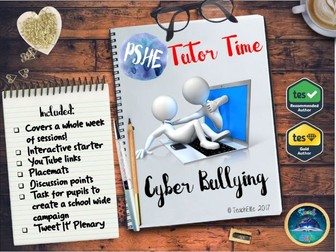
PSHE/ Tutor Time : Cyber Bullying Perfect for Safer Internet Day
Internet Safety/ E-safety/ Cyber Safety Great for your Health lessons
The Tutor Time Cyber Bullying PowerPoint is fully resourced with YouTube links and questions to discuss the rise of social media and its benefits and drawbacks.
The Tutor Time Cyber Bullying resource contains a PPT (20 Slides) with two A4 mind mapping sheets.
The Tutor Time Cyber Bullying resource covers a whole week of sessions! contains:
Interactive starter
YouTube links
Placemats
Discussion points
Task for pupils to create a school wide campaign
‘Tweet It’ Plenary
If you review this resource we will give you another resource of the same value for FREE.
We hope that you enjoy this resource! We would love your feedback, if you like what you see, please follow us: on Tes TeachElite's Shop click the'Follow this Author button' . We will keep you updated on any sales we throw or FREEBIES we upload.
You can find us on Twitter: https://twitter.com/TeachEliteRE
and Facebook: https://www.facebook.com/TeachElite/
Safer Internet Day 2026: Smart Tech, Safe Choices
Join us as we explore how to navigate the digital world safely and responsibly
Includes discussion points
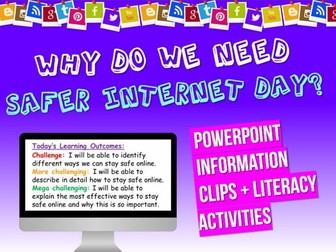
Safer Internet Day resource pack - suitable for upper KS2 or lower KS3. The pack includes a PowerPoint full of information as well as activities, a scavenger hunt, literacy and clip tasks and measurable LOs. It is designed to last an hour and everything is editable, well-differentiated and all information included, so you can just pick it up and go.
The slides shown are just a preview sample.
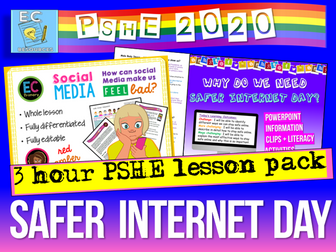
3 x 1-2 hour long lesson suitable for KS2 / ks3 for Safer Internet Day.
These lessons are editable, so easy to adapt for your own planning.
Each lesson is is well-differentiated with three-level challenges for each task, contains a variety of activities, an hour long PowerPoint, information pack, a clip with questions, a numeracy through PSHE task, clear measurable LOs, new key-term introductions, group presentation materials and creative tasks.
It is fully editable, engaging and very easy to follow. Please note this is an updated version of one of our previous primary lessons.
Who are EC Resources?
EC Resources are the top TES PSHE providers and are a group of teachers who work together to create easy to use, high quality and editable lessons and units of work. We have created lessons for The Children’s Commissioner, MACS Charity, Tes, LikeToBe Careers, the Criminal Cases Review Commission (UK Gov) and have also completed PSHE and Citizenship commissions for schools across the UK.
Check out our PSHE Packages here:
Complete KS3 PSHE and RSE
Complete KS4 PSHE and RSE
One Year of KS5 PSHE and RSE
One Year of Citizenship and British Values
Complete Year 7 and 8 RE
Complete Careers and Employability
AQA Citizenship GCSE Mega Pack
You can contact us at info@ecpublishing.co.uk
Teaching PSHE, RE or Citizenship GCSE next year? Why not join our Citizenship and PSHE teachers Facebook group, with 6000 other teachers, for guidance, advice and resource sharing.
Internet / Internet Safety / E-safety/ Cyber Safety / Online Safety Bundle
This is a handy bundle on internet safety to inform pupils of the benefits and challenges of the internet, mobiles, social media and cyber bullying. This includes some resource to help inform pupils of internet safety.
A great bundle to use for safer internet day on Tuesday 6th February 2018.
Included:
Mobile Phone Assembly & Tutor Time Session
Social Medis Tutor Time Session
Cyber Bullying Tutor Time sessions
Safer Internet Day #Freetobe Secondary Lesson and Worksheets. The UK Safer Internet Centre has chosen this theme to allow students to explore whether young people feel free to be themselves online. Also to encourage young people to manage their online identity, and understand how the internet shapes how they think of themselves and others.
Lesson and Student Work Sheets. PSHE Lesson. Editable 19 slide PowerPoint Lesson, Lesson Assessment, Student Resources, Signposting to extra support services. Bonus Mindfulness Activity and much more.
✰✰✰✰✰✰✰✰✰✰✰✰✰✰✰✰✰✰✰✰✰✰✰✰✰✰✰✰✰✰✰✰✰✰✰✰✰✰✰✰✰✰✰✰
Learning Outcomes:
To celebrate Safer Internet Day
To understand how to stay safe online from grooming and understand how to spot a fake profile and ‘catfishers ‘
To know where to seek specialist support and advice to help anyone including yourself who is at risk
Some Key Terms Covered
Exploitation, Grooming, Catfishing, Fake Profiles, Deception, Anonymous, Trust, CEOP
PSHE (Assessment) Objectives
I can spot a fake profile online
I understand what online grooming is and how people may try to gain my trust in order to abuse it
I know where to report online issues and to seek further advice and support
✰✰✰✰✰✰✰✰✰✰✰✰✰✰✰✰✰✰✰✰✰✰✰✰✰✰✰✰✰✰✰✰✰✰✰✰✰✰✰✰✰✰✰✰
Each Lesson Pack Contains:
☞ 1 Fully Editable PowerPoint (Learning Outcomes, Confidence Checkers, Assessment of Learning, Variety of Tasks, Video Embedded URL Clips, Engaging Premium Quality Slides, Extra Support Websites, Challenging & Thoughtful Questioning)
☞ 2 x Student Work Sheets
☞ Mindfulness Extension Activities
☞ Assessment Opportunity (Confidence Checker)
☞ Teacher Notes (On some slides)
☞ Mapped against Latest 2020 Statutory Health and RSE DfE Guidance, PSHE Association & Character Education Guidance from DfE.
⟴ T2 - Internet Safety & Harmful Behaviour (Statutory Health)
⟴ T3 - Online + Media (Statutory RSE)
⟴ PSHE Association Theme: Health & Wellbeing
⟴ Be ready with our resources! Product Code: RSE/C8/LS/231
❀❀❀❀❀❀❀❀❀❀❀❀❀❀❀❀❀❀❀❀❀❀❀❀❀❀❀❀❀❀❀❀❀❀❀❀❀❀❀❀❀❀❀❀❀❀❀❀❀❀
We sell Complete Careers and Gatsby Careers Benchmark Units - Take a look at some of them here:
⇨ CAREERS KS3 UNIT
⇨ Puberty and Body Development
⇨STI and Contraception Unit
⇨Sex, the law and Consent Unit
⇨Relationships & Sex Education Unit
⇨Politics, Parliament and Me Unit
⇨Gangs, Dugs and Alcohol Unit
Safer Internet Day #Freetobe Primary Lesson and Worksheets. The UK Safer Internet Centre has chosen this theme to allow students to explore whether young people feel free to be themselves online. Also to encourage young people to manage their online identity, and understand how the internet shapes how they think of themselves and others.
Lesson and Student Work Sheets. PSHE Lesson. Editable 17 slide PowerPoint Lesson, Lesson Assessment, Student Resources, Signposting to extra support services. Bonus Mindfulness Activity and much more.
✰✰✰✰✰✰✰✰✰✰✰✰✰✰✰✰✰✰✰✰✰✰✰✰✰✰✰✰✰✰✰✰✰✰✰✰✰✰✰✰✰✰✰✰
Learning Outcomes:
Celebrate Safer Internet day
I can explain what a ‘gut feeling’ is and how it links to my intuition and I can identify a range of risks associated with ’being online’
I know how to mitigate any potential risks associated with being ‘online’ and where to go to seek further help and support
Some Key Terms Covered
Grooming, Gambling, Scams, Data, Social Networking, Exploitations, Cyber Bullying
PSHE (Assessment) Objectives
I listen to my gut feeling about online situations and choices
I understand a wide range of risks associated with internet use
I know how to reduce the risks associated with ‘being online’
✰✰✰✰✰✰✰✰✰✰✰✰✰✰✰✰✰✰✰✰✰✰✰✰✰✰✰✰✰✰✰✰✰✰✰✰✰✰✰✰✰✰✰✰
Each Lesson Pack Contains:
☞ 1 Fully Editable PowerPoint (Learning Outcomes, Confidence Checkers, Assessment of Learning, Variety of Tasks, Video Embedded URL Clips, Engaging Premium Quality Slides, Extra Support Websites, Challenging & Thoughtful Questioning)
☞ 2 x Student Work Sheets
☞ Mindfulness Extension Activities
☞ Assessment Opportunity (Confidence Checker)
☞ Teacher Notes (On some slides)
☞ Mapped against Latest Statutory Health and RSE DfE Guidance, PSHE Association & Character Education Guidance from DfE.
⟴ T2 - Internet Safety & Harmful Behaviour (Statutory Health)
⟴ T3 - Online + Media (Statutory RSE)
⟴ PSHE Association Theme: Health & Wellbeing
⟴ Be Ofsted and DfE PSHE ready with our resources! Product Code: RSE/C8/LS/230
❀❀❀❀❀❀❀❀❀❀❀❀❀❀❀❀❀❀❀❀❀❀❀❀❀❀❀❀❀❀❀❀❀❀❀❀❀❀❀❀❀❀❀❀❀❀❀❀❀❀
We sell Complete Careers and Gatsby Careers Benchmark Units - Take a look at some of them here:
⇨ CAREERS KS3 UNIT
⇨ Puberty and Body Development
⇨STI and Contraception Unit
⇨Sex, the law and Consent Unit
⇨Relationships & Sex Education Unit
⇨Politics, Parliament and Me Unit
⇨Gangs, Dugs and Alcohol Unit
Support Safer Internet Day with this engaging and fully editable** PowerPoint**, perfect for assemblies or classroom delivery.
The presentation helps students understand how to stay safe, think critically, and behave responsibly online. It covers key topics such as digital footprints, online kindness, misinformation, privacy settings, and where to seek help. With clear visuals, discussion prompts, and age‑appropriate guidance, this resource is ideal for KS2–KS4 and encourages students to reflect on their own online choices in a positive, practical way.**


 Quick View
 Quick View
 Quick View
 Quick View
 Quick View
 Quick View
 Quick View
 Quick View
 Quick View
 Quick View
 Quick View
 Quick View
 Quick View
 Quick View
 Quick View
 Quick View
 Quick View
 Quick View