



Clear and engaging beginner’s guide for setting up Minecraft Education in the classroom - perfect for Key Stage 2 learners and teachers alike.
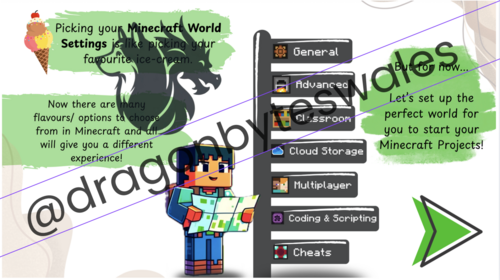
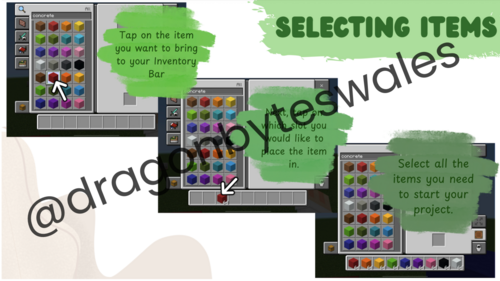
This resource is designed to make starting out with Minecraft Education Edition simple, fun, and accessible. It includes a step-by-step visual walkthrough for logging in, navigating the home screen, adjusting world settings, and accessing inventory tools - all explained in a child-friendly tone and reinforced with visuals, metaphors (like ice cream menus!), and screenshots.
Also included:
- A Starter World Checklist with optimal settings for classroom use (e.g., Flat World, Always Day, No Weather).
- Login card templates (colour and black & white) for easy pupil access.
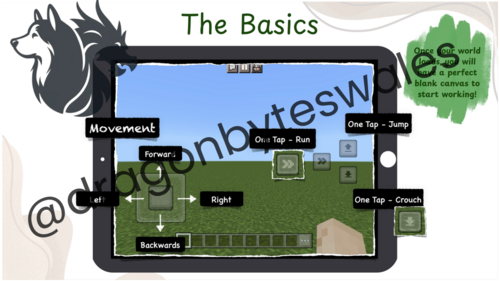
- Explanations of controls and movement, including how to fly, open inventory, and place/destroy blocks.
This resource helps reduce the time teachers spend setting up and explaining controls, and allows pupils to get building and learning straight away. It’s perfect for use on iPads or other touchscreen devices.
Something went wrong, please try again later.
This resource hasn't been reviewed yet
To ensure quality for our reviews, only customers who have purchased this resource can review it
Report this resourceto let us know if it violates our terms and conditions.
Our customer service team will review your report and will be in touch.
£2.50