

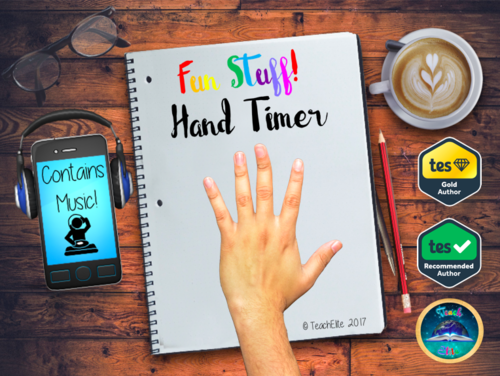


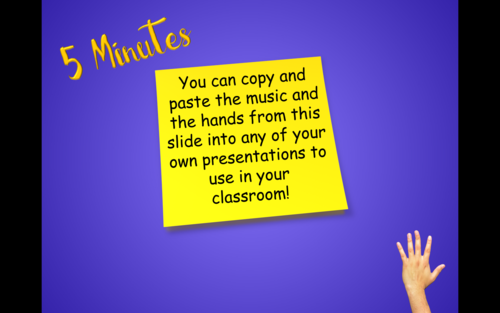
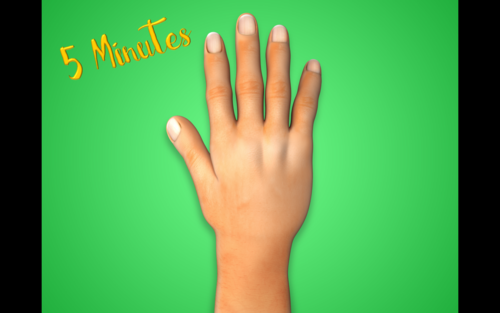
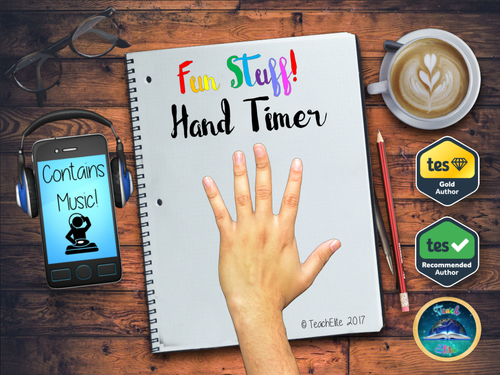
This is a fun countdown timer that can be used as a time management tool in any lesson. You have a choice between two different hand styles and can easily alter the timing between 1-5 minutes 2 or 5 minutes. Simply delete a hand (this takes away a minute at a time.
The timings can easily be altered in the animation pane to make the timer shorter or longer should you so wish.
Each hand style can be added to your own slides and displayed in the right hand corner if you so wish!
Feedback is most welcome. Please do not hesitate to contact us on our Facebook page: https://www.facebook.com/TeachElite/
Get this resource as part of a bundle and save up to 46%
A bundle is a package of resources grouped together to teach a particular topic, or a series of lessons, in one place.
Bundle
Timer Bundle
Timer Bundle This is a great addition to any lesson. You can use these timers as standalone resources or you could add them to your own PowerPoint. The 7 resources included are: Abstract Planet Timers: This is a fun countdown timer resource that can be used as a time management tool in any lesson. You have a choice between various abstract planets. The timers are set to 1, 2, 3 or 4 minutes, but you can easily alter the timing between in the animation pane. Each abstract planet can be added to your own slides and displayed in the right hand corner if you so wish! Balloon Timer: A fun countdown timer that can be used as a time management tool in any lesson. This is a 3 minute timer. Each balloon has been set to fly away within a 20 second timeframe, but can easily be altered in the animation pane to make the timer shorter or longer. The balloons can all be selected, copied from this presentation and pasted and inserted into your own or on top of any slide you wish! Fun Hand Timer: This is a fun countdown timer that can be used as a time management tool in any lesson. You have a choice between two different hand styles and can easily alter the timing between 1-5 minutes 2 or 5 minutes. Simply delete a hand (this takes away a minute at a time. The timings can easily be altered in the animation pane to make the timer shorter or longer should you so wish. Each hand style can be added to your own slides and displayed in the right hand corner if you so wish! Pirate Times Timer: Yarr, Ahoy mateys!Join Pirate Pete as he walks the plank! Make sure you finish the task before he ends up in the sea! If you love our other timers you will certainly love this! It comes with pirate music! This is a fun countdown timer that can be used as a time management tool in any lesson. You have a choice between a 2 or 5 minute OR 15, 30, 60 or 90 second timer. The timings can easily be altered in the animation pane to make the timer shorter or longer should you so wish. The slide can be copied from this presentation and pasted and inserted into your own presentation if you so wish! Solar System Timer: This is fun countdown timer that can be used as a time management tool in any lesson. Includes 3minutes, 2 minutes, 90 seconds, 40 seconds & 20 seconds countdowns. You can easily be altered in the animation pane to make the timer shorter or longer. The slides can all be selected, copied from this presentation and pasted and inserted into your own PPT. Tale as Old as Timer: An absolutely beautiful timer.. This runs for approximately three minutes. Each rose petal falls from the rose every ten seconds. Included in this is a large version as a main visual in the lesson or a small icon at the lens hand corner of the slide. Copy this and paste it into any presentation! The Ultimate Bubble Timer: This is our new Ultimate Bubble timer. If you love our other timers you will certainly love this! It comes with popping sounds and music! This is a fun countdown timer that can be used as a time management tool in any lesson. You have a choice between a 4, 3 or 2 minute, 80, 60 or 30 second timer. The bubbles can easily be altered in the animation pane to make the timer shorter or longer should you so wish. The bubbles can all be selected, copied from this presentation and pasted and inserted into your own or on top of any slide you wish alternatively, there is a section of slides on the PowerPoint where you can choose a timer and copy and paste the bubbles as a frame around your own slides too (just copy and paste them into your presentation. We hope that you enjoy this resource bundle! We would love your feedback, if you like what you see, please follow us: Facebook: https://www.facebook.com/TeachElite/?ref=bookmarks
£10.00
Bundle
Human Rights & Social Justice
Human Rights : Human Rights Bundle Here is a selection of all resources you'll need for Human Rights day on 10th December. Resources include: Assembly & Tutor Time : Human Rights: This resource pack contains + 1x Assembly and 1 x tutor time PPT that can extend over two sessions . All PowerPoints are fully resourced with YouTube links and activities to discuss the topic in question. Assembly pack contains a PPT (10 Slides) and a handout for you to make notes on each slide should you so wish. The assembly introduces pupils to human rights and the origins of the Un declaration . It includes a link to a YouTube clip educating them on this. This resource includes inspirational quote and an OPTIONAL Christian prayer. Tutor Time pack contains 1 x Fully Resourced PPT (15 slides in total) Worksheets (7 A4 sheets) The Topics to be discussed are: What are human rights? The origins of human rights, a diamond 9 activity and a discussion on the most important human rights The resource booklet to accompany this pack contains a blank learning mat for pupils to take notes on the topic discussions and clips that they will watch. Human Rights: This is a 1 hour fully resourced lesson on Human Rights.This Human Rights Lesson pack contains: A PPT (15 slides) and a peer assessment handout (12 sheets). Activities include: Starter Task: A Thinking Skills questions-on human rights. Task 1: Pupils are discuss the rights of a human being. Task 2: Pupils are taken through the concept of human rights. Task 3: Pupils will need to write as many questions using the 5W sheet as the an think of and then use the interactive 5W generator to discuss these questions. Task 4: Pupils should then watch the YouTube clip and fill in the second 5 w sheet with answers to the questions discussed and any information from the clip that they deem important. Task 5: Pupils should read the UN Declaration of Human Rights (2 versions included depending on ability) and highlight any key points. Task 6: In pairs or groups pupils should come up with their own 10 declaration for human rights. Homework: Pick a current issue that is in the news. Report on which human rights aren’t being followed and why. Also state what could be done to combat this. Exit task/Plenary: Choose a representative to speak to the UN on behalf of your group to deliver your 10 Human Rights. Human Rights Debate Generator: This is a FULLY INTERACTIVE resource that has been professionally designed to spark debate surrounding the United Nations Declaration for Human Rights. Included in this resource is a worksheet that pupils can either use to formulate questions that have been generated by the Debate Generator or to write bullet pointed answers. It is suggested that these be printed as A3 handouts. The PPT slide can be copied and pasted into any lesson or can be used a s a stand alone resource. Click on the spin button to start the selector and the stop button to stop it. You can reset the selector at any time to restart the process. The prompts in green are the easier words, the colours will vary as the prompts get harder (from green, to yellow, orange or red). The red prompts are the most difficult questions to answer/formulate. There are 16 different human rights in the selector that have been summarised from the United Nations declaration of Human Rights which contain 30. Random Name Generator: This is a fun way to ensure pupil participation in lessons. The PowerPoint is completely editable. It has space to up to 35 pupil names. Pupils names can be added to each slide and once in presentation mode, click anywhere on slide two and a name will be generated. N.B. the same pupil can be selected more than once on this presentation. Fun Hand Timer: his is a fun countdown timer that can be used as a time management tool in any lesson. You have a choice between two different hand styles and can easily alter the timing between 1-5 minutes 2 or 5 minutes. Simply delete a hand (this takes away a minute at a time. The timings can easily be altered in the animation pane to make the timer shorter or longer should you so wish. Each hand style can be added to your own slides and displayed in the right hand corner if you so wish! If you review this resource we will give you another resource of the same value for FREE. We hope that you enjoy this resource! We would love your feedback, if you like what you see, please follow us: on Tes [TeachElite's Shop](https://www.tes.com/teaching-resources/shop/TeachElite) click the'Follow this Author button' . We will keep you updated on any sales we throw or FREEBIES we upload. You can find us on Twitter: https://twitter.com/TeachEliteRE and Facebook: https://www.facebook.com/TeachElite/ #BACKTOSCHOOL
£7.00
Something went wrong, please try again later.
Excellent resource. Save me a lot of time and students have fun!
Report this resourceto let us know if it violates our terms and conditions.
Our customer service team will review your report and will be in touch.
£3.00