

Beebot pathway
Beebot pathway sheet. Can the children navigate the Beebot around the pathway without bumping into any jungle creatures?
Forces bee-bot mat
A 16 square mat for use with programmable toys such as bee-bots. Includes key vocabulary and images linked to forces, such as push, pull, magnetism and air resistance. Print on coloured paper, laminate and join the squares to make a mat.
BeeBot Style Mats (no BeeBot needed)
For copyright reasons I am unable to use the actual Bee Bot character as a counter so I've used superheroes instead. It can be used two ways. Use the dice which has a forward arrow, 2 half turn, 2 quarter turns and a whole turn. Alternatively children take turns in directing each other to different places on the mat.
Exploring Bee-bot planning
A scheme of work exploring the use of algorithms and programming with Reception children. This unit introduces the concept of programming and then builds upon skills, exploring creating algorithms, debugging and evaluating their work.
undefined
Useful Beebot resources
I made these activity cards to go with the shapes and colour splats(from Communication4all website) to use in lessons on controlling a Beebot. The card is useful for the children to work out which way to turn when using a real Beebot on the onscreen versions.
Moving Beebot Left and Right Worksheet
Recording activity following practical use of beebot, help children to secure understanding of left and right.
 Quick View
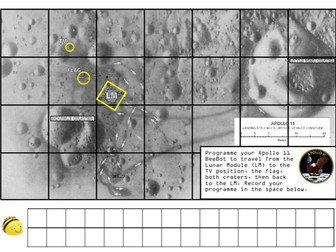
BeeBot moon map challenge
An activity to encourage pupils to programme a route for a BeeBot on the moon, visiting significant locations from the Apollo 11 landing site.
BeeBot cards - Owl who was afraid of the dark
Cards to be laminated and put under a perspex grid for the BeeBot
 Quick View
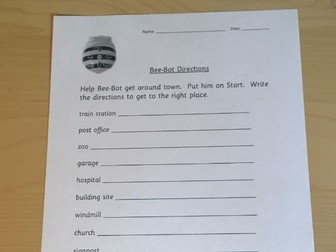
Bee-Bot Writing Directions including editable version
A sheet to encourage children to write the directions they used to move the Bee-Bot to the desired locations. Could be completed in words or using arrows and turn signals.
 Quick View
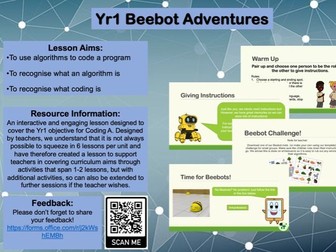
Yr1 Beebot Adventures (Coding A)
Lesson Aims:
-To use algorithms to code a program.
-To recognise what an algorithm is.
-To recognise what coding is.
An interactive and engaging lesson designed to cover the Yr1 objective for Coding A. Designed by teachers, we understand that it is not always possible to squeeze in 6 lessons per unit and have therefore created a lesson to support teachers in covering curriculum aims through activities that span 1-2 lessons, but with additional activities, so can also be extended to further sessions if the teacher wishes.
Year 1/KS1 BeeBot Coding Planning
Full planning of 6 lessons around natioanl curriculum objectives for Year 1 based on coding with BeeBot devices.
Each lesson including Intents, Challenges and Success Criteria as well as lesson specific vocabulary
 Quick View
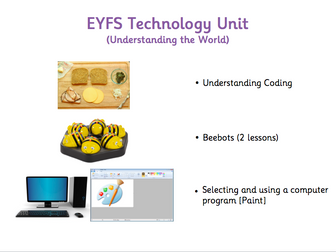
EYFS Technology Unit - Understanding Coding / Beebots / Selecting and using a computer program
Unit of 4 lessons - EYFS Technology (Understanding the World)
Covers the 40-60 months, ELG and starts to cover ELG+ exceeding statements.
Lessons include colour coded differentiated questioning, TA role, key words and focus activities.
Lesson sequence:
1) Understanding the concept of coding
2) Coding the Beebots (Forwards / Backwards)
3) Coding the Beebots (Left / Right)
4) Selecting, opening and using a computer program (Paint)
40-60 months
• Completes a simple program on a computer.
• Uses ICT hardware to interact with age-appropriate computer software.
Early Learning Goal
Children recognise that a range of technology is used in places such as homes and schools. They select and use technology for particular purposes.
ELG+ exceeding
Children find out about and use a range of everyday technology. They select appropriate applications that support an identified need – for example in deciding how best to make a record of a special event in their lives, such as a journey on a steam train.
KS1 Computing – Bee-Bot Shape Mat & Challenge Cards
A shape mat for Bee Bots along with 30 A5 sized challenge cards. I’ve included mats that can be made on both A3 and A4 pages - there is a 3cm overlap on both edges to help with aligning. All comments welcome!
 Quick View
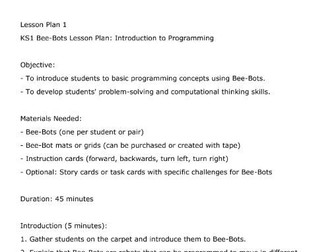
KS1 Computing Bee-Bots Lesson Plan Pack
This pack includes 2x detailed lesson plans that will help you introduce programming concepts into your students. Each lesson is around 45 minutes and it encourages your students to work together.
 Quick View
KS1 Computing - Coding BeeBots (6 lessons)
KS1 Computing - Coding BeeBots (6 lessons)
This resource has 6 weeks of brief planning for coding a BeeBot.
The learning objectives are as follows:
What is an algorithm?
Creating an algorithm using BeeBots.
Using BeeBots To navigate around a map of your locel area.
Create a single algorithm using Kodable.
Debug a simple algortithm using Kodeable.
Create a maze using algorithm in Kodeable.
Please leave a review; I would really appreciate it. If you have any questions or comments please email me on skyboundstudies@outlook.com*
Computing Bee-Bot moon landing mazes for teaching algorithms
I am using Bee-Bots to teach algorithms in Year 2. For each of the eight mazes in this resource, the children write an algorithm to help Buzz Aldrin return to the moon lander whilst avoiding the craters. The children then test their algorithm before debugging it accordingly. Each maze is on 2 A3 sheets of paper that should be sellotaped together to make and A2 maze. When printing, a notification will come up about printable area, please ignore this and print anyway as the maze is designed to fit a Bee-Bot on top of it.
 Quick View
Computing (Year 2) – Code using Beebots (6 lessons plans, worksheets and presentations)
6 lessons including a Notebook, lesson plans and self-evaluation to teach Computing/ IT in Year 2. Unit: Coding.
Lesson 1 - understanding that some devices can be programmed (coded).
Lesson 2- understanding that programs and code can have numerical values.
Lesson 3 - predicting where the beebot will move.
Lesson 4 - writing a set of instructions to program a beebot (coding).
Lesson 5 - coding by using a computer program to create a set of instructions.
Lesson 6 - coding by using a computer program to create a set of instructions.
-
Bundle
 Quick View
Coding/Programming using Beebots/Scratch - Years 1,2,3,4 & 5
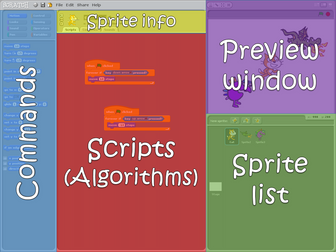
Give these resources to any teacher and they will be able to teach programming to their class! Nearly 30 lesson plans in total with all necessary resources. Step-by-step picture guides to using Scratch and printables to use with Beebots. Tried and tested with teachers who have had no experience what so ever in coding!