Data Representation LessonsQuick View
nwilkin

Data Representation Lessons

(0)
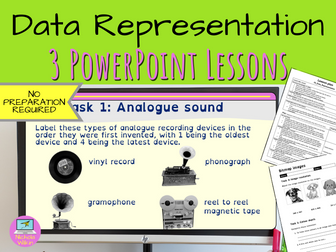
A great introduction to understanding how text, images and sound are saved as binary. These ready to use data representation lessons will save you hours of preparation and can easily be adapted to meet your own requirements. WHAT IS INCLUDED? In this unit you have 3 ready-to-use lessons: ASCII characters Bitmap images Sound . Everything you need is included such as: a very high-quality accessible PowerPoint presentation for every lesson that effortlessly leads the teacher through the lesson and includes all the answers to the many questions and tasks the students need to complete a 2-sided editable worksheet for every lesson an easy-to-follow editable lesson plan for every lesson . PRIOR LEARNING This unit does expect pupils to be familiar with binary and in particular know that: Computers store numbers using binary. Binary can only contain 1s and 0s. A single binary digit is a bit. They can translate denary numbers into binary and binary numbers into denary by working out the column headings. . If your students are unfamiliar with these concepts, I highly recommend purchasing my 2 lesson unit called “Understanding Binary” which covers all of these topics and will ensure your students are ready for this unit. Many teachers purchase both units (Understanding Binary and Data Representation) together and run them as a single 5 week unit as they complement each other so well. EASY TO USE These ready to use resources are so straightforward that although I have included a lesson plan, most teachers can teach straight from the PowerPoint presentation without any further assistance. And best of all, the answers are included saving you time and energy. This makes these lessons suitable for experienced computing specialist teachers along with non-specialists and early career teachers (ECTs). EDITABLE RESOURCES I understand that teachers want to adapt their resources, so I’ve made the bold decision to make these resources editable. Therefore, if you need to use a particular template style for your school,or if you have students with specific educational needs, you can change the lesson to suit them. It gives you the flexibility to alter the lessons to suit your own particular needs. SCIENTIFICALLY PROVEN TEACHING TECHNIQUES These teaching resources have been specifically designed to aid pupils using educational psychology backed theories including dual coding, Mayer’s theory and the best techniques to alleviate cognitive load. Your students will have a higher retention rate, better and deeper understanding of the subject matter and will build their confidence in a natural way which reduces distractions and helps them focus on the learning. These lessons are highly interactive and engage students straight from the start. Just click on the BUY NOW button to download them straight away. You’ll wonder how you ever managed without them.
Data RepresentationQuick View
madforcash

Data Representation

(0)
This is a computer science lesson without a computer. This is for KS3 students, and would be great as a cover lesson, a homework or for when a student needs to work elsewhere and you need a quick alternative lesson. This worksheet is 4 pages long, has some information and 3 tasks and an extension activity to complete. I have included teacher answers for non-specialists who may be covering your lesson, or for students to self and peer mark.
Data RepresentationQuick View
ks340skh

Data Representation

(0)
This is a 24 page booklet, with examples and activities for pupils to practice their data representation. This can be set as a homework for each topic too. It includes the following topics: Binary to Denary Denary to Binary Binary to Hexadecimal Binary Addition Overflow Logical Shifts Arithmetic Shifts Sign and Magnitude Two’s complement Data Storage Calculate file sizes Images Pixel Resolution Colour depth No. of bits required for certain values Please leave a review on how it can be improved too.
Data Representation Knowledge OrganiserQuick View
nwilkin

Data Representation Knowledge Organiser

(0)
This visually appealing knowledge organiser is a quick summary to recap binary representation. It can help pupils revise for end of unit tests or GCSE computer science exams by including small straightforward facts that can be learnt in minutes. A powerful revision aid that your students will love. What are you waiting for? Grab your copy now and together we can boost your pupil’s confidence in understanding data representation. WHAT IS INCLUDED? This PDF knowledge organiser includes the important facts and a separate PDF document includes revision tips and an exam style question including a possible answer. HOW CAN I USE IT? This resource makes an ideal homework task, can be used as part of a lesson or given to pupils to help them with their revision. WHAT DOES IT COVER? This knowledge organiser includes easy to digest facts on the following topics: Data units Converting denary whole number to binary Add binary numbers Use binary shifts Convert binary into hexadecimal numbers The use of check digits Representing characters Character sets Representing images in pixels Metadata Colour depth Resolution Calculating the size of an image Sound sampling Sample size Bit rate Lossy and lossless compression . Get your copy of this fantastic knowledge organiser now. You’ll wonder how you ever managed without it. FREE BONUS PRODUCT INCLUDED As a special thank you for purchasing this product I am pleased to be able to also include a surprise FREE bonus gift. This gift is one of our complete resources which we will usually charge full price for but is yours absolutely free when you purchase this product. Just our little way of saying thank you to our valued customers. I hope you enjoy it and get use out of it, with my compliments. Click here to see my other computer science knowledge organisers
Data collection and types of dataQuick View
McArdleTeaching

Data collection and types of data

(0)
A unit of work to introduce types of data and to discuss different ways of collecting data. The zip file contains: A PowerPoint (pptx) slide on two-way tables used as a lesson starter. A PowerPoint (pptx) presentation that asks questions about types of data (primary/secondary, qualitative/quantitative) and data collection techniques including types of sampling. It also briefly looks at how different types of data can be represented in bar charts, frequency diagrams and histograms. A worksheet (pdf/docx) on collecting data where students match types of data to keywords such as primary, secondary, qualitative, quantitative, discrete and continuous. A Match-up activity (pdf/docx) on sampling methods, where students match the method with its description and some advantages and disadvantages of the technique. Includes an answer sheet. A worksheet (pdf/docx) about surveys showing 7 different survey questions. Students are asked for one criticism of each question and to rewrite it in a more suitable form. A worksheet (pdf/docx) about representing data containing 5 questions. Each question has a table containing data and students are asked to draw 2 bar charts, a pie chart, a line graph and a scatter graph. This is a good revision exercise to remind students of the variety of graphs they already know how to draw.
Sound Representation & Data RepresentationQuick View
r_chambers

Sound Representation & Data Representation

(0)
This worksheet introduces sound to the students. They’re expected to answer a series of questions which talk about analogue sound, bit rate and bit depth. There are questions included which build on knowledge that they may have previously covered. For example, ASCII and Unicode. There are also questions about lossless and lossy compression included which support the need for compression on files.
OCR GCSE Computer Science – Data Representation: Characters, Images & Sound | Hands-On Hex Editor LeQuick View
Planetreynolds

OCR GCSE Computer Science – Data Representation: Characters, Images & Sound | Hands-On Hex Editor Le

(0)
OCR GCSE Computer Science – Data Representation of Characters, Images & Sound (Full Lesson Pack) (Also suitable for AQA and Edexcel GCSE Computer Science) This engaging lesson helps students understand how characters, images, and sound are represented digitally using binary. Learners work directly with real files (ASCII text, BMP images, and binary data) to see how data is stored and decoded — a perfect practical complement to the OCR J277 1.2 – Data Representation topic. Lesson objectives Students will learn to: Explain how characters are stored using ASCII and Unicode. Describe how images are represented as pixels in binary with metadata (resolution, colour depth, and file headers). Explain how sound is sampled and stored digitally, including how sample rate and bit depth affect file size and quality. Analyse and modify binary data using a hex editor to reveal and change information within files. What’s included Fully editable Word lesson pack with tasks, screenshots, and space for evidence. All associated binary, BMP, and text files (e.g. gorilla.bmp, red_1x1.bmp, beginner_blob.bin). Student worksheet activities and step-by-step teacher guidance. Starter game (Hexadecimal Bee) to reinforce prior learning on binary & hex. Independent learning checkpoints (“Is it ok to move on?”). Challenge: Write your own BMP file from scratch using header information. Why teachers love it Clear, scaffolded structure suitable for mixed-ability classes. Visual and practical tasks that make abstract concepts tangible. Encourages curiosity and critical thinking around how computers store data. Works perfectly for both classroom and remote learning. File format Editable .docx lesson worksheet Includes all example binary and BMP files Tags OCR GCSE Computer Science, J277, Data Representation, Binary, ASCII, Unicode, BMP, Pixels, Sound Sampling, Bit Depth, Sample Rate, File Size, Hex Editor, KS4 Computing, Computer Science Lesson, OCR Unit 1.2, Representing Data
Data RepresentationQuick View
vaho

Data Representation

4 Resources
A series of presentations explaining and demonstrating various aspects of data representation.
Data RepresentationQuick View
ks340

Data Representation

(0)
This is a booklet for students to work on. It has 23 pages filled with examples and practice questions. The topics include: Binary to Denary Denary to Binary Hexadecimal to Binary Sign & Magnitude Two’s complement Binary Addition Binary Shifts Logical shifts Arithmetic Shifts Overflow Data representation Calculate file size Calculate image size
Data representationQuick View
Teachinator5000

Data representation

(0)
In this Unit of work you will find the binary data, binary addition, Hex and ASCII lessons. It includes presentation slides, work booklet, HW sheets and assessments.
Year 8 Computing and Data RepresentationQuick View
samoliver368

Year 8 Computing and Data Representation

(1)
This unit is a great start to the basics of Computing. Once students have learnt the basics listed in the lessons below they then take two test papers for assessment throughout the unit (test papers and answers provided). An overall assessment checklist is provided for both student and teacher feedback. Please also view my ‘Year 7 Computing’ resources, this Year 8 program is a great follow on. Lesson 1 Computer Systems: how a computer system works, input and output devices Lesson 2 Computer Systems: Hardware (internal and external), Software (applications, systems and utility) Lesson 3 Storage devices and capacity Lesson 4 Binary Code 1 (binary to denary, using the ASCII table) Lesson 5 Binary Code 2 (decoding and problem solving) Lesson 6 Databases (introduction and data entry) Lesson 7 Revision - (produce a revision guide on the above) Lesson 8 Test Paper 1 Assessment Lesson 9 Databases (2) Queries e.g. Boolean Operators Lesson 10 Networks (types of networks and topologies) Lesson 11 Feedback and Improvement Lesson (answers provided to students on PowerPoint). Lesson 12 Revision Lesson 13 Final Cycle Assessment Test Paper 2
Data Representation TestQuick View
nwilkin

Data Representation Test

(0)
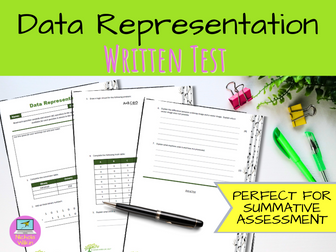
This is a written test about how data is represented in a computer system. It includes questions on binary, denary, hexadecimal, binary addition, logic gates, truth tables, ASCII, bitmaps and vector images and machine code. Suitable for GCSE Computer Science classes and KS3 Computing classes. A useful revision tool to help GCSE pupils recognise gaps in their knowledge. The test takes most students around 25 - 30 mins to complete. FREE BONUS PRODUCT INCLUDED As a special thank you for purchasing this product I am pleased to be able to also include a surprise FREE bonus gift. This gift is one of our complete resources which we will usually charge full price for but is yours absolutely free when you purchase this product. Just our little way of saying thank you to our valued customers. I hope you enjoy it and get use out of it, with my compliments.
Data Representation & Computer ArchitectureQuick View
snegreid

Data Representation & Computer Architecture

(11)
This unit covers Data Representation & Computer Architecture for N4 é N5. It covers: Binary Units Bin to Den and Den to Bin conversion ASCII Bit-Map Storage and Calculations of File Size Vector Graphic Storage Machine Code Computer Architecture (memory, processor components, buses, addressibility) é Interfaces Three calculation sheets accompany the unit. For access to all the files send me a message with your e-mail address and I’ll register you for the Dropbox they’re stored in. Please leave feedback. G Reid
Data Representation - Teacher PresentationsQuick View
compteacheruk

Data Representation - Teacher Presentations

7 Resources
A collection of PowerPoint presentations for teachers to teach a range of topics related to data representation. This includes binary, hexadecimal, units of storage, representing sound, and character sets.
Data Representation Help SheetQuick View
mhbartaby

Data Representation Help Sheet

(1)
This help sheet is an interactive tool for students to practice their binary (including addition), hexadecimal, denary and storage sizes. Great for getting them to check their own answers and to see many different ways to represent numbers. Suitable for KS3 - KS4
SAMPLE Knowledge Organiser - DATA REPRESENTATIONQuick View
TheResourceEdit

SAMPLE Knowledge Organiser - DATA REPRESENTATION

(0)
SAMPLE KNOWLEDGE ORGANISER. GCSE Knowledge Organiser - DATA REPRESENTATION Try out the new knowledge organisers, this one is for Data Representation and contains a compressed version of what you need to know for the GCSE Computing exam. Useful for last minute revision, support for class activities or homework or great for some exam preparation in the lead up to exams. Can be used by teachers too - feel free to print for your class. If you like this, please see my bundle for sale which contains all topics for the OCR GCSE Computing exam. Happy Revising!