KS3 Computer Systems BundleQuick View
RobbotResources

KS3 Computer Systems Bundle

5 Resources
This bundle includes both my year 7 and year 8 Computer Systems units of work! What you will learn within the year 7 unit of work: To show understanding of the difference between input and output devices with suitable examples. To understand the difference between internal and external devices with suitable examples. To describe the different types of storage: Magnetic, Optical and Solid State. To understand the role and purpose of the CPU and the relationship with RAM (Fetch-Execute Cycle). To show an understanding of an embedded system including suitable examples. What you will learn within the year 8 unit of work: Explain factors affecting CPU performance. Clock Speed Cache Size Number of Cores RAM, ROM and Virtual Memory – understanding of differences between volatile and non-volatile memory. Explain factors affecting secondary storage. Cost Capacity Speed Portability Understand the Fetch – Execute Cycle. Both units of work include a range of information and activities to develop student knowledge and understanding of computer systems. Knowledge organisers, revision sheets and final assessments are also included. Teacher answer powerpoints for both units of work are also included. **Please leave a review!
Computing Planning - Introduction to Coding (Scratch)- Simple Block Coding - Year 2/Year 3/KS1/LWK2Quick View
duncanjhmacdonald

Computing Planning - Introduction to Coding (Scratch)- Simple Block Coding - Year 2/Year 3/KS1/LWK2

(0)
A unit of work that introduces the basics of Scratch and teaches children to code a simple animated fish tank. Covers a wide array of computer science and digital literacy areas of the KS1 and KS2 curriculum so is suitable for years 2-4, possibly even 5 or 6 if more focus is paid to variables and use of other software and technology to contribute to the final program. Teaches navigation of Scratch software, adding and editing backgrounds and sprites. Coding selection and conditionals using ‘When’ event blocks and motion and looks blocks to simulate animations. Developed over five weeks; the chn build their program each week and have time planned in lessons for testing and debugging. Includes 32 Scratch files: modelling examples for teachers to use to exemplify learning and code and differentiated examples for less able students to add to and complete. Objectives covered includes: LO: To know how to use a repeat. LO: To know how to build an algorithm to simulate movement. LO: To know how to build an algorithm to add animation. LO: To know how to use a conditional. LO: To know how to use selection within algorithms. Covers skills mapped in this curriculum document - https://www.tes.com/teaching-resource/computing-skills-progression-grid-ks1-and-2-11727156
Primary Computing Year 3/2 - Computer ProgrammingQuick View
xkatiecfc

Primary Computing Year 3/2 - Computer Programming

(0)
A collection of worksheets and guidance sheets to compliment the Rising Stars Switched On Computing unit for year 2/3 'We are Astronauts'. These can be used with or without the scheme and are based on use of Scratch. Objectives cover the basics of algorithms and computational thinking as well as general use of Scratch and a review sheet.
Year 1 Computing - Programming - Animations in Scratch Jr - Knowledge Organiser!Quick View
TandLGuru

Year 1 Computing - Programming - Animations in Scratch Jr - Knowledge Organiser!

(0)
This clear, detailed and visually-appealing resource offers a complete reference point for Year 1 children, teachers and parents covering knowledge relating to ‘Programming’ as a part of their computing learning. The organiser has a particular focus on introducing children to use the features of Scratch Jr, including using blocks and sprites to create basic animations. It contains comprehensive sections on: -Overview; -Basics of Scratch Jr; -Sequencing; -Algorithms and Programming; -Debugging; -Key Vocabulary. The content is fully aligned with the age-related expectations for Year 1 children in computing. The resource is designed to be printed onto A3, and is provided as both a PDF and a Word version (so that you can edit if you want to). All images used are licensed for commercial use and are cited on a separate document (included).
Scratch Pacman series of 6 lessons ( game examples, help sheets, starters, homework, tick lists)Quick View
lyonkind09

Scratch Pacman series of 6 lessons ( game examples, help sheets, starters, homework, tick lists)

(0)
This folder contains 6 full lessons, showing in stages how to build a Pacman game (or similar) in Scratch, with examples and help sheets. It also allows students the ability to go further with higher extension task sheets. I have placed some starter activity sheets, Lesson objectives and a programming homework book also. Save any teacher teaching this unit a lot of time in preparing a whole unit from scratch (excuse the pun!). Lesson 1:- Creating Sprites, Costumes and Stage Lessson2:- Adding script to Pacman to move and change costume (open and close mouth) Lesson 3:- Adding script to move other sprites in the game (ghost) Lesson 4:- Adding variables (Counter, eating the dots) Lesson 5:- Creating the game over sprite/script Lesson 6:- Extra lives + other elements (bouncing off the walls, moving Pacman along a path) Note worksheets and game examples can be uploaded to web version of Scratch, but scripts may alter in colour slightly as web version is slightly different than desktop. best for version 1.3.1 Scratch and above
Year 5 (KS2) -Office Excel Formulas (& Internet Safety) Computing Lesson Plan & PowerPoint ResourcesQuick View
jbullen

Year 5 (KS2) -Office Excel Formulas (& Internet Safety) Computing Lesson Plan & PowerPoint Resources

(0)
A complete lesson plan designed for Year 5, Key Stage 2. The lesson is part of the Microsoft Office, using formulas lessons. The lesson has a 5 minutes on Internet Safety (a current Ofsted focus), then a 15-20 minute main input time and then 30 minute group/individual activity. All resources are listed, along with key assessment questions. A full PowerPoint is also included in this lesson. Please add reviews and comments.
Computing Planning (Turtle)-Drawing with Code/ Algorithms/ Programming KS1/ Year 1/ Year 2/ Year 3Quick View
duncanjhmacdonald

Computing Planning (Turtle)-Drawing with Code/ Algorithms/ Programming KS1/ Year 1/ Year 2/ Year 3

(0)
A unit of work teaching children basic programming knowledge by drawing basic 2D shapes using a free online coding program (Turtle Academy). Children will learn to identify the number of sides in the different shapes they need to draw, as well as the amount of turn needed to create the internal angles and then use this information to create algorithms that draw shapes and repeating patterns. Each lesson has support suggestions, challenge questions and an input presentation. Four Lessons: LO: To know how to code to draw simple shapes. LO: To know how to use a repeat command to draw simple 2d shapes. LO: To know how to use a repeat to draw 2d shapes. LO: To know how to use nested repeat commands to draw patterns. Unit is targeted at key stage 1, but could be suitable for other age groups who need to develop basic understandings. Covers skills mapped in this curriculum document - https://www.tes.com/teaching-resource/computing-skills-progression-grid-ks1-and-2-11727156
Kodu Independent Learning Cards - UPDATEDQuick View
matthew_1987

Kodu Independent Learning Cards - UPDATED

(0)
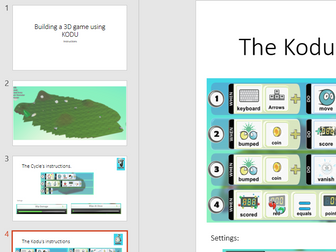
I have created a set of 8 independent learning cards to be used with the program Kodu. These are designed for pupils to pick up and explore on their own to develop their own programming skills. The cards consist of 5 possible games the children can create, and 3 interesting world maps. They also include a QR code link to a video guide on how to make the game. **The QR codes had failed so this resource has been updated to ensure they are working**
SCRATCH -how to make a game, step by stepQuick View
NickAHutson

SCRATCH -how to make a game, step by step

(1)
A PowerPoint with step by step videos introducing a class (and teacher?) to the stages of making a very simple driving game. It was made to help teachers who are not confident about introducing SCRATCH coding to a class. Load and play a step at a time. It’s quite a big file so be patient. Also available, with planning etc from http:bit.ly/sjsresources
Program List v0.1Quick View
HappyHippy

Program List v0.1

(8)
A lits of useful software for PCs and Macs - organised by type, platform, licensing and even alphabetically(!) Excel format
We are Toy Designers - Year 4 Computer ProgrammingQuick View
xkatiecfc

We are Toy Designers - Year 4 Computer Programming

(0)
A collection of worksheets and guidance sheets to compliment the Rising Stars Switched On Computing unit for year 4 'We are toy designers'. These can be used with or without the scheme and are based on use of Scratch. Objectives cover inputs and outputs, basic programming and reflection.
Algorithm Unplugged Activity KS1 ComputingQuick View
nwilkin

Algorithm Unplugged Activity KS1 Computing

(29)
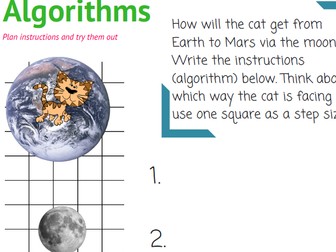
This activity helps towards of the coverage of the new computing national curriculum requirement of understand what algorithms are. An algorithm is a set of instructions. Help pupils learn about putting instructions into order using these cards. Ask the pupils to cut out each set and stick them in the correct order on paper or card. Cards 3 and 4 can have multiple answers and can form the basis for group discussion. A good activity to use before introducing the pupils to bee-bots.
P4C ICT Computing Pack (Philosophy for Children) (X4)Quick View
godwin86

P4C ICT Computing Pack (Philosophy for Children) (X4)

4 Resources
This value-pack contains four P4C teaching resources. We have carefully selected four of our best-selling Philosophy for Children (P4C) resources relating to ICT / Computing (Computers, AI, PSHE, Ethics). [Key-words: P4C, Philosophy, ICT, Computing, Computers, Security, PSHE, Hacking, Security, AI, Artificial Intelligence, Fun, Tutor Time, Form Time, Ethics, Morality, Philosophical, Teaching Resources] . Check-out some of our most popular resources on TES! GCSE Religious Studies Buddhism (20 Lesson Unit) Buddhism (Thematic Studies Units) Christianity (Thematic Studies Units) Hinduism (20 Lesson Unit) Hinduism (Thematic Studies Units) Islam (Thematic Studies Units) . .    GCSE Sociology Resources Complete Units (Whole Course) .  AS/A2 Revision Sessions OCR Religious Studies AQA Philosophy AQA Sociology .  Philosophy for Children (P4C) The Ultimate P4C Resource Pack The Debating Society Toolkit Philosophy Boxes . Other Tools A3 DIRT Worksheet (15+ 5-star ratings!) KS3 RE Units Copyright Adam Godwin (2018)
Whole-School Multi-Subject  Debate Pack [Debates, Debate Generators, Critical Thinking, Meta-Cognitive, Metacognitive]Quick View
godwin86

Whole-School Multi-Subject Debate Pack [Debates, Debate Generators, Critical Thinking, Meta-Cognitive, Metacognitive]

20 Resources
This bundle contains 20 debate generators for various secondary school subjects. Those buying this bundle are given tacit permission by the author to share with their colleagues in their school (but not outside of your school please!). This is an ideal purchase for SLT/Heads to encourage critical-thinking, P4C and meta-cognitive thinking around their school. It even includes a Pedagogical Debate Generator that can be used with teachers as a training tool! . Check-out some of our most popular resources on TES! GCSE Religious Studies Buddhism (20 Lesson Unit) Buddhism (Thematic Studies Units) Christianity (Thematic Studies Units) Hinduism (20 Lesson Unit) Hinduism (Thematic Studies Units) Islam (Thematic Studies Units) . .    GCSE Sociology Resources Complete Units (Whole Course) .  AS/A2 Revision Sessions OCR Religious Studies AQA Philosophy AQA Sociology .  Philosophy for Children (P4C) The Ultimate P4C Resource Pack The Debating Society Toolkit Philosophy Boxes . Other Tools A3 DIRT Worksheet (15+ 5-star ratings!) KS3 RE Units Copyright Adam Godwin (2018)
The Massive Computer Science Christmas Collection! [The Big Pack] (Christmas Teaching Resources, Fun, Games, Board Games, P4C, Christmas Quiz, KS3 KS4 KS5, GCSE, Revision, AfL, DIRT, Collection, Christmas Sale, Big Bundle] ICT Computing Computer Science!Quick View
godwin86

The Massive Computer Science Christmas Collection! [The Big Pack] (Christmas Teaching Resources, Fun, Games, Board Games, P4C, Christmas Quiz, KS3 KS4 KS5, GCSE, Revision, AfL, DIRT, Collection, Christmas Sale, Big Bundle] ICT Computing Computer Science!

18 Resources
A unique collection of twenty teaching resources for Computer Science [ICT / Computing] teachers and subject leaders. It includes: A Christmas Quiz Christmas teaching resources Board games DIRT and AfL tools Fun P4C activities Revision Tools and more! Save lots of money by buying these 20 products now in this Christmas sale bundle. This collection is also a great gift for teachers you might know :) Resources are designed for use with KS3, KS4 & KS5 students (aged 12-18). Please see individual items for more details. I hope you enjoy your oncoming holiday and thank you for checking-out my resources! :) Click here to browse more Christmas teaching resource packs on Tes! Check-out some of our most popular resources on TES! GCSE Religious Studies Buddhism (20 Lesson Unit) Buddhism (Thematic Studies Units) Christianity (Thematic Studies Units) Hinduism (20 Lesson Unit) Hinduism (Thematic Studies Units) Islam (Thematic Studies Units) . .    GCSE Sociology Resources Complete Units (Whole Course) .  AS/A2 Revision Sessions OCR Religious Studies AQA Philosophy AQA Sociology .  Philosophy for Children (P4C) The Ultimate P4C Resource Pack The Debating Society Toolkit Philosophy Boxes . Other Tools A3 DIRT Worksheet (15+ 5-star ratings!) KS3 RE Units Copyright Adam Godwin (2018)
Computer Science P4C Christmas Sale Bundle! (Philosophy for Children) [Christmas Quiz & P4C] [KS3 KS4 GCSE] Computing, ICT, Computer Science!Quick View
godwin86

Computer Science P4C Christmas Sale Bundle! (Philosophy for Children) [Christmas Quiz & P4C] [KS3 KS4 GCSE] Computing, ICT, Computer Science!

6 Resources
This bundle includes a Christmas Quiz, Christmas Crosswords (x3), a debate generator and a selection of P4C (Philosophy for Children) tools. These resources should be sufficient for a number of fun KS3 and KS4 Christmassy lessons and serve as an opportunity to bring P4C (Philosophy for Children) into your classroom. Buying items in this bundle will save at least 50% when compared to the total of their individual values! Please see individual items for more details. I hope you enjoy your oncoming holiday and thank you for checking-out my resources! :) Click here to browse more Christmas teaching resource packs on Tes! . Check-out some of our most popular resources on TES! GCSE Religious Studies Buddhism (20 Lesson Unit) Buddhism (Thematic Studies Units) Christianity (Thematic Studies Units) Hinduism (20 Lesson Unit) Hinduism (Thematic Studies Units) Islam (Thematic Studies Units) . .    GCSE Sociology Resources Complete Units (Whole Course) .  AS/A2 Revision Sessions OCR Religious Studies AQA Philosophy AQA Sociology .  Philosophy for Children (P4C) The Ultimate P4C Resource Pack The Debating Society Toolkit Philosophy Boxes . Other Tools A3 DIRT Worksheet (15+ 5-star ratings!) KS3 RE Units
Philosophy & Ethics in the Computer Science & ICT ClassroomQuick View
godwin86

Philosophy & Ethics in the Computer Science & ICT Classroom

7 Resources
This bundle contains philosophy and ethics lessons for Computer Science & ICT Teachers. It contains: Three of our ‘Fun Philosophy Lessons’ Our Critical Thinking Toolkit One of our older philosophy resources   It also includes two bonus resources: The GCSE Computer Science - Ethical & Legal Debate Generator & GCSE Computer Science - Printable Video-Learning Workbook This collection features our ready-to-use lessons is ideal for bringing philosophical thinking and critical thinking into your lessons. The sessions are designed for students aged 8-16. They explore a variety of philosophical and ethical issues that relate to Computer Science, safe internet use, and ICT. This download uses our innovative new ‘Fun Philosophy Lessons’ format for philosophy education, you can download a FREE SAMPLE by clicking here. These new philosophy & ethics teaching resources use this multi-use interactive format: each one can be used multiple times with the same group and feature an integrated interactive menu that allows teachers to select from many different learning and assessment activities! Our ‘Fun Philosophy Lessons’ cannot be edited: they are non-editable PowerPoint Shows that are ready to use! This new series of ‘Fun Philosophy Lessons’ was designed and edited by an experienced teacher of philosophy and ethics who has a master’s degree in philosophy. These lessons cannot be editted. General key-words: Computer science teaching resources, ethical issues in computing, philosophical questions in technology, legal issues in computer science, AI ethics lessons, data privacy teaching materials, intellectual property rights worksheets, cyber security education, digital divide discussions, algorithmic bias resources, environmental impact of technology activities, online surveillance lessons, freedom of speech in tech, cybersecurity case studies, ethical hacking teaching, net neutrality resources, technological unemployment debates, privacy vs security in computing, impact of automation lessons, social media and ethics worksheets, GDPR education resources, tech accessibility teaching, ethical dilemmas in AI, copyright and plagiarism resources, technology and globalisation lessons, emerging tech regulation, philosophical implications of AI, bias in data algorithms, robotics ethics, computing law and governance.
Computer Science: What's Inside a Computer?Quick View
RobbotResources

Computer Science: What's Inside a Computer?

(1)
This poster was created to accompany the KS3 computer systems work, however is also applicable for primary computing. I have identified the key components of a computer and presented them along with real life image examples of the internal components of a computer. Please feel free to download and display on your classroom walls!