Computational Thinking Escape RoomQuick View
nwilkin

Computational Thinking Escape Room

(7)
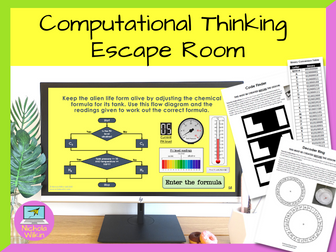
This highly interactive lesson that requires the pupils to work in teams and use computational thinking skills to solve a range of puzzles. This activity perfect for pupils about to learn Python programming and you want to show the importance of computational thinking skills. **This resource was shortlisted for the Teach Secondary Awards, a very rare honor for an independent resource creator. ** Your class need to work together to escape a locked laboratory in a spaceship and start the engines to avoid being sucked into a black hole by completing different challenges which will use a variety of computational thinking skills. They are given most of the lesson to work together and at the end of the lesson, time is dedicated to discuss the computational thinking skills they used during the activity. This gives them a practical application for the computational thinking theory rather than using the tired old “making a jam sandwich” or “getting up in the morning” scenarios which are commonly used. This activity is not a handout driven escape room, it involves using an interactive PowerPoint presentation and physical tasks that moves away from pupils filling in yet another worksheet, to working together in a team to solve interesting and challenging puzzles. Pupils enjoy the lesson and are fully engaged whilst developing the key computational thinking skills of decomposition, pattern recognition, abstraction and algorithms. Please note: This lesson does require teachers to prepare some props beforehand and it is highly recommended the teacher reads through the teacher’s instructions and creates the props well before they want to use the lesson. Also please note that this resource does not work with Google Slides. Written primarily for key stage 3, this activity can be used in a variety of situations: Introducing pupils to computational thinking skills before they are introduced to a text-based programming language Used as an end of term fun lesson which still has an education element A fun activity to use on a year 6 transition day Allow your new year 7s to get to know their new classmates and grow team sprit Helping a reluctant class see the benefits of learning programming skills . What are you waiting for? Download this interactive escape room NOW, to help students learn about computational thinking skills in a fun and memorable lesson they will love and remember. You may also be interested in my Computational Thinking Worksheets which you can buy from here.
Computational Thinking LessonsQuick View
nwilkin

Computational Thinking Lessons

(0)
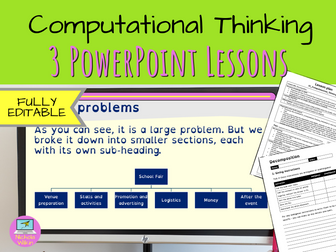
A great introduction to understanding computational thinking including decomposition, pattern recognition and abstraction. These ready to use computational thinking lessons will save you hours of preparation and can easily be adapted to meet your own requirements. WHAT IS INCLUDED? In this unit you have 3 ready-to-use lessons: Decomposition Pattern recognition Abstraction including a computational thinking team task . Please Note: This unit DOES NOT teach pupils about algorithms. In this unit pupils will be using everyday examples to help them understand the principles of computational thinking. This lesson includes everything you need is included such as: a very high-quality accessible PowerPoint presentation for every lesson that effortlessly leads the teacher through the lesson and includes all the answers to the many questions and tasks the students need to complete an editable worksheet for every lesson an easy-to-follow editable lesson plan for every lesson . PRIOR LEARNING This unit does expect pupils know that computers use programs to tell them what to do, and assumes they have had some experience of writing Scratch programs. EASY TO USE These ready to use resources are so straightforward that although I have included a lesson plan, most teachers can teach straight from the PowerPoint presentation without any further assistance. And best of all, the answers are included saving you time and energy. This makes these lessons suitable for experienced computing specialist teachers along with non-specialists and early career teachers (ECTs). EDITABLE RESOURCES I understand that teachers want to adapt their resources, so I’ve made the bold decision to make these resources editable. Therefore, if you need to use a particular template style for your school or pupils with special educational needs, you can change the PowerPoint presentation, worksheet and lesson plan to suit your needs. SCIENTIFICALLY PROVEN TEACHING TECHNIQUES These teaching resources have been specifically designed to aid pupils using educational psychology backed theories including dual coding, Mayer’s theory and the best techniques to alleviate cognitive load. These lessons are highly interactive and engage students straight from the start. I have created another unit called Understanding Algorithms which teachers pupils the basics of writing algorithms and drawing flowcharts which teachers can use after this computational thinking unit to make a complete 6 lesson unit, alternatively you may want to split them up and teach them as 2 discreet units with 3 lessons in each. [You can view the Understanding Algorithms lesson here (http:// Start reaping the benefits today of incredibly high-quality, professionally designed teaching resources that you can use with virtually no preparation. Just click on the BUY NOW button to download them straight away. You’ll wonder how you ever managed without them.
Computational Thinking for KS4Quick View
RobbotResources

Computational Thinking for KS4

(15)
This comprehensive unit of work introduces the concepts of computational thinking to students at KS4. It covers all elements of computational thinking such as Decomposition, Pattern Recognition, Abstraction and Algorithmic Design. I have also included debugging within the work. Each section is explained and followed by tasks to help develop student understanding. I have also included a ‘supermarket sweep’ computational thinking problem and a final project exercise which has three levels of difficulty. 2018 Update: Improved Grammar and clarity of task requirement. ***Please leave a review!***
Primary Computing Year 3/2 - Computer ProgrammingQuick View
xkatiecfc

Primary Computing Year 3/2 - Computer Programming

(0)
A collection of worksheets and guidance sheets to compliment the Rising Stars Switched On Computing unit for year 2/3 'We are Astronauts'. These can be used with or without the scheme and are based on use of Scratch. Objectives cover the basics of algorithms and computational thinking as well as general use of Scratch and a review sheet.
Computational Thinking Problem SolvingQuick View
RobbotResources

Computational Thinking Problem Solving

(9)
Within this unit of work, students will learn how to apply the concepts of computational thinking to a range of different problem solving puzzles. The resource is split into four sections; 1. Computational thinking puzzles - a range of different types of puzzles which encourage students to apply the concepts of computational thinking to solve them. Puzzles include mazes, word ladders and even a game of draughts (or checkers)! 2. Logic Gates - students will need to solve the logic gate puzzles to identify if the output is on (1) or off (0) dependent on the gate sequences. This also helps develop Boolean decision making through the use of AND, OR & NOT gates which produce a TRUE (1) or FALSE (0) output. 3. Flowchart puzzles - students need to work out the correct answers to the questions asked dependent on the input information and the flowchart conditions set. Flowcharts include the use of algebra variables which can help support mathematics students. 4. Pseudo code puzzles - students need to read through the pseudo code algorithms and demonstrate their understanding by answering the questions asked. Pseudo code sequences include the use of algebra variables which can help support mathematics students. Each puzzle is given a score. Once complete students check their answers and work out their overall scores and place them in the grid provided. They then compare this with the overall levels to find their overall level: Rookie, Pro or Beast! This can then be used within assessment to see if students are performing at, below or above expected levels. Pack includes a student PowerPoint resource to complete and answers for each puzzle. ***Please Leave a Review!***
Computational Thinking for KS3Quick View
RobbotResources

Computational Thinking for KS3

(16)
This unit of work introduces students within KS3 to the concepts of computational thinking by helping Rob-bot the robot make a jam sandwich. Through the activity, students will learn about decomposition, pattern recognition, abstraction and algorithm design (through both basic flowcharts and pseudo code). They will also lean about the importance of debugging their algorithms. The duration of this work usually takes between 2-3 hours to complete, so is perfect as an introductory unit to computational thinking and programming. ***Please leave a review!***
Complete Computer Science KS3 SOW: Programming in PythonQuick View
Hwanders

Complete Computer Science KS3 SOW: Programming in Python

6 Resources
This bundle comprises the entire 6 week SOW for Programming in Python. By purchasing this bundle, you will be saving 20%! I would appreciate all feedback on my work with your purchase, so I can further build my shop. Thank you.
Computational Thinking WorksheetsQuick View
nwilkin

Computational Thinking Worksheets

(0)
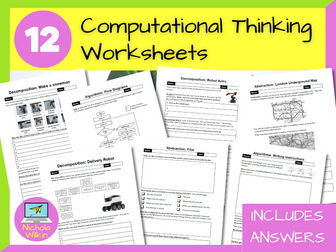
12 computational thinking worksheets you can use with your class, no preparation necessary. You even have the answers, making these a brilliant easy to use addition to your teacher toolkit. They can be printed out or completed on-screen as they are PDF files with editable areas for students to enter their answers. HOW CAN I USE THEM? These worksheets are ideal for An easy grab-and-go classroom activity, homework tasks and cover worksheets. . Perfect for computer science teachers, non-specialists and new teachers. WHAT IS INCLUDED? The 12 PDF worksheets included: Decomposition: Delivery Robot – A 2-page worksheet where students break down larger tasks into smaller tasks. A great starter activity. Decomposition: Make a Snowman – This simple worksheet where students put the steps in order and then decompose one of those steps further. This is perfect for a starter or a plenary. Decomposition: Robot Arms – This asks students to break down the tasks a robot arm in a factory would need to do. Great as a homework task. Pattern Recognition: Finding Order – Students decide on the order or steps that are required to follow a recipe successfully. A nice starter. Pattern Recognition: Spot the Correct Pattern – a 3-page worksheet where students need to pick the correct set of instructions to draw the shape. Perfect for a homework task or plenary. Pattern Recognition: Create a Pattern – a 2-page worksheet. Students follow the example given and adapt it to match the scenarios. A great way to check progress. Abstraction: London Underground – Students look at the London underground map, then answer questions about why the map has been simplified. A nice way of introducing the topic of abstraction in computational thinking. Abstraction: Film – Students describe answer questions on abstraction about a film synopsis. A nice in-class activity to reinforce learning. Abstraction: Gathering Important Facts – Students read a statement and answer questions. A nice homework task or plenary. Algorithms: Writing Instructions – A fun in-class pairs activity to write instructions for a secret handshake. A great interactive starter activity which reinforces the need for clarity in instructions. Algorithms: Pseudocode – Students write pseudocode. A nice homework task, in-class tasks to reinforce learning or plenary to check understanding. Algorithms: Flow Diagrams – A 3-page worksheet where students need to answer questions about flowcharts. Great as a plenary activity or homework task. What are you waiting for? Buy them now and use them straight away to enhance your lessons whilst saving yourself hours of preparation.
GCSE Computer Science Computational Thinking and Programming Fundamentals AssessmentQuick View
MrWatkins123

GCSE Computer Science Computational Thinking and Programming Fundamentals Assessment

(0)
This is a GCSE level assessment of Computational Thinking and Basic Programming. It includes a range of questions designed to test students initial understanding of key computing concepts. List of topics: Computational Thinking Concepts Algorithms Flowcharts Boolean Logic Searching Algorithms Sorting Algorithms Programming Fundamentals Data Types and Structures Selection Iteration Functions and Procedures Maths in Programming I use this as an initial assessment after 2 modules (around 2 months of teaching). Includes a mark scheme to help with marking. Hope it is helpful. Toby Watkins
Scratch Programming - Computational Thinking Homework 4Quick View
snegreid

Scratch Programming - Computational Thinking Homework 4

(1)
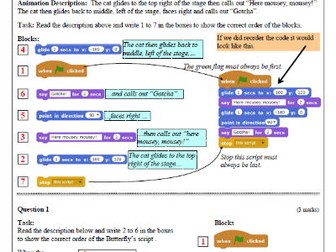
There are several skills required to be a good programmer. One of these is being able to identify the order of code. In this Scratch homework students are given a description of a short animation and the blocks required to build it, Their task is identify the correct order of the blocks. The homework starts with a worked example. There are three questions making this homework about a 10-15 minute task. Students love this style of problem solving homework.
Scratch Programming - Computational Thinking Homework 5Quick View
snegreid

Scratch Programming - Computational Thinking Homework 5

(1)
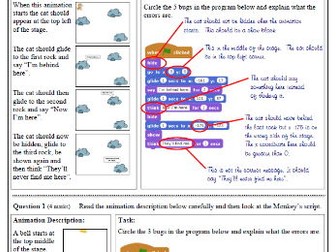
There are several skills required to be a good programmer. One of these is being able to debug programs by identifying errors in code. In this Scratch homework students are given a description of a short animation and are required to find the errors in the code. The homework starts with a worked example. There are three questions making this homework about a 10-15 minute task. Students love this style of problem solving homework. Have fun!
Scratch Programming - Computational Thinking Homework 3Quick View
snegreid

Scratch Programming - Computational Thinking Homework 3

(1)
(Greg Reid has written two Computing text books for the Scottish education system. His resources are used in thousands of schools all over the world.) Computational Thinking (learning to think in a logical/problem solving way) is the buzz word in the teaching of programming. By teaching students to predict the outcome of small pieces of code they naturally become better at building their own programs. Although this homework uses Scratch program code, the code is simply a vehicle to ask the questions and the homework may be used with students who have never seen Scratch. This homework focuses on move and rotate. Permission has been granted by the Scratch team to uses images of Scratch code. Have fun. My students loved these!
Scratch Programming - Computational Thinking Homework 6Quick View
snegreid

Scratch Programming - Computational Thinking Homework 6

(1)
There are several skills required to be a good programmer. One of these is being able to modularise programs by identifying blocks of code. This Scratch homework is based around the “broadcast” block which can be used to modularise programs allowing greater control over order, reuse of code and gives sprites the ability to communicate with each other. The homework starts with a worked example. There are four questions making this homework about a 10-15 minute task. Note that question 4 will be out of reach of most younger pupils and should possibly set as a challenge (possibly with a certificate or prize for those who successfully solve it) Students love this style of problem solving homework. Have fun!
Scratch Programming - Computational Thinking Homework 1Quick View
snegreid

Scratch Programming - Computational Thinking Homework 1

(1)
(Greg Reid has written two Computing text books for the Scottish education system. His resources are used in thousands of schools all over the world.) Computational Thinking (learning to think in a logical/problem solving way) is the buzz word in the teaching of programming. By teaching students to predict the outcome of small pieces of code they naturally become better at building their own programs. Although this homework uses Scratch program code, the code is simply a vehicle to ask the questions and the homework may be used with students who have never seen Scratch. Permission has been granted by the Scratch team to uses images of Scratch code. Have fun. My students loved these! Previously downloaded 30,000 times on a few websites comments have included: “Thanks, these look like really good examples and introduce code in a fun and engaging way.” “Very useful. I’ll use for a Maths class as well.” “Great examples to understand code. Thank you for sharing it.”
Scratch Programming - Computational Thinking Homework 2Quick View
snegreid

Scratch Programming - Computational Thinking Homework 2

(2)
Computational Thinking (learning to think in a logical/problem solving way) is the buzz word in the teaching of programming. By teaching students to predict the outcome of small pieces of code they naturally become better at building their own programs. Although this homework uses Scratch program code, the code is simply a vehicle to ask the questions and the homework may be used with students who have never seen Scratch. Permission has been granted by the Scratch team to uses images of Scratch code. Have fun. My students loved these! Previously downloaded 30,000 times on a few websites comments have included: "Thanks, these look like really good examples and introduce code in a fun and engaging way." "Very useful. I'll use for a Maths class as well." "Great examples to understand code. Thank you for sharing it."
Python Programming Challenge BundleQuick View
nwilkin

Python Programming Challenge Bundle

12 Resources
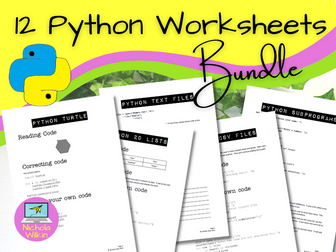
This bundle contains 12 PDF worksheets containing 65 Python coding challenges focusing on specific skills which help pupils to focus on one skill at a time. It also includes 12 PDF worksheets which contain the answers. These worksheets can be used as classroom activities, for homework tasks or as ready-to-use tasks for quick finishers, making these an invaluable resource to have in your teacher kit. Download these ready to use worksheets now and take control of your workload. Use them immediately or simply keep them in reserve for when you need them. Areas covered: 01 - Python Basics (includes 6 challenges) 02 - If Statements (includes 5 challenges) 03 - For Loops (includes 6 challenges) 04 - While Loops (includes 5 challenges) 05 - Random Functions (includes 6 challenges) 06 - Mathematical Operators (includes 7 challenges) 07 - Lists (includes 5 challenges) 08 - Turtle (includes 5 challenges) 09 - 2D Lists (includes 5 challenges) 10 - Text Files (includes 5 challenges) 11 - CSV Files (includes 5 challenges) 12 - Subprograms (includes 5 challenges) This makes 65 programming challenges which are perfect for use in the classroom or as homework tasks. Saves you hours of preparation and planning time.
Python While Loop Programming ChallengesQuick View
nwilkin

Python While Loop Programming Challenges

(1)
Do your students need a little extra help understanding while loops in Python programming? Are you looking for some ready-to-use programming challenges that can be easily incorporated into your lessons? This worksheet can be used as a classroom activity, for a homework task or as a ready-to-use task for quick finishers, making this an invaluable resource to have in your teacher kit. Download this ready-to-use worksheet now and take control of your workload. Use it immediately or simply keep it in reserve for when you need it. WHAT IS INCLUDED? This 2-page PDF printable handout includes: example code, a task to read code, a task to correct code and 3 practical challenges. . You even have a separate PDF with possible answers. The diversity of these while loops challenges allow pupils to develop a variety of useful programming skills. This resource is perfect for established computer science teachers, non-specialist teachers or newly qualified teachers. What are you waiting for? Take action straight away and grab your copy of this wonderful worksheet today that will keep your pupils engaged and making real progress. Everything is done for you which will save you hours of preparation time. Please note: This resource is a non-editable PDF FREE BONUS PRODUCT INCLUDED As a special thank you for purchasing this product I am pleased to be able to also include a surprise FREE bonus gift. This gift is one of my complete resources for which I usually charge full price but is yours absolutely free when you purchase this product. Just my little way of saying thank you to my valued customers. I hope you enjoy it and get use out of it, with my compliments. Click Here To See More Of My Great Python Challenges
Curriculum Computer Science for Year 7 ( Computational thinking and Blockly Block Programming)Quick View
Tadjerout

Curriculum Computer Science for Year 7 ( Computational thinking and Blockly Block Programming)

(0)
In Term 1- This course is designed to provide students with fundamental Knowledge related to computer science. It also introduces students to Computational thinking and how computers work. In Term 2- This course defines the competency level require to understand and explore the basic programming concepts/ principles while using a friendly mobile app creation environment (Blockly games programming), which mainly designed to create simple animations and fun games. It enables the learner to write scripts on mobile devices and traditional PCs. By going through this course, learners shall be well prepared to move on to HTML5, JavaScript, and more. In Term 3 - This course defines the competency level require to understand and explore the basic programming concepts/ principles while using a friendly mobile app creation environment (Blockly games programming), Blockly Games is a series of educational games that teach programming. It is designed for students who have not had prior experience with computer programming. By the end of these games, players are ready to use conventional text-based languages which mainly designed to create simple animations and fun games. It enables the learner to write scripts on mobile devices and traditional PCs. By going through this course, learners shall be well prepared to move on to HTML5, JavaScript, and more.
Curriculum Computer Science for Year 6 ( Computational thinking and Blockly Block Programming)Quick View
Tadjerout

Curriculum Computer Science for Year 6 ( Computational thinking and Blockly Block Programming)

(0)
In Term 1- This course is designed to provide students with fundamental Knowledge related to computer science. It also introduces students to Computational thinking and how computers work. In Term 2- This course defines the competency level require to understand and explore the basic programming concepts/ principles while using a friendly mobile app creation environment (Blockly games programming), which mainly designed to create simple animations and fun games. It enables the learner to write scripts on mobile devices and traditional PCs. By going through this course, learners shall be well prepared to move on to HTML5, JavaScript, and more. In Term 3- This course defines the competency level require to understand and explore the basic programming concepts/ principles while using a friendly mobile app creation environment (Blockly games programming), Blockly Games is a series of educational games that teach programming. It is designed for students who have not had prior experience with computer programming. By the end of these games, players are ready to use conventional text-based languages which mainly designed to create simple animations and fun games. It enables the learner to write scripts on mobile devices and traditional PCs. By going through this course, learners shall be well prepared to move on to HTML5, JavaScript, and more.
Scratch Computer Programming TechniquesQuick View
RobbotResources

Scratch Computer Programming Techniques

(7)
Included in pack - PDF and PPT versions. Includes; Procedures, Functions, IF then Else statements Loops (Repeat, Forever, Forever IF) Getting around (Moving jumping techniques) Game based (Scoring, collecting objects, timers) Scratch specific techniques (Broadcasting, variables, costumes) Bouncing off things (edge of screen, walls) Creating a scrolling background Ideal for KS3, but also suitable for KS2. Also includes flowchart diagrams to help explain the concept of the programming. *****************************************Please leave a review!***************************************